1
FAQ
This document includes answers to frequently asked questions, as well as general tips.
I can only see Setup and Users menus, shouldn't there be
more?
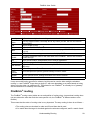
Out of the box the FireBrick does not require any login to access the basic settings. In this state
most of the menus are hidden.
You should set up an admin user, and log in as the admin user. This makes the FireBrick much
more secure and allows you to see all of the menus.
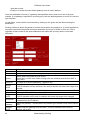
To do this, go to users, select admin, and enter a password (in both boxes) and save. Then select
login from the top left and enter the username admin and the password you chose. You should then
see more icons and menus. You can then go to users, select nobody, and un−tick the view and edit
rights for level 1 and save. In future, always log in. You can change the user name from admin to
something else if you wish, and add others users.
I cannot access the FireBrick any more − HELP!
The FireBrick has a lot of security, and it is quite easy to configure yourself in to a hole − not
allowing you access. There are default filters to stop you doing this by mistake, and it is wise to
leave these in place and active until you are sure what you are doing. It is also wise to save the
config regularly, so that if you have to factory reset the FireBrick, you can go back to the last
working state and not have to start again. If you have managed to make such a configuration, or
even simply forgotten your password, then the only option is a factory reset.
To factory reset your FireBrick, remove all connections from it, and then use a straight patch lead
(as supplied) to connect the WAN (left hand) port to the far right hand LAN port. Then power up and
wait a second for the red light to come on. Then remove the patch lead. The FireBrick will blink its
lights then go show cycling lights − it is now factory reset.
I have set the user to WAN access, but it just says
"Goodbye"
So you want access from outside ? You must also set the nobody user to WAN access, as this is
required to show the log in screen at all.
I cannot set the clock!
The clock is set from the internet, but to do this the FireBrick must be able to talk to the internet.
This is normally via the WAN port to the time servers configured in the FireBrick by default. Just
because you can talk to the internet from a PC on your LAN via the FireBrick does not mean the
FireBrick knows how to − this is the case in stealth mode.
To get packets to the internet, the FireBrick will need two key things − a gateway, and an IP
address. The gateway is just the address of your router on the WAN side and is set in the setup
menu. The IP address is a different matter − it can either be a public IP address set up using a
subnet on the WAN side, or can be a stealth address. Either way it must be an address which will
FAQ
7