1
Overview
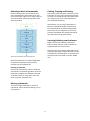
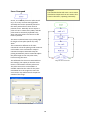
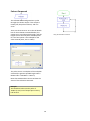
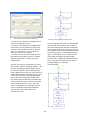
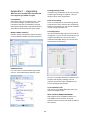
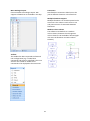
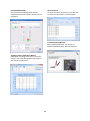
PICAXE Editor 6 provides a graphical flowchart environment for designing, testing, editing and
downloading control sequences for PICAXE microcontrollers.
PICAXE Editor 6 now incorporates, and hence replaces, the previous ‘Logicator for PICs’ product. To
select the Logicator colour scheme right click over the flowchart and select the Colour Scheme menu.
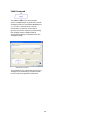
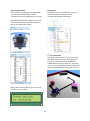
The wide range of PICAXE commands allows the user to control output devices, such as motors and
LEDs that are connected to the PICAXE microcontroller. We can switch devices on or off in
sequences using: timing, counting, repetition, and decisions based on signals from digital and
analogue sensors that are connected to the PICAXE microcontroller.
This section of the manual explains how the most common commands are used, giving examples of
the common commands and techniques in the context of possible school projects.
It is organised under the following headings:
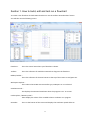
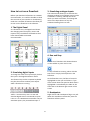
1. How to build, edit and test run a flowchart
2. Outputs
This section shows: how to switch output devices and motors connected to outputs of a PICAXE
microcontroller, using Outputs, Motor, Sound and Play commands; how timing can be built into a
control system using Wait or Sleep commands; how the Serout command can be used to output
serial information from the PICAXE microcontroller.
3. Inputs
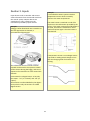
This section shows: how to check the state of digital sensors connected to a PICAXE microcontroller
using the Decision command; how to use the Interrupt command for instant response to digital
sensors; how to use the Compare command to make use of readings from analogue sensors
connected to a PICAXE microcontroller, in a control system.
4. Procedures
This section shows the important technique of building a control system as a number of linked sub
systems.
5. Variables
This section shows: how to create counting systems using Inc and Dec commands; how timing can be
built into a control system; how Expression, In and Random commands are used to give a value to a
variable; how Read and Write commands are used to store and access values of variables using the
PICAXE microcontroller’s EEPROM memory.
Quick Start
If you are unfamiliar with the flowchart approach to building control systems, it is a good idea to
begin by familiarising yourself with the most commonly used commands, which are: Outputs, Wait,
Motor and Decision. Use File>Open Samples and Section 1 (“How to build, edit and test run a
flowchart”) as a reference to help learn how flowcharts operate.
2