1
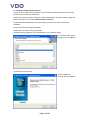
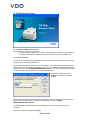
6. Installing the TIS-Web Automatic Upload Service
TIS-Web Automatic Upload is a service for the automatic upload of tachograph data to TIS-Web.
The program transfers the following data formats:
• Download files from digital tachographs that have been transferred, for example, by using a
Downloadterminal,
• Analogue tachograph data analysed by the TIS-Web Scanner Client.
6.1. System requirements
Component
Requirement
Mainboard
Pentium 4, 1 GHz, 32 bit
Main memory
1 GB RAM
Hard disk memory
250 MB free hard disk memory for software installation and temporary
storage of chart files
Interfaces
• Stand-alone or server: USB 2.0 port for the connection of the scanner
Internet access
If using TIS-Web: min. ADSL / VDSL
Operating system
Stand-alone or client: Microsoft® Windows® XP or Vista™ (with
current Service Pack)
Installation program
Microsoft® Windows® Installer 3.1 or higher
Display program
Adobe® Reader®
Internet browser
TIS-Web: Microsoft® Internet Explorer® Version 6.0 or higher
(Recommended to access manuals)
Please ensure the following:
• A connection to the Internet is available from the PC where the Automatic upload service is
to be installed.
• Software and services installed as part of this system can be started when required
• You must have administrator rights or the necessary permissions to install programs.
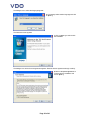
• You have downloaded the installation file from the Internet or have an installation CD.
• Microsoft .NET Framework 2.0 is installed.
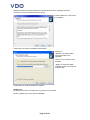
In consultation with your system or network administrator, first determine which permissions the TISWeb Automatic Upload Service is to have.
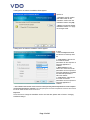
During installation you must select how the TIS-Web Automatic Upload Service is to log on to the
computer and the network. You select this to specify which permissions the service has on the
computer and on the network.
You have the following options:
• Local System – the service has full access permissions for the computer on which it is
installed and can log on with the account details of the computer to the network.
• Network Service – the service has the permissions of a normal user and can log on to the
network with the account details of the computer on which it is installed.
• Local Service – the service has the permissions of a normal user. The service logs on to
the network anonymously.
• Domain Account – the service has the permissions that are assigned to the user account
under which it logs on.
To use the TIS-Web Automatic Upload Service to retrieve data that is saved on a network drive, you
should select Local System or Network Service.
If necessary, consider sharing the directories (folders) to which the service is to have access.
Page 10 of 40