1
Chapter 3: Settings
Module Settings / SIP2 Server
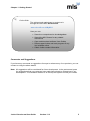
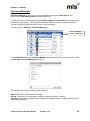
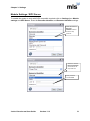
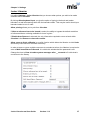
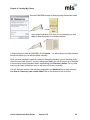
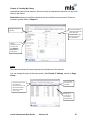
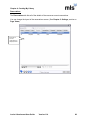
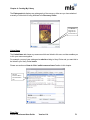
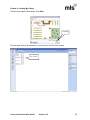
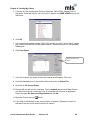
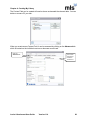
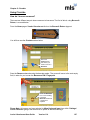
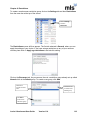
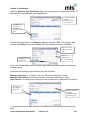
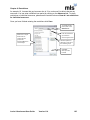
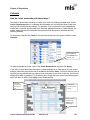
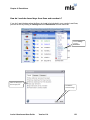
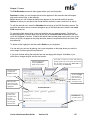
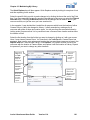
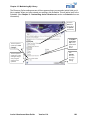
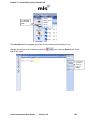
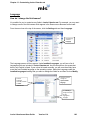
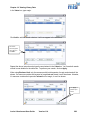
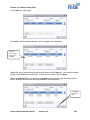
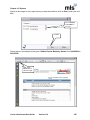
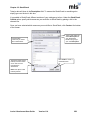
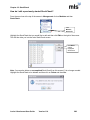
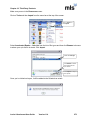
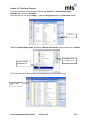
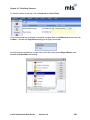
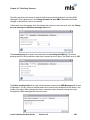
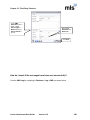
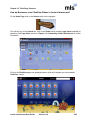
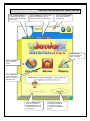
To enable the system to work with SIP2 compatible terminals click on Settings then Module
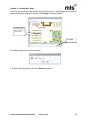
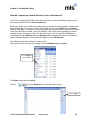
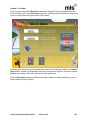
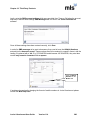
settings and SIP2 Server. Enter the Borrower Identifier and Resource Identifier settings.
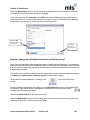
Select the relevant
Borrower
Identifier method
from the drop
down list
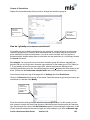
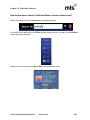
Select the relevant
Resource Identifier
method from the
drop down list
Enter password
and click Save
Junior Librarian.net User Guide
Version 11.4
31