1
1. Introduction
2. Precautions
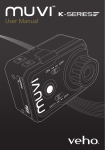
Thank you for purchasing the Veho K-Series HD camcorder. Its small size, integrated
design and easy to use functions mean that you can record and photograph anytime,
anywhere using high-definition and dynamic photography, so that you can share
your videos and photos with your family members and friends.
When using the K-Series HD camcorder please adhere to the following precautions:
This manual covers detailed instructions on use, operation, installation and technical
specifications of the K-Series HD camcorder. Please read this manual carefully before
use and retain for future reference.
Index
Introduction 2
Precautions
3
Tour of your Muvi K-Series
4
Description of LED indicators
6
Getting Started
8
Accessing Muvi K-Series Settings
10
General camcorder settings
11
Switching between modes
13
Video Recording
15
G-Sensor
17
Photo capture
18
Download and install app
20
Turning on the WiFi and connecting to the app
21
Guide to using the app
24
K-Series Camcorder Specs
35
2
1.
Do not drop, knock or shake the camcorder.
2.Do not put the camcorder close to an object that generates strong magnetic
field, such as a magnet or a motor or close to an object that emits powerful
radio waves. A strong magnetic field may cause faults on the camcorder or
damage the video/audio recordings.
3.Do not expose the video camera to high temperatures or direct sunshine.
4.Do not put the microSD card close to an object that generates a strong
magnetic field, such as a television set or a magnet. Do not put the microSD
card in a place where static electricity is easily generated.
5.If the camcorder overheats or you see or smell smoke whilst it is charging,
immediately disconnect the power supply to stop charging the battery.
6.Keep the camcorder out of reach of children during charging as the power
cable may cause asphyxia or electric shocks.
7.Store the camcorder in a cool, dry and dust-free place.
3