1
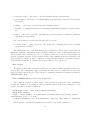
Time conditions can also be encased within a ‘not’ tag in indicate the reverse condition.
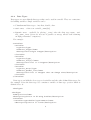
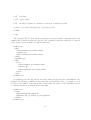
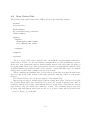
Functions can have input and output message types. For example the following example
the function takes message types ‘a’ and ‘b’ as inputs and outputs message type ‘c’:
<inputs>
<input><messageName>a</messageName></input>
<input><messageName>b</messageName></input>
</inputs>
<outputs>
<output><messageName>c</messageName></output>
</outputs>
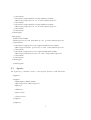
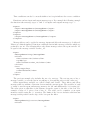
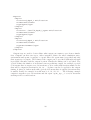
Message filters can be applied to message inputs and allow the messages to be filtered.
Filters are defined similar to function conditions but include message variables which are
prefixed by an ‘m’. The following filter only allows messages where the agent variable ‘id’
is equal to the message variable ‘worker_id’:
<input>
<messageName>firing</messageName>
<filter>
<lhs><value>a.id</value></lhs>
<op>EQ</op>
<rhs><value>m.worker_id</value></rhs>
</filter>
<sort>
<key>wage</key>
<order>descend</order>
</sort>
</input>
The previous example also includes the use of a sort tag. The sort tag uses a key, a
message variable, to sort the list in ‘ascend’ing or ‘descend’ing order via the order tag.
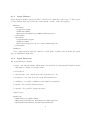
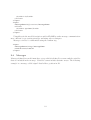
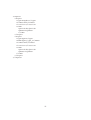
Other input filters available are called ‘box2d’ and ‘box3d’. These filters only allow
messages that are within a Cartesian box around the current agent. The variables ‘x’ and
‘y’ must be used in agent and message memory for ‘2d’ and additionally ‘z’ for using ‘3d’.
The value given to this filter is the distance from the agent to the side of the box. For
example a value of ‘1’ gives a box of size ‘2’. The value can be a number or an agent
memory variable using the ‘a.’ notation. The limits of the box are inclusive which means
messages with position on the edge of the box pass the filter.
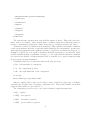
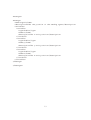
<input>
<messageName>2d_location</messageName>
<filter>
11