1
2.1
Model in Multiple Files
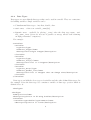
It is possible to define a model in multiple files. FLAME reads a model from multiple files
as if the model was defined in one file. This capability allows different parts of a model
to be enabled or disabled easily. For example if a model includes different versions of a
sub-model that can be exchanged, or a subsystem of a model can be disabled to see how it
affects the model. Alternatively this capability could be used as a hierarchy, for example
a ‘body’ model could include a model of the ‘cardiovascular system’ that includes a model
of the ‘heart’. The following tags show the inclusion of two models, one enabled and one
disabled:
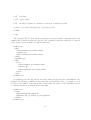
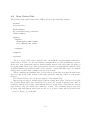
<models>
<model><file>sub_model_1.xml</file><enabled>true</enabled></model>
<model><file>sub_model_2.xml</file><enabled>false</enabled></model>
</models>
The location of any sub model should be relative to the original model xmml file.
2.2
Environment
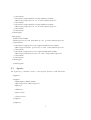
The environment of a model holds information that maybe required by a model but is not
part of an agent or a message. This includes:
• constant variables – for setting up different simulations easily
• location of function files – the path to the implementations of agent functions
• time units – for easily activating agent functions dependent on time periods
• data types – user defined data types used by agent memory or message variables
This notion of environment does not correspond to an environment that would be a part
of a model where agents would interact with the environment. Anything that can change
in a model must be represented by an agent, therefore if a model includes a changeable
environment that agents can interact with, this in itself must be represented by an agent.
2.2.1
Constant Variables
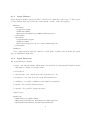
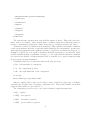
These are constant variables that can be set at the start of simulation runs initial starting
values and cannot be altered thereafter. They can be defined as follows:
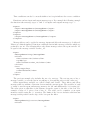
<constants>
<variable>
<type>int</type>
<name>my_constant</name>
3