1
extension, and then enter that extension number.
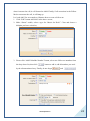
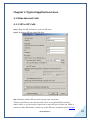
Actions --- Show the actions you select from “Add new Step”, after you choose an
action from “Add new Step” drop-list options, please click
button,
then it will show at “Actions” frame.
KeyPress --- Including digital 0 to 9 and other characters. When you put your cursor
after the digital, there will be an orange frame, and you can click at here to choose the
caller in the drop-down list, and then update it.
After setting, please save and apply your changes. The above example “KeyPress
Events” settings mean the call will goto ringgroup you have configured before if press
0, goto operator if press 1 and goto the extension 6000 if press 2.
3.12 Time Intervals
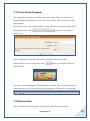
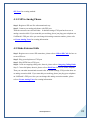
Time Intervals are defined ranges of time that will be used by call routing features.
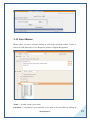
When you click
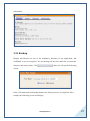
button, the following figure will display.
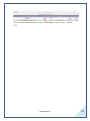
Settings in the above picture mean that incoming calls from 09:00 AM to 06:00 PM of
every Monday to Friday work normally and calls not in this time segment will not
work.
www.openvox.cn
20