1
Chapter 2 — Configuring the PB50
The PB50 supports these authentication modes: none, WEP,
WPA Personal and Enterprise mode (802.1x authentication),
WPA2 Personal and Enterprise mode (802.1x authentication).
Note: WPA and WPA2 Enterprise mode currently support PEAP,
TTLS, and LEAP. For LEAP authentication, the PB50 supports
Open EAP, but does not support Network EAP.
To set up the PB50 to work in your wireless network, you will
need:
• Serial cable (P/N 075497-001)
• Host PC running Windows or Linux
• Serial port software such as HyperTerminal
Note: If you are using IPL commands with HyperTerminal, you
may want to be able to see the commands as you type them on
your screen. For help, see “Changing Configuration Settings
Using the Command Line” on page 23.
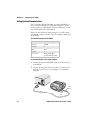
To set up the PB50 for wireless communications
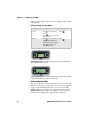
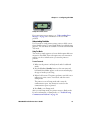
1 Connect the 8-pin circular DIN connector to the serial port
on the PB50.
2 Connect the other end of the serial cable to a serial port on
the back of your PC or to a serial adapter on your mobile
computer.
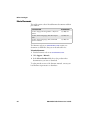
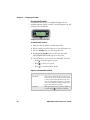
3 Open HyperTerminal on your PC and configure the
following parameters for the serial port:
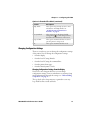
Parameter
Default Setting
Baud rate
115200
Data bits
8
Parity
None
Stop bits
1
PB50 Mobile Label Printer User’s Guide
27