1
Module "DTA/LSV+/BDD"
payCOMweb User Manual
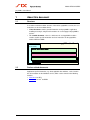
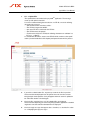
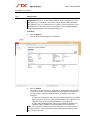
Requested date
from … to
3.
Beginning and end of the requested processing date
range (Interbank Settlement Date) for the orders to be
selected. The data must be entered in the format
DD.MM.YY (DD = day, MM = month, YY = year).
Alternatively, the date can also be selected in the
calendar window, which is displayed if you click on the
calendar symbol .
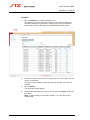
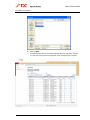
Click on Show.
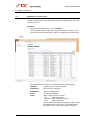
Orders that meet the selection criteria you entered (or all orders if you did not
enter any selection criteria) and which your user profile entitles you to view and
edit are displayed in an overview list sorted in descending order of requested
processing date. If more than 1000, or no, orders are found meeting the selection
criteria, a message is displayed.
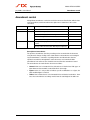
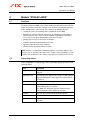
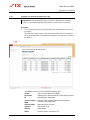
The individual columns of the list contain the following data:
Service
Type of service (DTA or LSV+/BDD)
BC number
Ordering party's financial institution's bank clearing number
ID
Ordering party's identification
Account number / Account number or IBAN (International Bank Account
Number) of the ordering party
IBAN
Requested date
Requested processing date
Currency
ISO currency code
Amount
Order amount
Version 1.2 / 06.06.2014
19