1
User's Guide 3.6 US.QXD 3/11/99 3:58 PM Page 94
94
2.34 Color palette
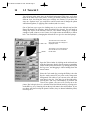
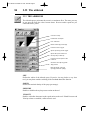
PALETTE COMPONENTS
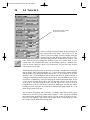
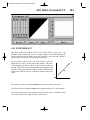
Every color can be made up using different component systems. There are several
of these available, each of them approaching colors from a different viewpoint. The
systems are different in that they use different component systems to describe
colors:
• RGB for Red, Green, Blue
• CMY for Cyan, Magenta, Yellow
• HSL for Hue, Saturation, Luminosity
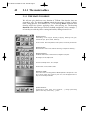
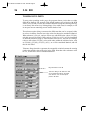
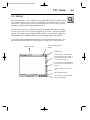
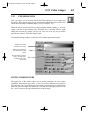
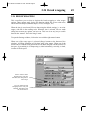
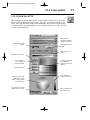
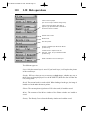
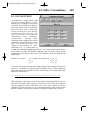
The Palette window allows you to choose between these three component systems.
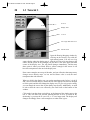
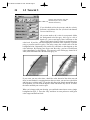
In the window you will see two groups of sliders, one for RGB and one for HSL.
At the end of each of these is displayed the current value set by the slider. You can
click on the CMY button to change the RGB components into CMY components
(and vice versa).
EDITING COLORS
All parts of the Palette window work simultaneously. If you click on a color in the
palette, it gets copied to the color display (on the left of the window), and its RGB
and HSL values are automatically updated. Conversely, if you alter the RGB or
HSL values of a color, the ensuing color is shown in the color display, and is ready
to be copied into the palette.
Creating new shades of color will usually use these two operating modes of the
palette. You choose a color (from the current palette, the color spectrum or the
page) and then change its components to get exactly the right shade, then copy it
back out to the palette.
CHOOSING A COLOR FROM THE PALETTE
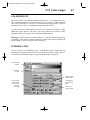
Click directly on a color in the working palette: your chosen color appears in the
color display, and its color components are displayed in the RGB-HSL or
CMY-HSL sliders. If you keep the mouse button pressed whilst moving around the
palette, you select one after the other all the colors that pass under the mouse
pointer, and the sliders are updated in real time.
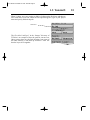
There are several working palettes: by clicking on the + and - buttons you cycle
through 4 predefined palettes of 256 colors each. These are completely user
configurable and can be saved to disk.