1
5 Getting started with modeling
5.1 C++ kernel vs. Python interface
The kernel of the KNIT modeling system is written in C++ and represents the main
functionality of KNIT. A user accesses this functionality via an interface, written in Python.
Technically, user has to write a simple script – a Python program – that will be interpreted
by KNIT. KNIT passes all Python function calls from the user script to its kernel and returns
the results in a form defined by the user (e.g. graphs, plots, flat data files). Therefore, all the
implementation details are hidden from the user and a knowledge of C++ is not required. In
more details, the KNIT architecture is addressed in section 8 of this document.
5.2 Five modeling steps
KNIT calculates local and global transport properties of a mesoscopic quantum systems. In
KNIT, one considers a quantum system of N sites connected to several conducting
electrodes, also called leads. User specifies the system (its geometry and leads) in a script
file, written in the Python language.
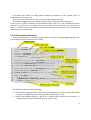
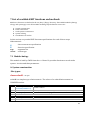
To write a Python script for KNIT, user has to accomplish the following steps:
A.
B.
C.
D.
E.
System construction
Lead construction
Total system construction
System solving
Visualisation of results
In a tutorial below we illustrate how to proceed with these modeling steps. We divide this
tutorial into 5 parts – by the number of steps to accomplish. Each part contains a theory and
a Python code related to a modelling step.
5.3 Tutorial: Calculation of conductance matrix for a 2D system with two
leads
A. SYSTEM CONSTRUCTION
System and Site
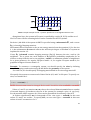
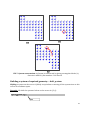
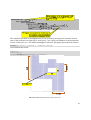
In KNIT, a system can be specified in 2D, 3D, … space. In 2D space, for example, the system
is characterized by its height and with (W, H) and represents a finite number of sites,
enumerated from 1 to N = W x H:
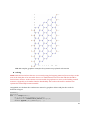
21