1
Lab 6: Troubleshooting IP Connectivity
Objectives
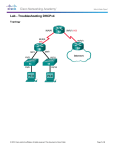
In this lab, you will first diagnose and correct an IP connectivity issue on PC1 and PC2.
You will then download a config file into PxSW to introduce an IP connectivity problem
within your pod, which you will then diagnose and correct. You will download a config
file into PxR2 to introduce IP connectivity problems within your pod, which you will then
diagnose and correct. You will repeat the process with a file loaded into PxR1.
The objectives for this lab are:
• Diagnose and correct an IP connectivity issue on PC1 and PC2.
• Load a configuration file into PxSW that causes IP connectivity problems; diagnose and
correct the problem.
• Load a configuration file into PxR2 that causes IP connectivity problems; diagnose and
correct the problem.
• Load a configuration file into PxR1 that causes IP connectivity problems; diagnose and
correct the problem.
Important
Substitute your pod number for x and the router number for y in all instructions and
commands.
The passwords configured on the devices at this point are:
• Console and vty access: username: ccna, password: cisco
• enable secret: sanfran
L6-2
© Global Knowledge Training LLC