1
Chapter 2
Installation Guide
Operating Instructions
IVC-3D
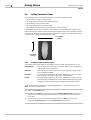
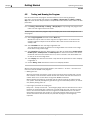
Follow the steps below to receive an image from the device.
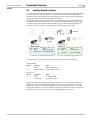
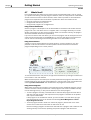
5. Make sure the PC is connected to a server or a switch and connect the Ethernet cable
from the device to the same network server or switch as the PC. If you connect the
device directly to the PC make sure you use a crossover Ethernet cable.
6. Connect the power I/O cable to +24 volts and GND.
7. Start IVC Studio.
If you start IVC Studio for the first time, enter a company name and the serial number,
and log in as administrator.
8.
Choose File Æ Open Product... and open the product Empty.prd.
9.
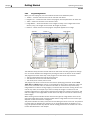
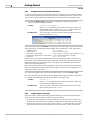
Click Devices in the left pane in the main window.
If you are connected to a network with a DHCP server, the device should be displayed
in the right pane.
If the device is running a program (STATUS: RUN), stop the program by right-clicking
the device in the right pane and choose Stop Program.
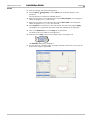
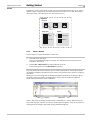
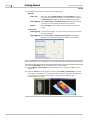
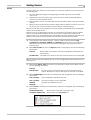
Choose Options Æ Configuration from the IVC Studio menu bar.
Select Ethernet Devices in the dialog box and click Ethernet Devices Configuration.
A list of all connected devices appears.
Select the device.
All available settings appear in the right pane.
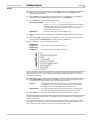
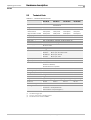
Make the necessary settings, depending on your connection method:
10.
11.
12.
13.
Connection method
Through a switch to
a network with a
DHCP server
Through a switch to
a network without a
DHCP server
Parameter
ID
IP
ID
Netmask
DHCP
If there are subnets in the
network, the IP address of your
network’s gateway. This should
be provided by a network technician.
Set to 0 (zero).
DHCP IPAutoConfiguration
Set to 0 (zero).
IP
ID
Netmask
DHCP
DHCP IPAutoConfiguration
All settings are the same as for
a network without DHCP server
(above). The IP address of the
device should use the same
subnet as the PC.
Gateway
Directly to the PC
either through a
switch or a crossover Ethernet cable
Value
Set to the customer serial
number or another number that
is unique in the network.
An unoccupied IP address,
provided by a network technician.
Set to the customer serial
number or another number that
is unique in the network.
Your network’s netmask, provided by a network technician.
See appendix B of the IVC-3D Reference Manual for detailed information on the
parameters.
8
SICK IVP • Industrial Sensors • www.sickivp.com • All rights reserved
8011007