1
RAIDWatch User’s Manual
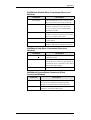
9.2.2.4. Click OK to Create LD................................................................................ 9-7
9.2.3 Accessing the Existing Logical Drive Window ...................................................... 9-7
9.2.3.1. Modifying LD Configurations ..................................................................... 9-8
9.2.3.2. Expanding LD by Adding Disks .................................................................. 9-9
9.2.3.3. Accessing the Expand Command page........................................................ 9-9
9.2.3.4. Click Expand to Initiate LD Expansion..................................................... 9-10
9.2.3.5. Accessing the Migrate LD Command page............................................... 9-11
9.2.3.6. Click Migrate Logical Drives to Initiate LD Migration ............................ 9-12
9.2.4 Dynamic Logical Drive Expansion...................................................................... 9-13
9.2.4.1. What Is It and How Does It Work? ........................................................... 9-13
9.2.4.2. Two Modes of Dynamic LD Expansion..................................................... 9-13
9.2.5 Adding Spare Drive Assignments ........................................................................ 9-15
9.2.5.1. Accessing the Spare Drive Management Screen ....................................... 9-16
9.2.6 Rebuilding Logical Drives................................................................................... 9-17
9.2.7 Deleting an LD .................................................................................................... 9-17
9.3.
LOGICAL VOLUME MANAGEMENT ........................................................................ 9-18
9.3.1 Accessing the Create Logical Volume Window ................................................... 9-18
9.3.2 Creating Logical Volumes ................................................................................... 9-19
9.3.2.1. LV Creation.............................................................................................. 9-19
9.3.2.2. Selecting LDs ............................................................................................ 9-20
9.3.2.3. Setting LV Parameters .............................................................................. 9-20
9.3.2.4. Click OK to Create LV .............................................................................. 9-20
9.3.3 Accessing the Existing Logical Volumes Window ............................................... 9-21
9.3.3.1. Modifying LV Configurations ................................................................... 9-21
9.3.3.2. Expanding a LV......................................................................................... 9-22
9.3.3.3. Accessing the Expand LV Command Page................................................ 9-22
9.3.4 Deleting an LV..................................................................................................... 9-23
9.4.
PARTITIONING A LOGICAL CONFIGURATION ......................................................... 9-24
9.4.1 OVERVIEW ............................................................................................................ 9-24
9.4.2 Partitioning a Logical Drive ............................................................................... 9-25
9.4.3 Partitioning a Logical Volume ............................................................................ 9-26
CHAPTER 10 LUN MAPPING
10.1. ACCESSING THE LUN MAP TABLE ....................................................................... 10-2
10.2. LUN MAPPING ..................................................................................................... 10-3
10.2.1 Mapping a Complete LD or LV ......................................................................... 10-3
10.2.2 Map a Logical Drive or Volume Partition to a Host LUN ................................ 10-4
10.2.3 Deleting a Host LUN Mapping.......................................................................... 10-5
PART 3 SYSTEM MONITORING
CHAPTER 11 SYSTEM MONITORING AND MANAGEMENT
11.1 RAID INFORMATION ............................................................................................ 11-2
11.1.1 The Information Category ................................................................................. 11-2
11.1.2 Date and Time ................................................................................................... 11-3
11.1.3 Enclosure View.................................................................................................. 11-4
11.1.4 Task Under Process........................................................................................... 11-5
11.1.5 Event Log List/Configuration List Window ....................................................... 11-5
11.2 LOGICAL DRIVE INFORMATION ............................................................................. 11-8
11.2.1 Accessing Logical Drive Information................................................................ 11-9
11.3 LOGICAL VOLUME INFORMATION ....................................................................... 11-10
11.3.1 Accessing Logical Volume Information........................................................... 11-10
11.4 FIBRE CHANNEL STATUS .................................................................................... 11-11
11.5 SYSTEM INFORMATION ....................................................................................... 11-11
11.6 STATISTICS.......................................................................................................... 11-13
CHAPTER 12 ENCLOSURE DISPLAY
vii