Download User Manual
Transcript
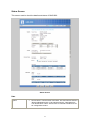
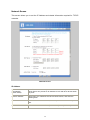
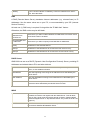
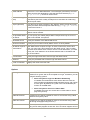
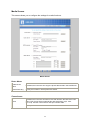
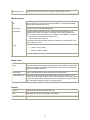
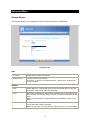
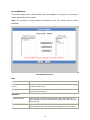
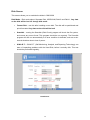
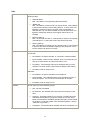
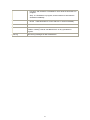
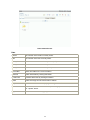
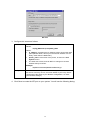
E-Mail Address Enter from 1 to 3 E-Mail Addresses. The messages generated by the NAS will be sent to these destinations. Note that special characters (e.g. " / \ [ ] : ; | = , + * ? < > ' `) cannot be used in them. From Address (Optional) Specify one E-Mail Address that appear in the "From" field of e-mail alert generated by the NAS. Usually it's helpful for e-mail alerts to avoid being filtered as junk mails. Subject (Optional) Enter the text you wish to appear in the "Subject" field of e-mail alert generated by the NAS. Note that special characters (e.g. " / \ [ ] : ; | = . , + * ? < > ' `) cannot be used in it. Send Test Mail Send test mail to specified e-mail address to verify whether the e-mail address can be reached. Use Specified SMTP You can specify one SMTP (Simple Mail Transport Protocol) server to be Mail Server used to send E-Mail. It's optional. SMTP Mail Server Specify the address of the SMTP Mail Server. SMTP Port Number Specify the port number used by SMTP server. It's 25 by default. Mail Server requires Authentication If the SMTP Server requires a "login" in order to send mail, check it and enter your login name and password for the SMTP server. This is usually the same as the POP3 server used to receive e-mail. Meanwhile, you need specify the "From Address" as the E-Mail Address that is correlative with the Account Name. Account Name Specify the login name that is used to login the SMTP server. Password Specify the password that is used to login the SMTP server. Result of Test Mail Displays the result of the test mail. Options Enable 'guest' account If enabled, then user can use "guest" as user ID to login to the NAS. If disabled, then "guest" will not be accepted as a login. If enabled, you can configure following options: Allow anonymous Login for Windows Networking If enabled, then all Windows users will be able to access the NAS via Network Neighborhood/My Network Places, with "guest" access rights. By default, the "guest" user has Read/Write permission for all USB disks. Allow anonymous access to "Public Data" If enabled, then user can access files on Public Data on homepage anonymously. Enable NFS Server If enabled, then it will be possible for users to access files using a NFS (Network File System) client. Enable AFP Server If enabled, then it will be possible for users to access files using a Mac OS through AFP(Apple Filing Protocol ). Enable FTP Server If enabled, then it will be possible for users to upload and download files using a FTP client program on their PC. The FTP server supports UTF-8. 40