1
im Vertrieb von
CAMBOARD Electronics
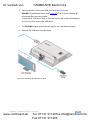
4. Wait until the files are copied and then disconnect the USB memory stick.
5. Turn On the power on the display that is connected to the output of the
KDS-MP1 Digital Media Player.
6. Connect the USB keyboard to the USB port on the KDS-MP1 Digital Media
Player.
The KDS-MP1 Media Player will boot up into the configuration mode.
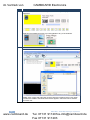
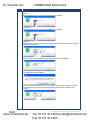
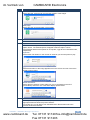
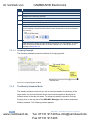
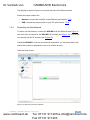
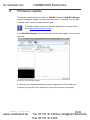
7. Go to the firmware update menu (see Section 5.2) and follow the
instructions on the display.
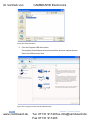
8. When prompted, connect the memory stick to the USB port on the
KDS-MP1.
The firmware update process starts immediately and the progress bar on the display
shows the status.
!
Do not remove the memory stick or turn the power Off before update
is complete.
i
Upon completion of the update, the KDS-MP1 restarts automatically
and starts playback.
9. Remove the memory stick.
KDS-MP1 - Firmware Update
www.camboard.de
45
Tel. 07131 [email protected]
Fax 07131 911203