1
DANAHER MOTION S.A.
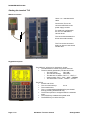
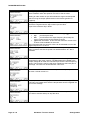
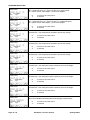
Menu G: displaying the actual values
Display
Description
Here the display when all values are shown.
Here the "zoomed" display when selected.
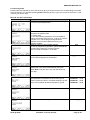
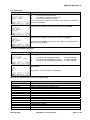
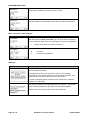
Menu H: The failure history
Display
Description
With the sequence 2ndF H you can display the failure history. The first
failure shown is the last happening. The last 8 failures are recorded.
The failure is displayed with a time information related to the time “power
applied” – see Menu A
Menu I: RESET
With the sequence 2ndF I you can RESET the drive after a failure.
Menu J: save the actual speed set point as default
With the sequence 2ndF I you can save the actual set point as default value within the menu B.
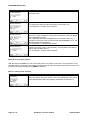
Menu K: setting the display
Display
Description
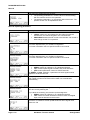
With the sequence 2ndF K you can select the values shown on the
display.
0
to move to the next choice
1
displays all values as shown with 2ndF G above
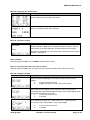
"Zoom" display enhances the character size of the "actual values" display
(See menu G). This display is only valid when only one ACO5xxx is
connected and is also automatically set back to the standard display when
more than one ACO5xxx are online.
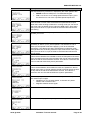
0
to move to the next choice
1
to activate
Selection 1 – Speed display is set in Hz
Fc = frequency set point, Im = motor current, Fs = output frequency
Iw = active current, P&Voltages = power and voltages
0
1
S630-gb-0825
to move to the next choice
to activate
ACO5000 / TL5 user manual
Page 15 / 20