1
DANAHER MOTION S.A.
Table of content
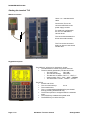
Starting the terminal TL5 ........................................................................................................................... 4
Where to connect ....................................................................................................................................... 4
Keypad description .................................................................................................................................... 4
Function key 2ndF...................................................................................................................................... 4
Function key 2ndF...................................................................................................................................... 5
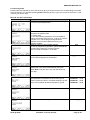
Menu A: the drive information .................................................................................................................. 5
Menu B......................................................................................................................................................... 6
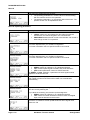
Menu B: Operating parameters................................................................................................................. 6
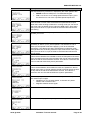
Menu B: Partition parameters ................................................................................................................... 8
The Nema input......................................................................................................................................... 11
Menu C: the terminals allocation ............................................................................................................ 11
Menu C: the available functions for the digital inputs.......................................................................... 11
Menu C: the available functions for the digital outputs ....................................................................... 12
Functions to allocate................................................................................................................................ 12
Menu C: the available function for the analogue outputs .................................................................... 13
Menu D: the dynamic parameters........................................................................................................... 13
Menu E: reversing the rotation ............................................................................................................... 14
Menu F: setting a new set point.............................................................................................................. 14
Menu G: displaying the actual values .................................................................................................... 15
Menu H: The failure history ..................................................................................................................... 15
Menu I: RESET .......................................................................................................................................... 15
Menu J: save the actual speed set point as default.............................................................................. 15
Menu K: setting the display..................................................................................................................... 15
Menu “Arrow Down”: miscellaneous instructions ............................................................................... 17
Menu “Arrow Up”: drive dialogue........................................................................................................... 18
Warnings ................................................................................................................................................... 18
Mechanical dimension and cutting......................................................................................................... 19
This manual is valid from:
1. Firmware version 1.50 or above of the ACO5000
2. Firmware version 1.07 of the TL5
S630-gb-0825
ACO5000 / TL5 user manual
Page 3 / 20