1
1.4.
1.5.
1.6.
2. Initial
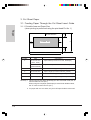
2.1.
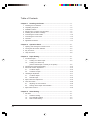
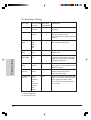
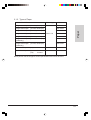
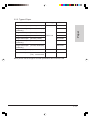
Printer Control Setting ...................................................................... 4-4
Emulation Setting .............................................................................. 4-6
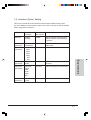
Interface Option Setting .................................................................... 4-7
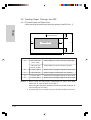
Setting Procedure ............................................................................... 4-8
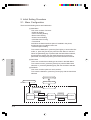
Menu Configuration ........................................................................... 4-8
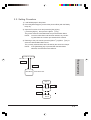
2.2. Setting Procedure ............................................................................. 4-9
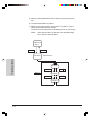
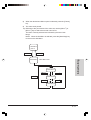
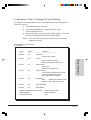
3. Example of How to change the Initial Setting ............................................... 4-13
4. Bi-Direction Adjustment ................................................................................ 4-21
5. Print All Settings ........................................................................................... 4-27
6. Hex Dump Mode ........................................................................................... 4-28
Chapter 5. Troubleshooting ................................................................... 5-1
1. Check List ..................................................................................................... 5-1
2. Removing Jammed Paper ............................................................................ 5-11
2.1. FanfoldPaper .................................................................................... 5-11
2.2. Cut Sheet Paper ................................................................................ 5-12
Chapter 6. Consumables, Hardware Options, Maintenance................ 6-1
1. Consumables ................................................................................................ 6-1
1.1. Ink-ribbon Cartridge .......................................................................... 6-1
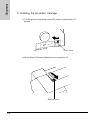
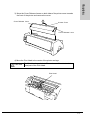
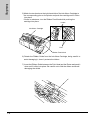
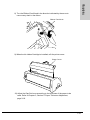
1.1.1. Replacing the Ink-ribbon Cartridge .............................................. 6-1
2. Hardware Options ......................................................................................... 6-2
2.1. Printer Cable ..................................................................................... 6-2
2.2. Auto Sheet Feeder (ASF) .................................................................. 6-2
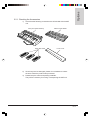
2.2.1. Checking the Accessories .......................................................... 6-3
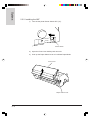
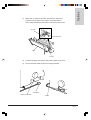
2.2.2. Installing the ASF ........................................................................ 6-4
2.2.3. Removing the ASF ...................................................................... 6-8
2.2.4. Cut Sheet Paper Handling in Auto Feed Mode .......................... 6-11
2.2.5. Cut Sheet Paper Handling in Manual Feed Mode ..................... 6-15
2.3. Optional Tractor ................................................................................ 6-18
2.3.1. Checking the Accessories .......................................................... 6-18
2.3.2.
2.3.3.
2.3.4.
2.3.5.
Installing the Optional Tractor ..................................................... 6-19
Removing the Optional Tractor ................................................... 6-22
Installing Fanfold Paper .............................................................. 6-24
Alternating Between Tractors ...................................................... 6-28
2.3.6. Handling Cut Sheet ..................................................................... 6-31
2.4. Serial Interface Option ...................................................................... 6-36
2.4.1. Checking the Accessories .......................................................... 6-36
2.4.2. Installing the Serial Interface Option ........................................... 6-37
2.4.3.
2.4.4.
2.4.5.
2.4.6.
Removing the Serial Interface Option ......................................... 6-41
Connecting the Serial Cable ........................................................ 6-44
Specification of the Serial Interface Option ................................. 6-46
Example of How to Change the Serial Interface Option Setting . 6-47
xiii