1
R&S®Pulse Sequencer
Creating a Pulse Library
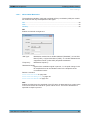
Pulse Settings
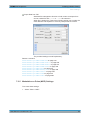
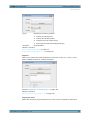
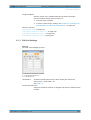
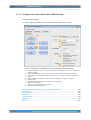
See chapter 7.2.4, "Pulse Envelope Settings", on page 76.
Remote command:
PULSe:CUSTom on page 335
PULSe:ENVelope:MODE on page 337
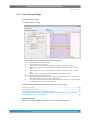
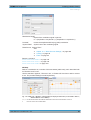
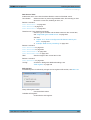
Standard Timing Profile
Enables and selects a predefined standard envelope profile.
Select from a voltage-based "Voltage 10/50/90", a power-based "Power 10/50/90" or a
0-100% "0/100" timing profile.
For brief introduction to the timing profiles and their impact on the pulse timing, see
chapter 7.1, "Basics on Pulse Signals and Pulse Generation", on page 66.
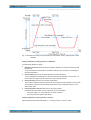
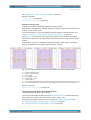
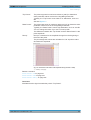
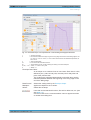
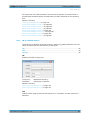
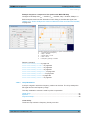
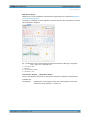
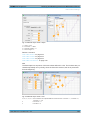
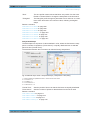
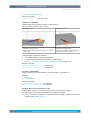
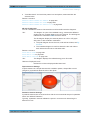
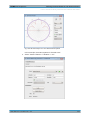
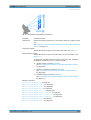
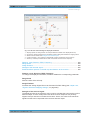
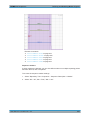
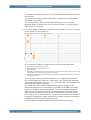
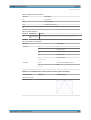
See figure 7-3 for illustration of the pulse width, pulse rise and fall time, and period
between the beginning of the rising edge and the pulse start for each of the envelope
profiles.
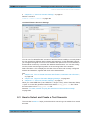
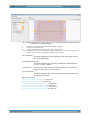
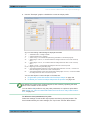
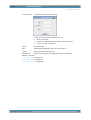
Enable "Show Timing" to visualize the timing parameters. Note that the "Envelope
Graphs" use different "Normalized Pulse Envelope" settings.
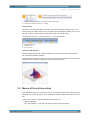
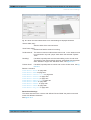
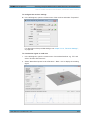
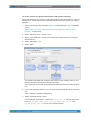
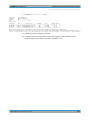
Fig. 7-3: Pulse timing parameters and the envelope profiles (linear rising and falling slopes)
1a
1b
1c
2a
2b
3
4a
4b
=
=
=
=
=
=
=
=
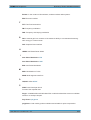
"Voltage 10/50/90" profile
"Power 10/50/90" profile
"0/100" profile
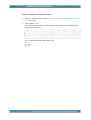
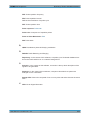
"Rising Edge = 100 us"
"Falling Edge = 100 us"
"Width = 500 us"
"Time period between beginning of the rising edge and pulse start" (with"0/100" profile this time is 0 us)
"Time period between end of pulse and the end of falling edge" (with"0/100" profile this time is 0 us)
Remote command:
PULSe:TIME:REFerence on page 348
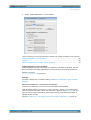
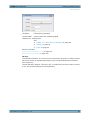
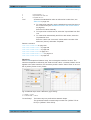
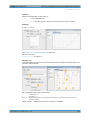
Rising/Falling Edge, Width, Rising/Falling Slope
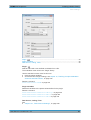
These parameters define the pulse shape.
The current pulse shape is displayed on the Envelope Graph. To visualize the timing
parameters on the graph, select "Envelope > Show Timing > On".
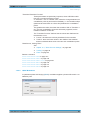
The parameter definition depends on the selected Standard Timing Profile, see:
● "Pulse parameters ("Timing Profile > 10/50/90")" on page 67
● "Pulse parameters ("Timing Profile > 0/100")" on page 67
User Manual 1176.9512.02 ─ 03
71