1
Ethernet & IP configuration
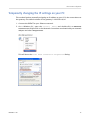
Temporarily changing the IP settings on your PC
This method involves manually assigning an IP address to your PC in the same subnet as
the gateway. The default subnet of the gateway is 169.254.0.0/16.
1. Connect the ESENET to your Ethernet network.
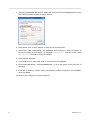
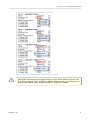
2. On a Windows PC, open the Control Panel and double-click on Network
Connections. Right-click on the Network Connection associated with your network
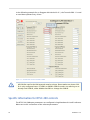
adapter and select Properties:
This will show the Local Area Connection Properties Dialog:
UMESENET-1101
15