1
// Popcorn Hour A-210
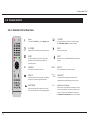
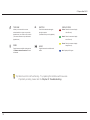
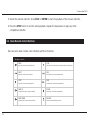
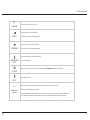
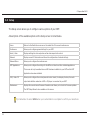
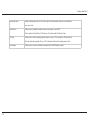
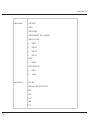
RETURN
MENU
STOP
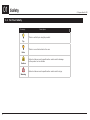
Returns to the previous menu screen.
Jumps to the DVD Menu screen during
Stops playback and returns to the menu
DVD Playback.
screen.
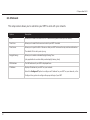
SOURCE
PREV
FWD
Returns to the Media Source screen.
Skips backward to the previous file/track.
Fast-forwards through the current media
playback. Press again to toggle 2x,
4x and 8x fast-forwarding.
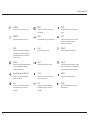
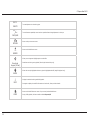
i
INFO
PLAY
REPEAT
Displays the timeline bar during media
Plays the selected file/track.
Sets the playback mode to REPEAT.
ENTER
NEXT
ANGLE
Selects the currently highlighted selection
Skips forward to the next file/track.
Scroll through different camera or viewing
file playback. Press again to display the
media file information such as the title,
format, and so on.
ENTER
17
or plays the highlighted media file.
angles during playback. (only applicable for
(single file playback only)
supported multiangle playback formats)
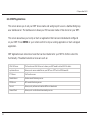
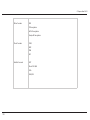
Directional Keypad (D-Pad)
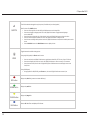
TITLE
PAUSE
Allows you to navigate and highlight
Opens the text input box for URL input
Pauses the current media playback.
options or media files.
while in a menu screen.
A-B
REV
SLOW
Allows users to repeat the playback of a
Rewinds the current media playback.
Slows down the playback of the current
self-defined portion or scene of your
Press again to toggle 2x, 4x and 8x
media playback.
media file.
rewinding.