1
The Information Menu
CLASSIC mode provides the feel of a
classic mechanical marker, but without
the possibility of “short stroking” the
trigger.
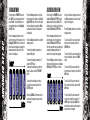
In TRAINING mode, depressing the trigger will start the cocking cycle as follows:
20
If the breech sensor is active, then the
cocking block remains retracted for a
preset time (determined by your C T/OUT
value) or until a paintball is detected in
the breech. If the breech sensor is inactive then the cocking block will remain
retracted for a preset time (determined
by your C ON value).
The cocking solenoid is de-energised
and the cocking block brings the bolt
forward, closing the breech.
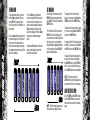
Scroll through the main menu until the
INFO option is displayed and then press
Select. You have now entered the Information menu.
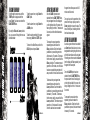
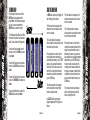
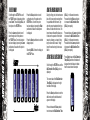
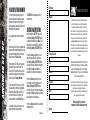
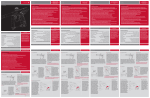
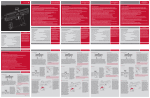
By using the Raise and Lower pushbuttons, you can scroll through the INFO
Menu as illustrated below:
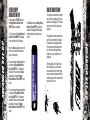
In the INFO Menu, the Eclipseblade
E2 Electronic Grip Frame displays the
current version of firmware that it has
programmed into it, and the total number
of shots that the frame has fired. There
is no user interaction in the Information
Menu; it is simply a way of finding out
facts about your Zero.B.
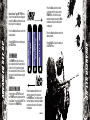
To display the current Version of Firmware being used, scroll to the VERSION
option.
To display the Total number of shots
that your Zero.B has fired, scroll to the T
SHOTS option.
To return to the main menu, scroll to the
BACK option and press Select.
Using Zero.B
Using Zero.B
The Cocking solenoid is energised, which
causes the cocking block to retract the
bolt and open the breech.
In TRAINING mode the firing cycle does
not activate. Training mode provides a
way of using your Eclipseblade Zero.B to
increase your rate of fire and find a trigger set-up that suits your requirements,
without the noise of the marker firing.
21