1
THE MAIN MENU
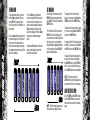
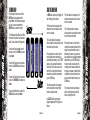
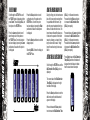
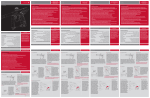
To activate the Main Menu, press and
hold the Select pushbutton. After one
second OFF will be displayed, this is
one of the options on the Main Menu, as
shown below.
Selecting the Back option will return the
display to the display from which the
main menu was selected.
Scroll through the main menu until the
DISPLAY option is displayed and then
press Select. This has now activated the
DISPLAY Menu.
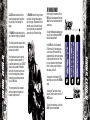
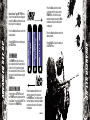
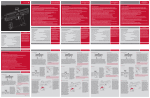
The left hand side of the screen shows
DISPLAY, the name of the option that
you are currently in, whilst the right hand
side of the screen can be changed by
using the Raise and Lower pushbuttons
to scroll through the different DISPLAY
options as detailed below.
8
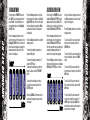
To display the Game Timer when the
frame is in normal use, simply Select the
TIMER option from the DISPLAY Menu.
To display the Shot Counter when the frame
is in normal use, simply Select the SHOTS
option from the DISPLAY Menu.
To display the Rate of Fire Indicator when
the frame is in normal use, simply Select
the ROF option from the DISPLAY Menu.
To display the Graphics Option when the
frame is in normal use, simply Select
the GRAPHIC option from the DISPLAY
Menu. To return to the Main Menu, scroll
to the CANCEL option and press Select.
NOTE: The Option chosen in the
DISPLAY Menu, will be the designated run
screen when the Zero.B is in normal use.
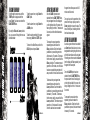
USING THE DISPLAY MENU
NOTE: The Edit indicators appear on the
left hand side when editing an option.
Both the TIMER and the SHOTS options
from the DISPLAY Menu are covered in
their respective sections in the following
pages.
Using Zero.B
Using Zero.B
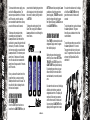
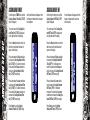
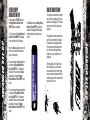
Press the Lower (bottom) pushbutton to
scroll down through each of the options
on the menu. Once the last option on
the menu has been displayed, pressing
the Lower pushbutton will cause the first
option to be displayed.
THE MAIN MENU
Press the Raise (top) pushbutton to
scroll up through each of the options on
the menu. Once the first option on the
menu has been displayed, pressing the
Raise pushbutton will cause the last
option to be displayed. Press the Select
pushbutton to select the displayed
option.
9