1
What’s in this user guide?
Login
Viewing Conferences
Creating Conferences
Frequently Asked Questions
User Guide
TANDBERG
Content Server
Thank you for choosing TANDBERG!
The TANDBERG Content Server provides you
with a quick and easy way to record video
meetings and view them live or on demand from
your computer.
This user guide has been divided into several
chapters that you can access by clicking on the
chapter titles in menu bar at the top of this page.
The manual is intended for use by two groups
of Users:
• Users who have access to the interface to
view Live and On Demand conferences and
also download recorded content to view on
their computer or portable player.
• Owners who have their own Recording Alias
to edit, can make calls and manage their
recorded conferences.
Our main objective with this user guide was
to address the goals and needs of these two
groups of users.
Please let us know how well we succeeded!
www.tandberg.com
D14111.05—May 2009
1
Content Server
What’s in this user guide?
User Guide
Login
Viewing Conferences
Creating Conferences
Frequently Asked Questions
What’s in this user guide?
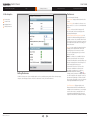
This User Guide is divided into four chapters:
1. Login to the TANDBERG Content Server.
2. Viewing Conferences: Users have the ability to view the Conference listings, watch Conferences in the Content Viewer and
download movies for their Portable Players or download to watch them on their computers.
3. Creating Conferences: Owners can have their own Recording Aliases to manage the Conference Metadata, create ad hoc
Conferences from the interface using their own Recording Aliases and System Aliases, Edit Conferences, Manage Outputs
after Conference have completed, and also delete old conferences that they no longer want. .
4. Frequently Asked Questions providing answers to questions often asked when using the Content Server.
D14111.05—May 2009
2
Content Server
What’s in this user guide?
User Guide
Login
Viewing Conferences
Creating Conferences
Frequently Asked Questions
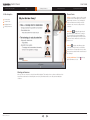
Before you start
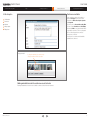
You need to know the URL or Address (IP address
or DNS name) of your TANDBERG Content Server.
e.g. mycontentserver/tcs/
You will also need a user name and a password to
log in to your TANDBERG Content Server.
Ask your administrator for these.
The Content Server web page
will be displayed in your browser
once you have entered its URL or
Address.
You will normally be asked for a user name
and a password. These may or may not,
be the same as you use to log in to other
applications in your company, like e-mail.
If in doubt, ask your administrator.
Look for the Log In button in the
upper right corner. Click on this
button to log in.
Supported Browsers
On your Windows Personal Computer, use either:
• Internet Explorer 6 or higher
• Mozilla Firefox 2 or higher.
On your Macintosh use either:
• Mozilla Firefox 2 or higher
• Safari 2 or higher.
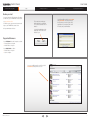
Once successfully logged in, you will see a list of
Conferences that you have access to.
D14111.05—May 2009
3
Content Server
User Guide
In this chapter…
Viewing Conferences
Login
What’s in this user guide?
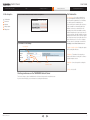
The display after you have
successfully logged in.
Screen options
Creating Conferences
Frequently Asked Questions
Screen options
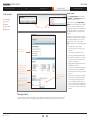
You can customize what you see on the screen by
means of the three sorting options:
The screen options let you customize what you see on the screen
Conference lists
Category
Search
Category: Conferences can be grouped according
to category. Selecting All will list every conference
you have access to. The conference information
also shows what category a conference belongs to.
Sort by
Setting preferences
Viewing conferences
Search: You can enter words or phrases to find the
conference you are looking for. You can search on
conference name, description, speaker, location
and keywords.
Sort By: By default, conferences are sorted
by date, with the newest one at the top. You
can change the order that the conferences are
displayed.
Downloading conferences
Conference
thumbnail
Conference
name
Play
link and icon
Ways to watch a conference
Play
options
Download
link
Share
link
Other Options available
If a conference has a Download option available,
clicking the option will allow you to download
files for playing on your portable device or on the
computer using Windows Media Player, QuickTime
Player or RealPlayer.
This way, you can watch the conferences over
again without being connected to the Internet or
viewing them using the Content Server Viewer.
Playing back conferences in the Content Viewer
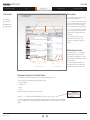
The Content Server can determine the best conference to view with your current internet connection.
There are four options to click for playing back the best viewable conference:
1. Conference thumbnail
2. Conference name
3. Play icon
4. Play link
Any of these will launch the content viewer for conference viewing.
Clicking on Play options will display the available bandwidths for the conference. Choose one to play.
Note: The red exclamation mark indicates your bandwidth has been determined at a lower rate than is necessary to display this
conference recording properly. You may experience problems viewing this conference. Check your preferences to see what the
setting is.
D14111.05—May 2009
4
Content Server
What’s in this user guide?
User Guide
Login
Viewing Conferences
Creating Conferences
In this chapter…
Frequently Asked Questions
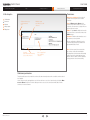
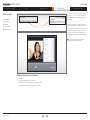
Navigating the screens
Note: You will only see conferences that you have
access to.
The Arrows (< and >), page
numbers and the Next 10 and
the Prev 10 lets you navigate the
screens.
Screen options
Conference lists
Setting preferences
Navigation. If you have lots of available
conferences, you can navigate the screens by
clicking on the page numbers or the forward arrow
to advance one page at a time.
Viewing conferences
When there are more than 10 pages of information,
the next 10 pages link will appear after the Next
arrow. Click on the Next 10 and Prev 10 links to
move between the pages in groups of 10.
Help: Click on Help to switch on Online Help and
icons next to items on the page.
you will see
Click the icons to get additional assistance on
these items.
Clicking on Help...
When Help is turned on, the Go to User Guides
link will be displayed. Click this to take you to the
TANDBERG User Guides. You can download user
documentation from this page.
... will produce this icon. Click any
icon to display context sensitive help
for that item.
... and the Go to User Guides link
will be displayed. Click on this to go
to the TANDBERG Content Server
Administration Manual and
User Guide.
Conference lists
There are two conference lists that users have access to:
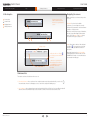
1. Recorded Conferences—these conferences have completed and are ready to play and download. If you see the icon
it means that the conference is still being processed, so not all of the outputs are available just yet.
,
2. Live Conferences—these are happening now and can be watched live if there is a Play icon. If not, you will have to wait until
after the conference has finished and processed to watch the conference from the Recorded Conferences List.
D14111.05—May 2009
5
Content Server
What’s in this user guide?
User Guide
Login
Viewing Conferences
Creating Conferences
In this chapter…
Frequently Asked Questions
Preferences
You can change the following:
Screen options
Display Name—displayed at the bottom left of the
screen
Conference lists
Items Per Page—the number of conferences on a
page. Can be 5, 10, 20, 50 or 100, with the default
set to 20.
Setting preferences
Viewing conferences
Category—when you login, this category will
be selected and conferences belonging to this
category will be displayed.
Automatically determine my internet speed—the
Content Server will automatically play the largest
available conference size you will be able to watch.
This selection is based on your Internet connection
speed detected at login or after re-checking your
client environment.
Speed—you can override the automatic detection
setting by deselecting Automatic (above) and
selecting the speed of conferences to watch.
Choose the Speed appropriate to your current
Internet connection.
Note: If a conference is not available in the size
equal to or greater than the size selected, the
Content Viewer will pick the size which will give you
the best viewing experience when clicking on one
of the four play options from page 4.
Setting Preferences
Click this to change some of your own display options, such as your display name, number of items shown per page,
categories, the viewing speed of the conference to watch and to check your Client Environment.
If your Internet connection is too slow, or the
conferences available are less than the size
specified in your preferences, you will see a
,
bandwidth warning in the interface
warning you that your Internet connection may be
too slow to display the video properly. You are not
prevented from watching the conference but will
have to use the Play Options to select a conference
with a higher bandwidth than size specified.
Client Environment – Displays whether or not
Windows Media, QuickTime and Real Media are
available for the current browser on your computer
as well as the version of Javascript used. A red
exclamation mark will indicate that Conferences
using that Format will not be available for viewing.
D14111.05—May 2009
6
Content Server
What’s in this user guide?
User Guide
Login
Viewing Conferences
Creating Conferences
In this chapter…
Frequently Asked Questions
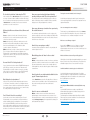
Viewer items
Indexes—created by a conference editor to make
it easier for users to find what they are looking for
while viewing a conference. They are displayed
in the viewer window and clicking on an index
will advance the conference to that point in the
conference.
Screen options
Conference lists
Setting preferences
Viewing conferences
—clicking will toggle through
Next Layout
the different layouts available for the conference.
The icon displays the next layout available. The
number of layouts will depend on the layout of the
conference and also whether the conference has
indexes or not.
—displays the still images taken
Slide List
of the dual stream for an Audio or a Small Video
sized Conference. For larger video sizes, the video
stream of the presentation will be viewed instead of
the still images.
Closing the Window—Click the
right of the window to close it.
at the top
Viewing conferences
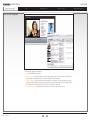
When you click on a conference to view, the viewer will be displayed. This example shows a conference with the two video
layout, indexes added and icons indicating there are more layouts available and also some slides generated during the
conference.
D14111.05—May 2009
7
Content Server
User Guide
Login
What’s in this user guide?
In this chapter…
Viewing Conferences
Creating Conferences
Frequently Asked Questions
Call information
Choose Create Conference from the Conference Set Up Menu ..
Recording Alias—Choose the recording alias to
use. Your Administrator will have given you your
own Personal Recording Alias to use or will advise
you which System Recording Alias to use.
Call Information
Permissions
Metadata
Select an “alias for live streaming’ if the conference
is to be viewable live, or immediately after it has
finished. Conferences recorded with ‘non-live
streaming’ aliases will not be available for viewing
until their outputs have been processed. How soon
your recorded-only calls will be available for viewing
will depend on how many other conference outputs
the Content Server is processing at the time or how
many calls are in process. You can see if outputs
for your conference are being processed from the
Pending list from the View Conferences menu.
Manage outputs
Editing viewer
... you will then see the following:
Recording Alias
Template Output Description—Displays the outputs
the Recording Alias will create.
Dial Number—The number of the endpoint you
want to call to initiate a recording of the conference
using the template selected.
Call Type
Bandwidth
Dial Number
Template
Output Description
Bandwidth—Connection speed for recording the
call.
Call Type—H.323 or SIP.
Creating conferences on the TANDBERG Content Server
The Create Conference option is available from the Conference Setup menu for owners but not users.
If you have Owner Privileges, you can make ad hoc recordings from the interface.
D14111.05—May 2009
8
Content Server
What’s in this user guide?
User Guide
Login
Viewing Conferences
Creating Conferences
In this chapter…
Permissions
Call Information
Permissions
Metadata
Frequently Asked Questions
Click here to allow access
to all Content Server
users
Manage outputs
Individual or group
users with access to this
conference
Editing viewer
Allow access to all users. Select to give all
Content Server users permission to view this
conference.
Users. If Allow access to all users is not
selected, and you want to restrict access to your
conference, enter user names, or group names one
per line in the Users text box.
Editors. To give users the ability to edit as well as
view your conference, enter their user names in the
Editors text box.
Password. To further restrict streaming access to
this conference, enter a password.
All users specified above will be able to see the
conference listing, but only those that know the
password will be able to view it.
Password
used to futher restrict streaming
access to this conference
Users or groups listed
here can edit this
conference
Note: Conference permissions created before
the conference starts (either from editing the
Recording Alias or from the interface when making
a call) are used for live viewing and permissions.
Edit the conference after the call has completed to
change permissions for on demand viewing.
Conference permissions
They define and list users who can watch the conference (live and on-demand) and users who can edit the conference after it
has completed.
Observe that you may also grant watching access to all users who have access to the Content Server by checking the Allow
access to all users check box. This means that anyone who has access to the Content Server will be able to view the
Conference, Live and On Demand.
D14111.05—May 2009
9
Content Server
User Guide
Login
What’s in this user guide?
Viewing Conferences
In this chapter…
Creating Conferences
Frequently Asked Questions
Conference metadata
Users can display conferences belonging to a
particular Category and can search on text
entered into the Name, Description, Speaker
and Keywords.
Call Information
Permissions
Metadata
If you have your own Personal Recording Alias,
you can set up the Permissions and Metadata,
and when the Alias is used, the information will be
copied into the conference. This is very important
for Live Calls as the permissions cannot be
changed once a Call is live.
Manage outputs
Editing viewer
You may also choose between the thumbnails
available for the conference.
Changing thumbnail
To change the thumbnail, select another one by
clicking on it and then click the Save button.
Adding metadata to make the conference easier to locate
Entering metadata makes it easier for users to find the conference, for both live and on demand.
D14111.05—May 2009
10
Content Server
User Guide
Login
What’s in this user guide?
Viewing Conferences
Creating Conferences
In this chapter…
Frequently Asked Questions
Manage outputs.
Click the Manage Outputs option from either
the Edit link or the Edit Conference page, for
conferences you have access to.
Call Information
Permissions
Select the options from the Output Viewing
Options to access the different types of outputs.
Metadata
Manage outputs
Then select options to create other movies for
viewing in the Content Viewer, for Portable Devices,
for Download to playback on your Computer or
for Distribution to iTunes U or through PodCast
Producer.
Manage outputs from either option
Editing viewer
A recorded conference can have more outputs
added but also, outputs that are no longer needed
can be deleted and previously chosen layouts,
formats and sizes can now all be changed.
Tip! Some things to note when Managing Outputs:
• The original Layout can be changed
• Only 2 sizes can be chosen for Viewer and
Download
Extra outputs types
are selected here
• Only on-demand outputs will be created
• Deselecting existing outputs will delete them
• The total number of outputs once a conference
has been recorded can exceed the limit of 6
imposed on new templates
• Adding Outputs will put an added load on the
TANDBERG Content Server
The original Layout can
be changed when extra
outputs are added.
The previous conference
layout will be deleted.
The original Format can be
changed or an extra one
added.
Only 2 sizes can be
chosen for Viewer and
Download
Deselecting a Format will
delete the output.
• The Conference Outputs will be added into the
Pending Queue for processing and will start
when all the preceding Conferences have been
processed.
• Outputs sent to external servers, for example,
Podcast Producer or QuickTime Streaming
Server, will not be deleted off the external
servers. Changing a distribution output or a
media server will add a new output and send it
to the new server. Previously created outputs
on external servers can be manually deleted if
required.
Managing outputs
Owners and editors can delete and add outputs once the conference has completed. The layout, format or size may not be the
best option for viewing, so this can be changed.The downloadable files may need to be changed or added to for your users.
D14111.05—May 2009
11
Content Server
User Guide
Login
What’s in this user guide?
Viewing Conferences
In this chapter…
Creating Conferences
Frequently Asked Questions
Access the Content Editor is from the Edit link and
also from the Edit Conference page. These options
are only available for users with edit privileges for a
conference.
Call Information
Permissions
Metadata
There are two ways to access
the Content Editor
Manage outputs
Editing Conferences
Use the Content Editor to change the following for
conferences that are viewed by the Content Viewer:
• Change the Start or End time of a Conference.
• Add Index points in the Conference to make it
easier for Users to find the content they want.
• Add another Conference to the currently edited
one.
Note: Click the help link to find out about the
different options in the Content Editor.
Editing Conferences for the Viewer:
Use the editor to:
• Change start and end times of a conference
• Add indexes so users can easily navigate through the content
• Add another conference to the currently edited conference.
D14111.05—May 2009
12
Content Server
What’s in this user guide?
User Guide
Login
Do I need to log in before I start using the TCS?
If the Content Server has Guest Access enabled, no registration is
necessary. Conferences that are available for all users when Guest
Access is enabled can be viewed by anyone with access to the URL.
If Guest Access is not enabled, users need a user name and
password to access the Content Server.
What are the differences between Users, Owners and
Editors?
Users are only able to view Live and On Demand Conferences
that they have access to as well as download any files for these
conferences, when they are ready.
Owners can make ad hoc calls from the Interface and can also
have their own Personal Recording Aliases to edit the Conference
Permissions and Metadata for a Live call and then edit the
Conference after the call has finished.
Editors (and Owners) can edit a conference after it has completed.
They can change Conference Permissions, Metadata, and
Thumbnails, the content through the Content Editor, and manage
Outputs for the conference. They can also delete Conferences from
the Recorded Conference listing.
How can I find it? Is it in the phonebook?
If your Content Server has been added to TANDBERG Management
Suite (TMS) you can book your conference in TMS and select a
Recording Alias to record the conference. Owners of a recording
Alias can use it to schedule conferences using TMS. TMS will also
provide a link to view the Live and Recorded Conference.
Must things be set up in advance?
It is best to have your Personal Recording Alias setup in advance
so Live viewers can watch the conference as it happens and users
can view the conference after it has completed and the outputs have
been created. Owners can also remove access to conferences they
are creating until they are ready to be viewed.
Viewing Conferences
Creating Conferences
How can everyone involved be informed that this
meeting is being recorded? Does the system tell us?
The layout is not what I wanted, how do I change it?
The endpoint in the recorded call will display a poster to tell users
that the call is being recorded. In a multisite call, the poster will be
displayed as one of the participants in the conference.
Use the Manage Outputs option and the layout, format and sizes
can now be changed after the Conference has completed. Previous
outputs will be deleted.
How can we inform users to watch a Live or previously
Recorded Conference?
An e-mail can be sent from the Interface once the conference has
started recording. If the call has been scheduled using TMS, it will be
listed and the link will take users to the Live or Recorded Conference
in the Viewer once it has started.
How do I stop an ongoing recording?
A recording can be stopped from the interface or by ending the call
from the endpoint in the call.
What editing options do I have for the recorded
material?
Editors can change the start or end time of a conference, add Index
points in the conference to make it easier for users to find the content
they want and add another conference to the currently edited one.
Downloadable files cannot be edited only outputs viewable using the
Content Viewer.
How do I make the recorded material available to other
people? Password protection etc.
Use the Permissions section of the Recording Alias or Conference
to make conferences available to others. If it is password protected,
they need to know the password to view or download the
Conference.
How do I erase recorded material?
Can I / How do I do ad hoc recordings?
Any User who is also an Owner, whether they have a Personal
Recording Alias or not, can make ad hoc calls from the interface
using the available System Recording Aliases. From an endpoint
users can dial the TANDBERG Content Server if they have been
given an Alias number to dial. If they are not using their own personal
alias and if they are not in the Edit list for the Conference, they will not
be able to see or edit it once the conference has started.
D14111.05—May 2009
Frequently Asked Questions
Editors can delete conferences and all associated data and
individual outputs can be deleted and new ones created. i.e. if an
iPod download has been created, it can be deleted by deselecting it
using the Manage Outputs option. Outputs that have already been
downloaded will not be deleted.
Can a user manage their own recordings?
The best way is to get the Administrator to make a User an Owner,
then create them a Recording Alias so they can use it to make calls
and manage the access, metadata and outputs for each call.
Who has access to Manage Outputs?
Any user who has Editor access to a Conference can manage
outputs for the conference. That means an Editor can delete
unwanted outputs and create new ones. Owners can make any User
an Editor of a Conference.
What is the difference between Play and Play Options?
Clicking Play selects the highest bandwidth available for your current
internet connection (check out your Preferences). Play Options lists
all available outputs so the user can select which one to play.
Can Windows Media content be played on a Macintosh?
Yes, but the following are needed. Mac System 10.5 or higher,
Microsoft Silverlight 2.0 or higher, Mozilla Firefox or Safari. Microsoft
Silverlight plugin for MacOS is available as a free download at the
time of publishing this user guide from:
http://silverlight.net/
Can I play back Windows Media Content using Firefox on my
PC?
Yes, but Mozilla Firefox browsers require a special Microsoft
Windows Media Player plugin to be installed to display movies in
Windows Media® WMV Format.
The following Microsoft Windows Media Player Plugin for Mozilla
Firefox has been tested and is available as a free download at the
time of publishing this user guide from:
http://port25.technet.com/pages/windows-media-player-firefoxplugin-download.aspx
13
U.S. HEADQUARTERS
EUROPEAN HEADQUARTERS
TANDBERG
TANDBERG
1212 Avenue of the Americas
Philip Pedersens vei 20
24th Floor
1366 Lysaker
New York, NY 10036
Norway
Telephone: +1 212 692 6500
Telephone: +47 67 125 125
Fax: +1 212 692 6501
Fax: +47 67 125 234
Video: +1 212 692 6535
Video: +47 67 126 126
E-mail: [email protected]
E-mail: [email protected]