1
Operation guide
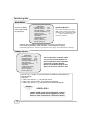
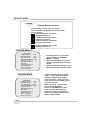
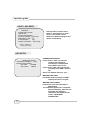
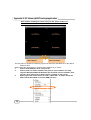
How to operate Motion detection recording
SENSOR SETUP
SENSOR RECORD TIME
ALARM OUT TIME
10
OFF
H/W DETECTOR SETUP
S/W DETECTOR SETUP
Move ()/Select ( )
Scene(<<)/Exit ()
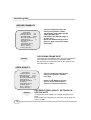
S/W DETECTOR SETUP
CHANNEL-1
CHANNEL-2
CHANNEL-3
CHANNEL-4
SENSITIVITY
SENSITIVITY
SENSITIVITY
SENSITIVITY
5
5
5
5
Move ()/Select ( )
Scene(<<)/Exit ()
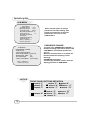
SCHEDULE RECORD
+TTTSSTTTTTTTTT+
0 3 6 9 12 15 18 21 24
Move ()/Select ( )
Scene(<<)/Exit ()
20
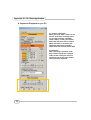
Follow the steps as below to
activate motion-detection
recording.
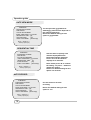
1.Please set the period of
Alarm out time
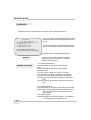
2.Please go to S/W
DETECTOR SETUP under
“SENSOR SETUP” menu as
the left figure shown.
3. Specify the sensitivity of
each channel.
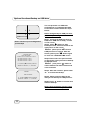
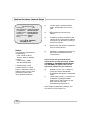
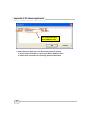
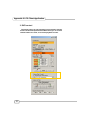
4. After the selection, please
be back to MAIN MENU and
go to “SCHEDULE RECORD”
to power on the alarm setting.
Notice: The setting under
“Record Schedule” is
necessary for starting the
operation of motion detection
recording.