1
Optional functions:Backup on USB drive
1
2
3
4
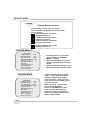
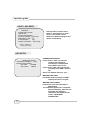
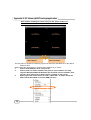
USB device ready!
Notice: Please stop recording before
your backup!
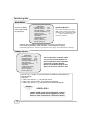
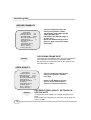
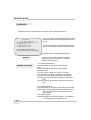
SEARCH TIME
HDD: MASTER
04/03/24 13:24:21-04/03/24 13:44:54
>01 TIME 04/03/24 13:24:21
>02 TIME 04/03/24 13:30:55
>03 TIME 04/03/24 13:40:54
() MOVE,() BACKUP,(EXIT
()SELECT MODE ( ) CHANGE
PERIOD
The unit provides one USB Host
port(optional) to simple backup data
on Pen drive. Please follow the steps
below:
Before doing backup to USB pen drive,
please stop recording!
Step 1. Connect the USB pen drive to
DVR, then “USB device ready “ will be
on the screen.
Step 2. press “
” button to start
backup function, and then follow all the
instructions on the screen.
Notice: please press”” to format
USB pen drive on request. After the
format, please press “
” button again
to enter into “SEARCH TIME” menu.
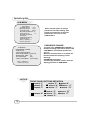
Step3. Either select one period of time
or specify the event you want to backup
to USB pen drive.
Notice: press press “” button to
switch between the time selection and
event selection!
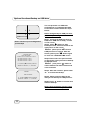
Step 4. After the selection, please enter
“” to confirm the backup.
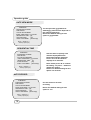
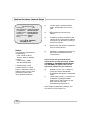
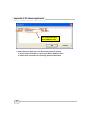
0000 SECONDS
() MOVE,() BACKUP,(EXIT
()SELECT MODE ( ) CHANGE
Step 5. Please enter the time for the
data you will backup to USB pen drive.
Step6. Press” ” button to confirm and
start the backup!
Step7. After the backup, please install
PC viewer software into your PC .
23