1
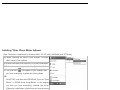
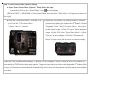
Step 2: Your computer will automatically recognize your USB mouse.
Step 3: If you can’t find the USB mouse on the screen, follow the steps below:
1. Unplug and re-plug the mouse.
2. Test the device on another USB port or computer.
The mouse is “plug and play”. No Driver is required. If you would like to customize the button on the mouse.
Please install the enclosed software (on the CD) first.
Innovative Anti-Vibrate Technology
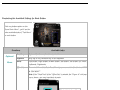
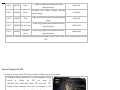
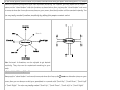
In the FPS games, it is hard to control the sighting when turn around to attack enemies because the optical sensor will
still track data of mouse motion while lifting and putting down the mouse. See the performance of the mouse cursor
during this period (Wave stands for undesired cursor vibrating.):
Now our Innovative Anti-Vibrate Technology has completely resolved the cursor vibrating due to mouse being “lifted
or put down” when playing the fierce shooting games, it improves greatly of target precision.
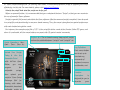
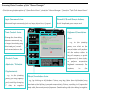
How to Use the Oscar Mouse Editor Software
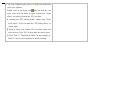
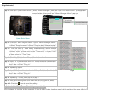
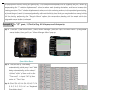
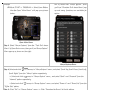
Customizing the buttons on the mouse in “Optional Macro”, Please follow the steps: