1
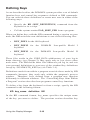
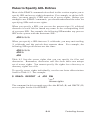
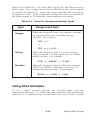
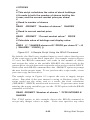
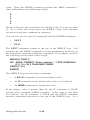
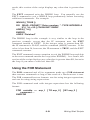
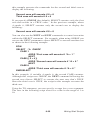
result, this section of the script displays any value that is greater than
50.
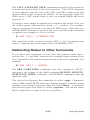
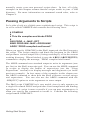
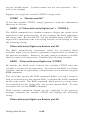
The EXIT command exits the WHILE loop. You normally use the
EXIT command to exit a WHILE loop prematurely before executing
additional commands. For example:
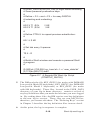
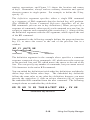
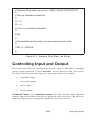
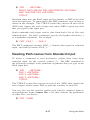
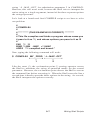
WHILE (( TRUE ))
DO READ -PROMPT “Enter number: ” -TYPE INTEGER A
IF (( ^A < 50 )) THEN EXIT ENDIF
ARGS (( ^A ))
ENDDO
ARGS “Finished”
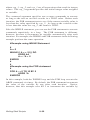
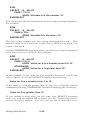
The WHILE loop in this example is very similar to the loop in the
previous example, except that the IF statement uses the EXIT
command instead of NEXT. If the integer value is greater than SO,
the IF statement is FALSE, and the command (ARGS) executes. If the
value is less than 50, however, the IF statement is TRUE, and the EXIT
command executes.
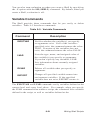
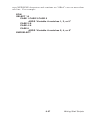
The EXIT command causes execution to exit the WHILE loop and skip
to the next command outside the loop (after ENDDO). As a result, this
section of the script displays any value that is greater than SO, but exits
the loop if you enter a value less than SO.
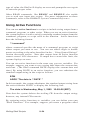
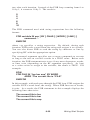
Using the FOR Statement
The FOR command and all its arguments make up a FOR statement
that executes commands as long as the result of a -Boolean test is true.
The FOR command has two formats: one for using integer expressions,
and one for using string expressions.
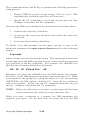
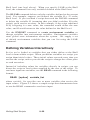
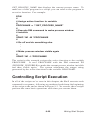
The FOR command used with integer expressions has the following
format:
FOR variable := exp_1 [ TO exp_2 ] [ BY exp_3 ]
command ...
ENDFOR
9-31
Writing Shell Scripts