1
Using the Graphical User Interface
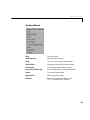
• Mesh menu. From the Mesh menu you create and modify the triangular
mesh. You can initialize, refine, and jiggle the mesh, undo previous mesh
changes, label nodes and triangles, display the mesh quality, and export the
mesh to the workspace.
• Solve menu. From the Solve menu you solve the PDE. You can also open a
dialog box where you can adjust the solve parameters, and you can export the
solution to the workspace.
• Plot menu. From the Plot menu you can plot a solution property. A dialog
box lets you select which property to plot, which plot style to use and several
other plot parameters. If you have recorded a movie (animation) of the
solution, you can export it to the workspace.
• Window menu. The Window menu lets you select any currently open
M ATLAB figure window. The selected window is brought to the front.
• Help menu. The Help menu provides a brief help window.
The Toolbar
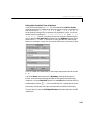
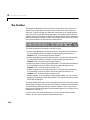
The toolbar underneath the main menu at the top of the GUI contains icon
buttons that provide quick and easy access to some of the most important
functions.
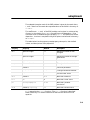
The five left-most buttons are Draw mode buttons and they represent, from
left to right:
• Draw a rectangle/square starting at a corner.
• Draw a rectangle/square starting at the center.
• Draw an ellipse/circle starting at the perimeter.
• Draw an ellipse/circle starting at the center.
• Draw a polygon. Click-and-drag to create polygon sides. You can close the
polygon by pressing the right mouse button. Clicking at the starting vertex
also closes the polygon.
The Draw mode buttons can only be activated one at the time and they all
work the same way: single-clicking on a button allows you to draw one solid
object of the selected type. Double-clicking on a button makes it “stick,” and you
can then continue to draw solid objects of the selected type until you
single-click on the button to “release” it. Using the right mouse button or
Control-click, the drawing is constrained to a square or a circle.
1-25