1
CLIPSTER Edit Tool User Guide
drop/dropped
frames/audio
Either frames (image files) or audio data that the
DVS system could not load from or write to the
storage in time for the performed real-time operation.
EDL
Edit decision list. A list that describes a timeline
with clips together with a series of operators (effects). EDLs can be created offline and passed to
the online workstation to perform the final conforming.
effect
See operator.
embedded operator An operator such as a transition that is embedded in the timeline and visible as a timeline element.
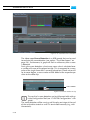
frame-end marker
When zoomed far into the timeline, the timeline
cursor will provide a dotted yellow line that indicates where the selected image ends on the
timeline.
full
Color value range of video clips indicating a full
value range (full). With this black will be represented in 8 bit data by 0 and white by 255. See
also head.
head (vs. tail)
Material at the beginning of a clip that is available but neither used nor visible in the timeline
of the DVS software due to an inpoint adjustment (trimming). See also tail.
head (vs. full)
Color value range of video clips indicating a restricted value range and thus headroom (head).
With this black may be represented in 8 bit data
by 16 and white by 235. See also full.
inpoint (clip)
Starting point of a clip. For video material either
the first file on the storage or a first frame virtually set (trimmed) in the DVS software. For audio material either the first sample of a file or a
virtually set (trimmed) inpoint in the DVS software.
inpoint (timeline)
Starting point of the timeline. It is either a userdefined inpoint or the very beginning of a timeline.
insert mode
Timeline mode during your work with timeline
elements. When moving or adding clips in this
mode, no gaps will appear in the timeline and
the current content of the timeline will be preserved.
A-2