1
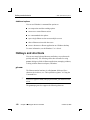
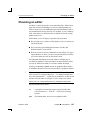
2005, QNX Software Systems Configuring your shell ¯ sets the HOSTNAME, PROCESSOR, and SYSNAME environment variables if they aren’t already set ¯ adds the appropriate directories to the PATH environment variable (the root user’s PATH includes directories such as /sbin that contain system executables) ¯ sets up the file-permission mask (umask); see “File ownership and permissions” in Working with Files ¯ displays the date you logged in, the “message of the day” (found in /etc/motd), and the date you last logged in ¯ sets the TMPDIR environment variable to /tmp if it isn’t already set. ¯ runs any scripts in the /etc/profile.d directory as “dot” files (i.e. instead of executing them as separate shells, the current shell loads their commands into itself). For more information about dot files, see “. (dot) builtin command” in the documentation for ksh in the Utilities Reference. If you have a script that you want to run whenever anyone on the system runs a login shell, put it in the /etc/profile.d directory. You must have root-level privileges to add a file to this directory. For example, if you need to set global environment variables or run certain tasks when anyone logs in, then this is the place to put a script to handle it. If you’re using sh as your login shell, make sure that the script has a .sh extension. $HOME/.profile The system runs $HOME/.profile whenever you log in, after it runs /etc/profile. If you change your .profile, the changes don’t go into effect until you next log in. You should use your .profile to do the customizations that you need to do only once, or that you want all shells to inherit. For example, you could: October 6, 2005 Chapter 9 ¯ Configuring Your Environment 185