1
NorPix, Inc. - www.norpix.com
Technical Support: [email protected]
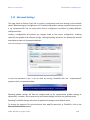
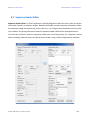
2.2 Main Menu
Typically each menu item has a defined keyboard shortcut. If a keyboard shortcut doesn't respond,
click the image display area to restore keyboard focus to the TroublePix main window.
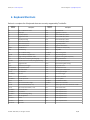
For a complete list of keyboard shortcuts, please refer to the Keyboard Shortcuts section.
2.3 Status Bars
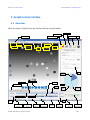
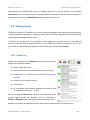
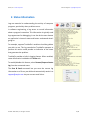
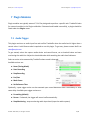
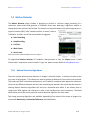
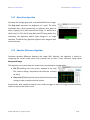
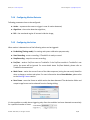
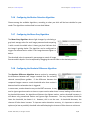
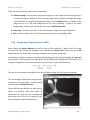
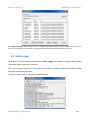
The top status bar displays a variety of information as described below:
➔
Frame Rate reports the number of images per second being received from the camera. If in
Playback mode, the frame rate indicates the playback speed.
➔
Status indicates the current working mode, which can be one of the following:
➔
LIVE - TroublePix is receiving and displaying images from the camera;
➔
Recording - TroublePix is currently recording;
➔
Review - While still recording, you are reviewing earlier parts of the sequence;
➔
Playback - You are playing back a recorded sequence;
➔
Standby - TroublePix is waiting for live images from the camera;
➔
Playback Position indicates the frame index in the current sequence.
➔
Total indicates the total number of frames stored in the current sequence.
➔
Recording Position indicates where the next frame will be stored in the sequence. In case of
continuous recording this is at the end of the file, but when loop recording is activated it will
be at some location within the file.
➔
Timestamp displays the absolute time stamp when the current frame was captured.
➔
Selection reports the range of frames included in the current selection.
© 2006 - 2014 NorPix, Inc. All rights reserved.
10/81