1
NorPix, Inc. - www.norpix.com
Technical Support: [email protected]
5.5 Auto Naming Settings
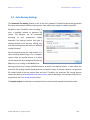
The Automatic File Naming feature is one of the many powerful TroublePix features that generates
file names automatically without requiring user input each time a snippet is saved or exported.
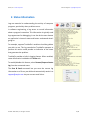
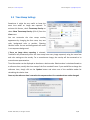
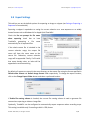
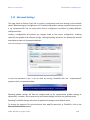
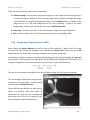
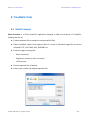
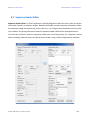
By default, when TroublePix starts recording, it
uses a standard method to generate file
names. This behavior can be customized
according to your preferences. Enable
automatic file naming feature and type a
naming scheme in the edit box, making sure
that the resulting name will lead to a valid and
unique file name.
We recommend testing the new scheme on a
short recording before using it for a complete
session. Once the naming scheme is in place,
can be used either by creating new files via the
File menu or by clicking on the Save button.
Naming schemes may contain predefined tokens as well as user-defined tokens. In most cases, the
automatic file naming scheme should generate a unique file name. A common solution is to generate
file names based on current system date and time. Therefore, the automatic file naming scheme
shares the same list of predefined time stamp tokens used for defining a time stamp overlay format,
presented in the Time Stamp Settings section.
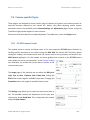
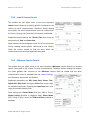
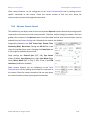
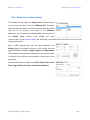
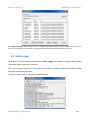
The Sample output box displays an example of how an automatically named file would be saved.
© 2006 - 2014 NorPix, Inc. All rights reserved.
51/81