1
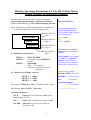
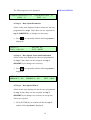
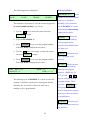
The following menu is being displayed.
STEP No. 2
TEXT
MODE INSERT
DATE
NUMB
EXPLANATIONS:
PWM= 15
Note: Menu will display
step 2 indicating that two
steps have already been
Programming step 2 is now complete. Step 3 (SM) can
programmed.
now be programmed.
5.0 Programming Step 3, Serial Number Prefix.
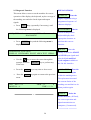
The serial no. consists of a
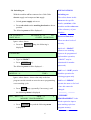
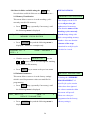
5.1 Step 3, Format Entry
•
If
fixed text portion, (SM)
INSERT is not being displayed use the
keys to scroll through the options until it is.
•
Press
ENTER
•
need to be considered
DATE
prompt.
separately. The fixed text
portion shall be considered
Press
key to move the cursor to the
prompt.
•
which starts at 123000 and
finishes at 123100. These
key.
The cursor will move on to the
and a sequential number
Press
ENTER
key.
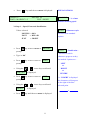
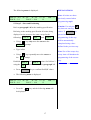
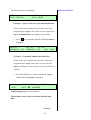
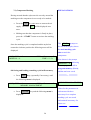
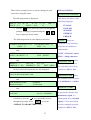
The following menu will be displayed
TEXT:
Format selected:
TEXT
= SMxxxxxx
•
Type in “SM”.
•
Press
ENTER
key.
16
TEXT
first.