1
7. BMK display
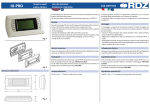
7.1 Standard display
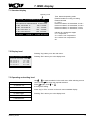
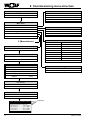
Operating mode
Time, date and operating mode
External enable for cooling or heating
External demand
0 – 100 %
Pressure indicator, HP transmitter, circuit 1
Pressure indicator, HP transmitter, circuit 2
Pressure indicator, LP transmitter, circuit 1
Pressure indicator, LP transmitter, circuit 2
15:03_17/11/09 Unit : 01
External enable:
External demand: 100.0%
14.7 bar
HP circuit 1:
17.1 bar
HP circuit 2:
01.1 bar
LP circuit 1:
01.0 bar
LP circuit 2:
Indicator for compressor stages
C1 = compressor 1
S1 = valve 1 from compressor 1
S2 = valve 2 from compressor 1
etc.
C1S1 C2S1 C3S1C4S1
7.2 Display level
15:03_17/11/09 Unit : 01
External enable:
External demand: 100.0%
14.7 bar
HP circuit 1:
17.1 bar
HP circuit 2:
01.1 bar
LP circuit 1:
01.0 bar
LP circuit 2:
Pressing "Prg" takes you to the main menu.
Pressing "Esc" returns you to the display level.
C1S1 C2S1 C3S1C4S1
7.3 Operating and setting level
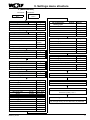
Main menu
A. ON/OFF unit
B. Clock
Use , to make a selection in the main menu. After selecting a menu
choice, press
to call up the required submenu.
Press
again, then
to change the setting.
or C. User
Press "Prg" or "Esc" to return to the main menu standard display.
D. Data Logger
Pressing "Esc" returns you to the display level.
E. Service
F. Manufacturer
3063613_201307
9