1
The following procedures describe how to set up various Sentinel WMS
program operating characteristics and user preferences.
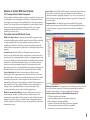
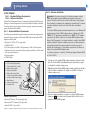
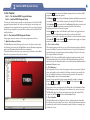
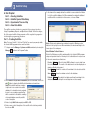
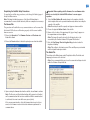
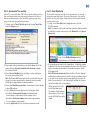
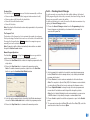
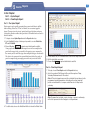
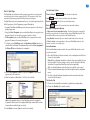
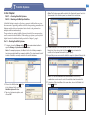
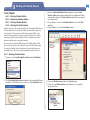
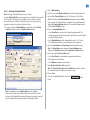
1. To begin, choose the Setup
button in the toolbar to open the Software
Setup window. The Software Setup window will open at the General tab.
Part 2 – Sentinel WMS Program Setup
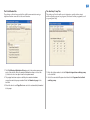
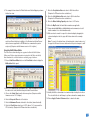
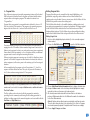
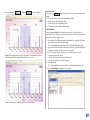
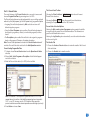
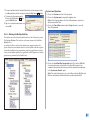
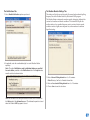
The Watcher Operations Tabs
Note: Bypass the Watcher Operations tab at this time. Prior to using this
feature, refer to “Chapter 8 - Sentinel Watcher Operations” for details.
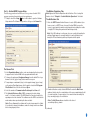
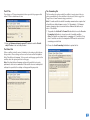
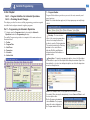
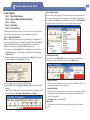
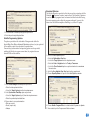
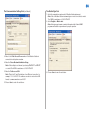
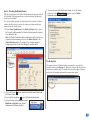
The Notifications Tab
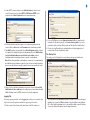
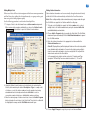
1. Enter the SMTP Server Uniform Resource Locator (URL) address if you
have access to a SMTP Server for e-mail. Sentinel WMS can use the
server to send emails for weather related operations including the results
of nightly ET & Rain polling and rainfall monitoring activity.
Note: If the URL address is not known, refer your e-mail client application
settings. E-mail support is currently limited to e-mail notifications sent
during the ET based watering station polling and satellite upload.
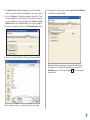
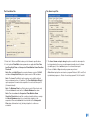
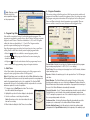
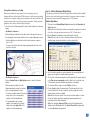
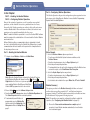
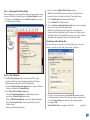
The General Tab
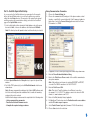
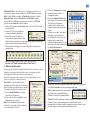
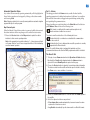
1. In the Organization Name text box, enter any designation that you prefer
to appear next to Sentinel WMS in the program window title bar.
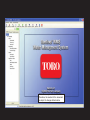
2. To change the workspace Background Image from the default Toro Logo,
browse to the file (.jpg or .bmp) location and choose open.
3. To superimpose a watermark (logo) or other graphic image (.jpg or .bmp)
on the system Flow Graph image, the file must be located in C:\Program
Files\Sentinel. Select the file and choose Open.
4. Select the number of Communication Re-attempts from None to 5.
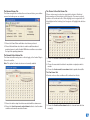
5. The Schedule Reference Date (SRD) corresponds to a date during
week 1 of a 6-week schedule. The SRD allows the 6-week schedule to be
superimposed on the calendar. The software uses the SRD to calculate the
week number when synchronizing the time and date.
Note: Choose Save and the software will record changes made to all tabs.
If you intend to change the database, make the change and choose Save
before changing any others.
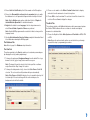
2. E-mail notifications sent by Sentinel WMS will contain the Mail From:
address. Ideally, enter the e-mail address of the person maintaining the list
of e-mail recipients. If a user wishes to be removed from the mailing list,
they can simply reply to the notification.
Note: The Mail From address should be in the form of
<something>@your_domain.
(continued)
5