1
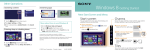
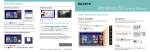
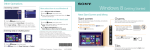
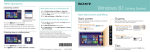
Using Apps Starting apps Using the Internet Viewing running apps Connecting to Wi-Fi® (Wireless LAN) Opening websites Enter a URL or keyword in this box. 1 Tap the Search charm (see cover). 2 Enter a keyword in the search box. 3Tap Apps, then tap the app icon. Touch operation Swipe in from the left edge until a small app icon appears, then drag the icon back towards the left edge. With a mouse/touch pad 1 Tap the Settings charm (see cover). 2 Tap the network icon. 3 Select your wireless network from the list, then tap Connect. open the apps menu, then tap the icon. Point to the upper-left corner, then move downward. Opening the apps menu 1 On the Start screen, tap the Internet Explorer tile. 2 Enter a URL or keyword to search websites. 3 To open a new tab, swipe up from the bottom edge to You can also find the traditional style Internet Explorer on the desktop. Closing apps Installing apps from Windows Store Add apps from Windows Store. 1 Connect to the Internet using either Wi-Fi or a LAN cable. 2 Tap the Store tile on the Start screen, then Touch operation Swipe up from the bottom edge. With a mouse/touch pad Right-click within an app. 1 When an app is open, point to the top-center of the screen. 2 Drag the app to the bottom of the screen until the app browse and install your favorite apps. Microsoft Account You will need a Microsoft account to use certain apps or services, including Windows Store. On how to create and what you can do with a Microsoft account, refer to Windows Help and Support (see back page). disappears from the screen. More on back page