1
Chapter 2 Basic Library Operations
Manually Ejecting a Tape Cartridge
Manually Ejecting a Tape Cartridge
DLT Tape Drives 2
2
To manually eject a tape cartridge from a DLT or SDLT tape drive:
1
2
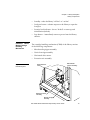
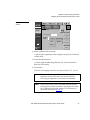
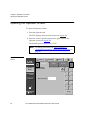
Open the library’s front door:
a
Press the Standby button on the touch screen GUI. This
places the library off-line.
b
Verify that the system state display reads System Off-line
and that the robotics has stopped moving. The off-line state
does not take effect until current commands are completed.
c
Take electrostatic discharge precautions as explained in
Taking ESD Precautions on page 18.
d
Using the key from the accessories kit, unlock the front
door.
e
Lift the door handle straight up and then turn the handle
counterclockwise to unlatch the door.
f
Gently pull on the door handle to open the door.
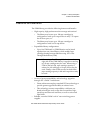
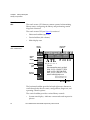
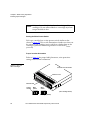
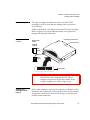
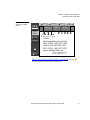
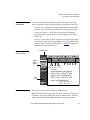
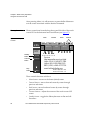
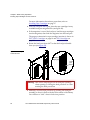
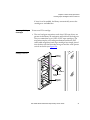
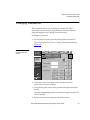
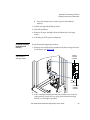
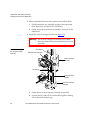
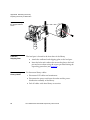
Press the Unload button on the drive (see figure 24).
When you press Unload, the tape cartridge rewinds. This may
take between 10 to 120 seconds. When the rewind process is
completed, the Operate Handle indicator comes on.
Figure 24 DLT Tape
Drive Front Bezel
(Example)
Unload button
Insert/release
handle
(shown in up position)
42
ATL P2000 Series Automated Tape Library User’s Guide