1
71
<_
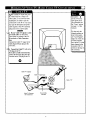
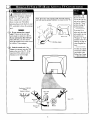
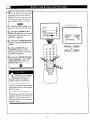
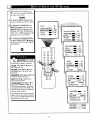
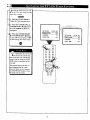
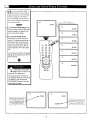
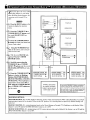
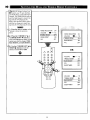
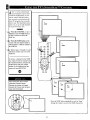
Press the POWER button to
I turn the TV ON.
<_
Press the VOLUME + button to
increase the sound level or the
VOLUME - button to lower the
sound level.
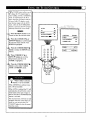
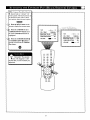
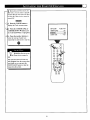
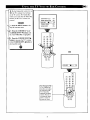
The Front AudioNideo
_
Input Jacks
make it real easy to watch the playback
Pressing both buttons at the same
time will display the onscreen menu.
Once in the menu, use these button
to make adjustments or selections.
of a video tape using a camcorder
(or any accessory device) with
AudlolVideo
Output Jacks.
Remote Sensor Window
Press the CHANNEL UP • or
DOWN • button to select TV channels.
Front AudloNideo
Inputs
(Mono)
0
Zo
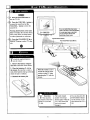
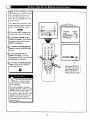
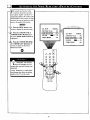
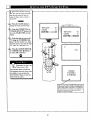
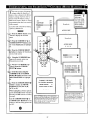
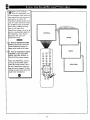
load the supplied
nto the remote:
batteries
1. Remove the battery compartment lid on the back of the remote.
2. Place the batteries (2- AA) in
the remote. Be sure the (+) and (-)
ends of the batteries line up correctly
(inside of case is marked.)
3. Reattach the battery lid.
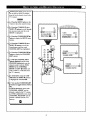
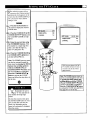
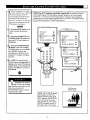
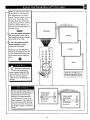
Point the remote control
toward the remote sensor
window on the TV when
operating the TV with the
remote.
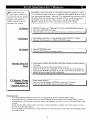
Remember,
! You can press
any button on the front
of the TV to turn the
TV ON.
8
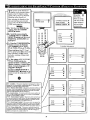
The tuned channel
number will always
briefly appear when the
TV is first turned ON
(and with channel
changes.)
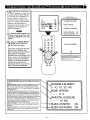
You can also press the
STATUS/EXIT button
(on the remote) to see
what channel the TV is
ON.