1
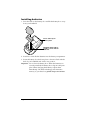
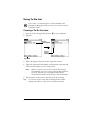
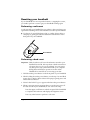
Attaching the cover
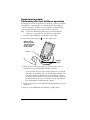
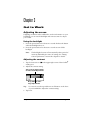
1. Align the hinge prongs with the slots on the top of your handheld.
2. Insert one prong at a time until the prongs lock inside the slots.
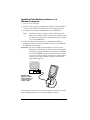
Scroll button
hole
Window
Tip:
Use the window in the cover to view the time and alarm
reminder messages when your handheld is off and the cover
is closed. To view the time, press the top scroll button which is
accessible through the hole at the bottom of the cover.
Installing Palm Desktop software
Palm Desktop software includes the same applications as your
handheld: Date Book, Address Book, To Do List, Note Pad, and Memo
Pad. You can use the HotSync Manager feature of this software to
backup and exchange data between your handheld and your
computer.
Note: If you are using Microsoft Outlook or other organizer software
instead of Palm Desktop software, you still need to complete
this process to install HotSync Manager, conduit software, and
other features of Palm Desktop software.
Important: If you are upgrading from another Palm OS handheld,
See “Upgrading from another Palm OS handheld” in
Chapter 4 for instructions before you complete the steps
in this section.
Page 4
Get Started