1
9-118 User’s Reference Guide
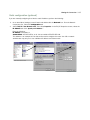
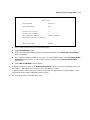
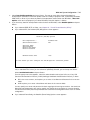
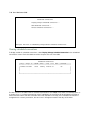
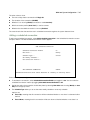
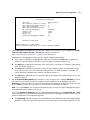
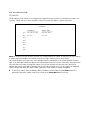
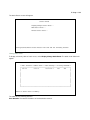
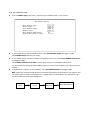
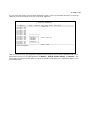
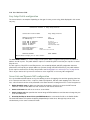
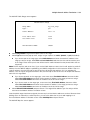
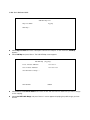
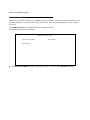
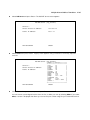
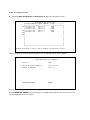
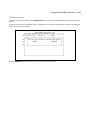
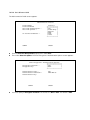
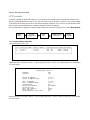
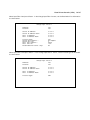
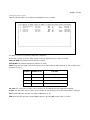
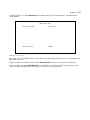
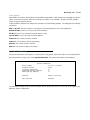
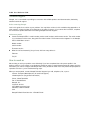
Select Show/Change Public Range, then Easy-PAT Range, and press Return. Enter the value your ISP assigned
for your public address (206.1.1.6, in this example). Toggle Type to pat. Your public address is then mapped to
the remaining private IP addresses using PAT. (If you were not using the Easy-PAT Range and Easy-PAT List that
are created by default by using Easy Setup, you would have to define a public range and map list. For the
purpose of this example you can just alter this range and list.)
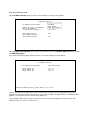
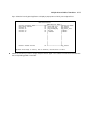
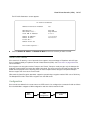
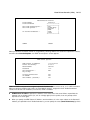
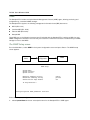
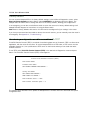
Change NAT Public Range
Range Name:
Easy-PAT Range
Type...
pat
Public Address:
206.1.1.6
First Public Port:
49152
Last Public Port:
65535
CHANGE NAT PUBLIC RANGE
CANCEL
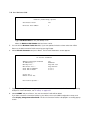
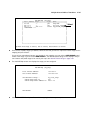
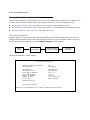
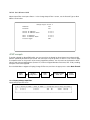
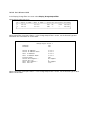
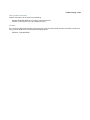
Select CHANGE NAT PUBLIC RANGE and press Return. This returns you to the Network Address Translation
screen.
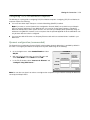
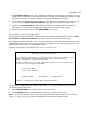
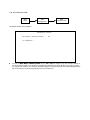
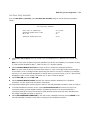
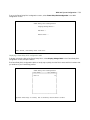
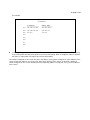
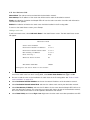
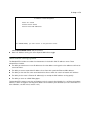
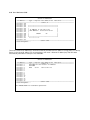
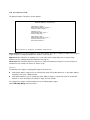
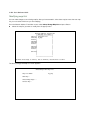
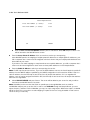
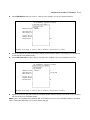
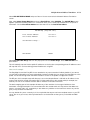
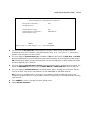
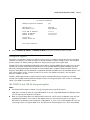
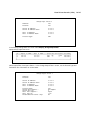
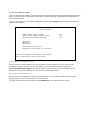
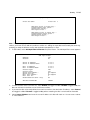
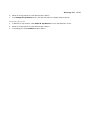
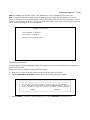
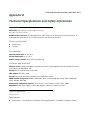
Select Add Public Range and press Return. Type a name for this static range, as shown below. Enter the first
and last public addresses your ISP assigned in their respective fields as shown. The first five public IP
addresses (206.1.1.1 - 206.1.1.5, in this example) are statically mapped to the first five corresponding private
IP addresses (192.168.1.1 - 192.168.1.5).
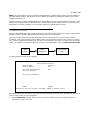
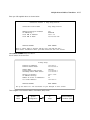
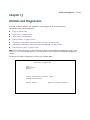
Add NAT Public Range
Range Name:
Static Range
Type...
static
First Public Address:
206.1.1.1
Last Public Address:
206.1.1.5
ADD NAT PUBLIC RANGE
CANCEL
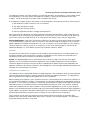
Return/Enter to commit changes.