1
B POST Messages
Appendix B
POST Messages
Introduction
During the power-on self-test (POST), if the BIOS detects an error, it will sound a beep
code or display a message.
If a message is displayed, it will be accompanied by the following instruction:
PRESS F1 TO CONTINUE OR DEL TO ENTER SETUP
POST Beep
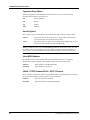
There is currently only one beep code in BIOS. It consists of a single long beep followed
by two short beeps. This code indicates that a video error has occurred and that the
BIOS cannot initialize the video screen to display additional information.
Error Messages
One or more of the following messages may be displayed if the BIOS detects an error
during the POST.
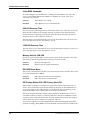
CMOS BATTERY HAS FAILED
CMOS battery is no longer functional. It should be replaced.
CMOS CHECKSUM ERROR
Checksum of CMOS is incorrect. This can indicate that CMOS has become corrupt. This
error may have been caused by a weak battery. Check the battery and replace if
necessary.
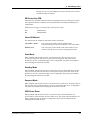
DISK BOOT FAILURE, INSERT SYSTEM DISK AND PRESS ENTER
No boot device was found. This could mean that either a boot drive was not detected or
the drive does not contain proper system boot files. Insert a system disk into Drive A:
and press ENTER. If the system should have booted from the hard disk, make sure that
the controller is inserted correctly and all cables are properly attached. Also, make sure
that the disk is formatted as a boot device. Then reboot the system.
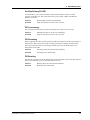
DISKETTE DRIVES OR TYPES MISMATCH ERROR - RUN SETUP
The type of floppy drive installed in the system is different from the CMOS definition.
Run Setup to reconfigure the drive type correctly.
DISPLAY TYPE HAS CHANGED SINCE LAST BOOT
The display adapter has been changed since the system was last turned off. You must
configure the system for the new display type.
CommPlete Communications Server
67