1
Contacts (continued)
Sync Contacts with Google+
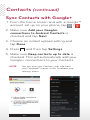
1. From the home screen and with a Google™
account set up on your phone, tap
> .
2. Make sure Add your Google+
connections to Android Contacts is
checked and tap Next.
3. Choose an instant upload setting and
tap Done.
4. Press
and then tap Settings.
5. Make sure Keep contacts up to date is
checked. This will automatically add your
Google+ connections to your Contacts.
NOTE
ou can also sync Contacts with info from
Y
your Facebook® friends in the Facebook app
settings menu.