1
18
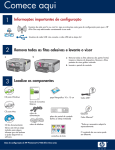
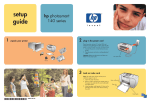
Print a 4 x 6 inch photo
a
a Insert the memory card from your camera into the
appropriate memory card slot and press the Photosmart
Express button.
The Photosmart Express menu appears on the color
graphics display.
b Press OK to select View & Print. The most recent photo
on your memory card appears on the display.
c
c Press the arrow buttons to view the desired photo.
d
d Keep pressing OK to print your photo.
If you are looking at a photo on the display, you could
quickly print a 4 x 6 inch photo by pressing the Print
Photos button.
The HP All-in-One makes a print of the photo on your
memory card.
Tip: You could use the Reprint
button to make a copy of an
original photo.
Tip: To learn about printing photos from memory cards,
and other features, see the User Guide and online help.
For additional help, see www.hp.com/support.
© Copyright 2006 Hewlett-Packard Development Company, L.P.
*Q8192-90221*
*Q8192-90221*
Q8192-90221