1
User Guide
PN-810
WELCOME
Thank you for choosing the Pantech PN-810 wireless
handset. Developed by our dedicated team of top researchers,
this product allows for high speed communication services,
such as web browsing, and data services, and has an animated,
graphic menu system for easy access to its many features.
Among its many advanced features, the T9 text input mode
makes it much easier to enter letters and type messages.
Other included technologies are:
• Full graphic display of 9 text input lines and 1 icon line with
variable font size.
• Easy to enter text using T9 text input mode.
• Use full QWERTY keyboard.
• Bluetooth Wireless Technology.
• Enhanced for web browsing & data services (i.e.; wireless
internet access, WAP Browser)
• Animated Graphic User Interface (GUI) display compliant
with CDMA2000 1X, EVDO.
• 260K TFT LCD.
• Mobile camera (2.1 Megapixel) with flash
• Navigation Key and 27 keys aligned for more convenience.
• Sophisticated speaker phone features.
• Additional text messaging and web browsing services in
addition to authentication, call forwarding, call transfer,
and call waiting.
IMPORTANT INFORMATION
This PN-810 user guide contains very important information
about how to handle and use the product. Please read this
manual thoroughly, pay attention to the warranty on the back
page and be alert to the exclusions and limitations of your
warranty, related to the use of unauthorized components.
2
TABLE OF CONTENTS
CHAPTER 1. BEFORE USING YOUR PHONE ......................7
INSIDE THE PACKAGE....................................................8
HANDSET DESCRIPTION ................................................9
PHONE VIEW .......................................................................9
THE FUNCTION KEYS ........................................................10
DISPLAY INDICATORS..................................................12
DISPLAY INDICATORS........................................................12
BATTERY USAGE ..........................................................14
BATTERY INSTALLATION...................................................14
BATTERY REMOVAL..........................................................14
BATTERY CHARGING.........................................................15
BATTERY HANDLING INFORMATION...........................17
DO’s....................................................................................17
DON’Ts ...............................................................................17
MINISD CARD USAGE..................................................18
USING MINISD CARD (OPTIONAL ACCESSORY) ..............18
CHAPTER 2. BASIC OPERATION......................................19
TURNING THE PHONE ON / OFF...................................20
TURNING THE PHONE ON ................................................20
TURNING THE PHONE OFF ...............................................20
ACCESSING THE MENU................................................21
MENU SUMMARY ........................................................22
BASIC FUNCTIONS .......................................................24
MAKING A CALL ...............................................................24
MAKING AN INTERNATIONAL CALL ................................24
CALLING A NUMBER FROM CONTACTS ..........................25
ANSWERING A CALL .........................................................25
SPEAKER PHONE ...............................................................25
ENTER LOCK MODE ..........................................................26
3-WAY CALLING ................................................................26
CALL WAITING ..................................................................27
2SEC/HARD PAUSE ............................................................27
ADJUSTING VOLUME........................................................28
CALLER ID..........................................................................28
MP3 PLAYER......................................................................29
3
TABLE OF CONTENTS
USING FLASHLIGHT...........................................................29
CALL LOG ..........................................................................30
DURING A CALL...........................................................31
AVAILABLE OPTIONS DURING A CALL ............................31
MAKING AN EMERGENCY CALL .................................33
911 IN LOCK MODE ..........................................................33
911 USING ANY AVAILABLE SYSTEM ..............................33
CHAPTER 3. MEMORY FUNCTIONS ................................35
STORING A PHONE NUMBER.......................................36
ENTERING LETTERS, NUMBERS & SYMBOLS ..............37
STANDARD INPUT MODE .................................................38
T9WORD INPUT MODE.....................................................39
NUMERIC MODE ...............................................................40
SYMBOL MODE.................................................................40
KOREAN MODE.................................................................40
USING QWERTY KEYBOARD ............................................41
MAKING A CALL FROM THE PHONE BOOK ................42
ONE-TOUCH/TWO-TOUCH DIALING ................................42
CHAPTER 4. MENU FUNCTIONS......................................43
CUSTOMIZE ..................................................................44
RINGS.................................................................................44
DOWNLOAD RINGS ..........................................................44
SCREENS.............................................................................45
CALL SCREENS ...................................................................46
DOWNLOAD SCREENS ......................................................47
HOT SCREENS ....................................................................47
DOWNLOAD HOT .............................................................48
SETTINGS ...........................................................................48
SURF.............................................................................64
ACCESS HELIO PORTAL .....................................................64
BROWSER MENU...............................................................64
SNAP ............................................................................68
CAMERA ............................................................................68
VIDEO CAMERA ................................................................73
4
TABLE OF CONTENTS
PHOTO ALBUM .................................................................77
VIDEO ALBUM...................................................................79
SETTINGS ...........................................................................81
PRINT PHOTOS ..................................................................82
MEMORY INFO..................................................................83
VIDEO+MUSIC..............................................................84
VIDEO ................................................................................84
DOWNLOAD VIDEO..........................................................84
MUSIC ................................................................................85
DOWNLOAD MUSIC..........................................................85
SETTINGS ...........................................................................86
CONTACT......................................................................88
NEW CONTACT..................................................................89
VIEW DETAIL .....................................................................90
EDIT CONTACT ..................................................................91
DELETE...............................................................................91
SEND MY MAME CARD ....................................................92
SORT CONTACTS LISTS......................................................92
SELECT MULTIPLE..............................................................93
GAMES .........................................................................94
DOWNLOAD GAME ..........................................................94
PLAN ............................................................................96
CALENDAR.........................................................................96
WAKE-UP CALL .................................................................99
ALARM.............................................................................101
CALCULATOR...................................................................103
WORLD TIME...................................................................104
UNIT CONVERTER............................................................105
NOTEPAD.........................................................................106
VOICE MEMO ..................................................................107
STOPWATCH....................................................................108
CONNECT TO PC..............................................................109
FILE MANEGER ................................................................110
MEMORY INFO................................................................111
MESSAGE ...................................................................112
WHEN A NEW MESSAGE ARRIVES.................................112
5
CHAPTER 5. SAFETY AND WARRANTY ........................125
SAFETY INFORMATION FOR WIRELESS HANDHELD
PHONES......................................................................126
SAFETY INFORMATION FOR FCC RF EXPOSURE .......131
SAR INFORMATION....................................................132
FCC HEARING-AID COMPATIBILITY (HAC)
REGULATIONS FOR WIRELESS DEVICES....................134
FDA CONSUMER UPDATE ..........................................136
PROTECT YOUR WARRANTY......................................143
12 MONTH LIMITED WARRANTY ..............................144
CHAPTER 1
BEFORE
USING
YOUR PHONE
This chapter provides important information about using the
PN-810 including:
INSIDE THE PACKAGE
HANDSET DESCRIPTION
DISPLAY INDICATORS
BATTERY USAGE
BATTERY HANDLING INFORMATION
MINISD CARD USAGE
6
BEFORE USING YOUR PHONE
MESSAGE.........................................................................112
SEND TEXT/PIC ................................................................113
SEND EMAIL ....................................................................115
TEXT/PIC INBOX ..............................................................117
INSTANT MESSAGING .....................................................118
E-MAIL MESSAGES ..........................................................119
OVER-THE-AIR SETTINGS SERVICE .................................119
HELIO MAIL .....................................................................120
YAHOO!...........................................................................121
AOL..................................................................................121
WINDOWS LIVE...............................................................121
GMAIL..............................................................................122
APPS...........................................................................123
CHAPTER 1
TABLE OF CONTENTS
BEFORE USING
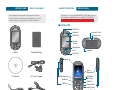
INSIDE THE PACKAGE
This package should include all items pictured below.
If any are missing or different, immediately contact the
retailer where you purchased the cellular telephone.
HANDSET DESCRIPTION
BEFORE USING
This phone is a tri-mode CDMA2000 1X, EVDO digital phone
with camera and WEB browsing capabilities. The PN-810
weighs 4.84 oz. The dimensions are 1.93” x 4.27” x 0.95”.
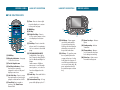
■ PHONE VIEW
VOD Key
Earpiece
Camera Flash
MOD Key
Camera Lens
Display
Screen
Navigation
Keys
Handset
Standard Battery
Speaker
Clear Key
Earjack
Voice
Memo Key
CD Manual
AC Travel Charger
Volume Key
Send Key
MP3 Key
Strap
8
Data Cable
International
Function Key
Left/Right
Soft Keys
End Key
Camera Key
miniSD card
Lock Mode Key
Microphone
9
BEFORE USING
HANDSET DESCRIPTION
HANDSET DESCRIPTION
BEFORE USING
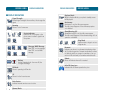
■ THE FUNCTION KEYS
1
8
2
(8) MOD Key
3
9
4
5
6
7
10
11
12
13
14
(1) VOD Key
(2) Display Indicators - See page
12 for a list of icons.
(3) Text & Graphic area
(4) Soft Key Indicators - Shows
the functions currently
assigned to each soft key and
displays some icons.
(5) Left Soft Key - Press to access
the main menu or function displayed on bottom line of LCD.
(6) Send KeyPress to make or
receive a call. Short Press:
Recent Calls.
10
(7) Clear - Press to clear a digit
from the display or to return
to the previous page.
(9) OK Key
(10) Right Soft Key - Press to
access contacts menu or function displayed on bottom
line.
(11) End Key - Press to turn the
phone on/off, to terminate a
call or to return to the initial
page.
(12) THE NAVIGATION KEYS
In Idle Mode - Press Up for
Surf Down for Send Text/Pic,
Left for Media and Right for
Game.
Inside a menu - Within a
menu, use to scroll through
menu options, or to select a
function displayed on the
screen.
18
19
20
15
16
17
(15) Shiftkeys - Enters upper
case letters and symbols.
You can either press the
Shift key first and then the
desired key or press both
keys at the same time.
(16) Alt key - To type the number or symbol printed in
orange at the top of a key,
hold down the orange-colored Alt key and then press
one or more letter keys. Or,
press and release the Alt
key and then press a letter
key.
(17) Space bar keys - Enters a
space.
(18) Backspacekey - deletes
characters.
(19) Characterkey - Opens a
set of characters and symbols during text writing.
(20) Enter key - Starts a new
line when writing text.
(13) Lock Key - Press and hold to
enter lock mode.
(14) International Key - A long
press shall display a plus “+”.
11
BEFORE USING
DISPLAY INDICATORS
DISPLAY INDICATORS
■ DISPLAY INDICATORS
Airplane Mode
While in Airplane Mode, your phone’s standby screen
will displayed.
Signal Strength
Current signal strength: the more lines, the stronger the
signal.
Anniversary
Anniversary is set, the idle screen appears.
The idle screen disappears if the anniversary expires
or is disabled.
Roaming
Phone is out of home area.
Calling
Call Lock
Voice Privacy
Standby
Privacy Mode
Alarm/Morning Call
Alarm/Morning Call is set, the idle screen appears.
The idle screen disappears if the alarm/morning call is in
operation or disabled.
Service Indicator
Indicates call is in progress or the
phone cannot receive a signal from
the system.
Ring
SMS
Voice Msg SMS+Voice Msg
MMS
Message / MMS Message
New TEXT or voice message /
New TEXT or voice MMS
message.
SMS+MMS MMS+Voice Msg SMS+MMS+Voice Msg
Full Charge
Empty
Battery
Battery charging level – the more fill, the
stronger the charge.
3G Mode
Phone is operating in 3G mode.
BEFORE USING
Vibrate the ring
Ring and vibrate
Ring Mode
Appears when a ringer is set as a
ringer mode.
Dormant
Indicates your phone is in a dormant state during a data
call. Your phone goes into Dormant mode when you have
not had any activity on a page for some time - your connection is still active and you can make and receive calls.
Vibrate
Phone will vibrate when call is received.
Helio 3D Game Icon
Indicates Helio 3D Game operation key icon.
1X
Phone is in the 1x service area.
Data Service
Indicates internet services access is active.
Manner Mode
Phone is in manner mode.
To all the sound settings are off.
12
13
BEFORE USING
BATTERY USAGE
BATTERY USAGE
■ BATTERY INSTALLATION
■ BATTERY CHARGING
As shown in the picture below, put the metal locators of the
battery into the holes located in the bottom of the unit.
POWER CONNECTION
Place the battery on the back of the handset and
slide into place.
Push the battery down until it locks into place.
BEFORE USING
Plug the AC Charger into a standard outlet.
Plug the other end of the AC Charger into the
bottom of your phone. The battery must be
installed onto the phone.
■ BATTERY REMOVAL
Pull up the release latch, lift up the battery.
Remove the battery from the handset.
If the battery is not correctly placed in the compartment,
the handset will not turn on and/or the battery may be
detached during use.
14
• You cannot operate the phone until it is powered on.
• Fully charge the battery before use.
• It is more efficient to charge the battery with the handset
powered off.
• The battery must be connected to the phone in order to
charge it.
• Battery operating time gradually decreases over time.
• If the battery fails to perform normally, you may need to
replace the battery.
15
BATTERY USAGE
BEFORE USING
BEFORE USING
■ DO’S
BATTERY USAGE TIMES
The operating time is subject to your handset usage and configuration.
Battery Capacity
BATTERY HANDLING
INFORMATION
DCS
PCS
Low Gain Mode
Up to 300 minutes Up to 310 minutes
High Gain Mode
Up to 210 minutes Up to 217 minutes
BATTERY STANDBY TIME
• Only use the battery and charger approved by the
manufacturer.
• Only use the battery for its original purpose.
• Try to keep batteries in a temperature between 41ºF (5ºC )
and 95ºF (35ºC). If the battery is stored in temperatures
above or below the recommended range, give it time to
warm up or cool down before using.
• Completely drain the battery before recharging. It may
take one to four days to completely drain.
• Store the discharged battery in a cool, dark and dry place.
• Purchase a new battery when the operating time of the
current battery has decreased gradually over time.
• Properly dispose of the battery according to local laws.
The operating time is subject to your handset usage and configuration.
■ DON’Ts
Battery Capacity
DCS
PCS
STD 1200 mAh
228~231 Hours
212~248 Hours
These times are for a new battery. Usage and Standby time
may decrease over time.
16
• Don’t attempt to disassemble the battery – it is a sealed
unit with no serviceable parts.
• Don’t accidentally short circuit the battery by carrying it in
your pocket or purse with other metallic objects such as
coins, clips and pens. This may critically damage the
battery.
• Don’t leave the battery in hot or cold temps.
Otherwise, it could significantly reduce the capacity and
lifetime of the battery.
• Don’t dispose of the battery into a fire.
17
MINISD CARD USAGE
CHAPTER 2
BEFORE USING
■ USING MINISD CARD (OPTIONAL ACCESSORY)
The miniSD card stores sounds, images, photos and videos, music,
and other files.
INSTALLING THE MINISD CARD
With the miniSD card slot
opened, and the gold contacts
facing up, insert the miniSD
card into the slot.
CHAPTER 2
BASIC
OPERATION
Push the card in until it it
clicks into place.
Close the miniSD card slot.
REMOVING THE MINISD CARD
This chapter addresses and explains the basic features of your
cellular telephone including:
To remove the miniSD card, use the following steps:
TURNING THE PHONE ON / OFF
Open the miniSD card slot.
Use your thumb to press and
release the miniSD card.
It will pop-out to allow you
to remove the card.
ACCESSING THE MENU
Remove the card and close the
miniSD card slot.
18
MENU SUMMARY
BASIC FUNCTIONS
DURING A CALL
MAKING AN EMERGENCY CALL
BASIC OPERATION
To install your miniSD card, use the following steps:
BASIC OPERATION
TURNING THE PHONE
ON / OFF
■ TURNING THE PHONE ON
Slide the phone open, press and hold
, until
“HELIO” Logo and animation appears and the wake
up tone sounds.
• If your phone is locked, enter your 4-digit password to
unlock your phone when “Enter 4-digit password”
appears on the display.
• The default password is “0000”.
■ TURNING THE PHONE OFF
Slide the phone open, press and hold
, until
“HELIO” Logo and animation appears and the tone
sounds.
• Immediately change or recharge the battery when
“Low Battery” appears on the display. Memory may
possibly be damaged if the phone turns off due to the
battery completely draining.
• Turn the phone off before removing or replacing the
battery. If the phone is on, unsaved data may be lost.
20
ACCESSING THE MENU
BASIC OPERATION
Your phone can be customized via the menu. Each function
can be accessed by scrolling with the Navigation Key or by
pressing the number that corresponds to the menu item.
To access the menu in idle mode, slide the phone
open, press
[MENU].
Use the Navigation Key to scroll through the menu.
To return to the previous page, press
.
To exit the current menu and return to idle mode,
press
.
Press the Navigation Key and then press
, to
enter a function when its main page is displayed or
press its assigned number to have direct access to
the function.
Hotkey
In idle mode, move the Navigation Key as follows to access
these functions:
•
: SURF
•
: Send Text/Pic
•
: Game
•
: Media
21
BASIC OPERATION
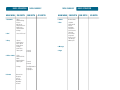
MAIN MENU
1. Customize
2ND DEPTH
1. Access Helio Portal
3. Snap
1. Camera
2. Video Camera
3. Photo Album
4. Video Album
5. Settings
6. Print Photos
7. Memory Info
1. Video
2. Download Video
3. Music
4. Download Music
5. Memory Info
6. Settings
5. Contact
22
3RD DEPTH
1. Rings
2. Download Rings
3. Screens
4. Call Screens
5. Download Screens
6. HOT Screens
7. Download HOT
8. Settings
2. Surf
4. Video + Music
MENU SUMMARY
4TH DEPTH
MENU SUMMARY
MAIN MENU
2ND DEPTH
6. Games
Download Game
7. Plan
1. Calendar
2. Wake-up Call
3. Alarm
4. Calculator
5. World Time
6. Unit Converter
7. Notepad
8. Voice Memo
9. Stopwatch
10. Conect to PC
*.File Maneger
#.Memory Info
BASIC OPERATION
3RD DEPTH
4TH DEPTH
8. Message
1. Internal
2. External
9. Apps
1. Internal
2. External
1. Backlight Duration
2. Play Time
3. Play Option
Customer Care
Emergency
Helio UP
Information
My Number
Voicemail
23
BASIC OPERATION
BASIC FUNCTIONS
BASIC FUNCTIONS
■ MAKING A CALL
■ CALLING A NUMBER FROM CONTACTS
Press
[CONTACT] to access the directory.
Select the desired phone number and press
NUMBER
To modify the phone number you have entered:
• Erase one digit at a time by pressing
.
• Erase the entire number by pressing and holding
.
To send a Text or Photo message to the phone number:
• Enter a part of the phone number, then press
[MENU],
select “Send Text/Pic or Send Email”.
Please refer to page 113 or page 115 for more details on
“Send Text/Pic or Send Email”.
, appears on the display.
When your phone rings or vibrates, slide the phone
open, press
to answer the incoming call.
(Depending on your phone’s settings, you may also
answer incoming calls by opening the phone or by
pressing any number key.)
• To silence the ringer and ignore incoming calls, press
[SILENT] and then press
[IGNORE].
• When you place or receive a call from stored phone numbers,
both the name and phone number will be displayed.
To end the call, slide the phone closed or press
• If “CALL FAILED” appears on the display or the line is
busy, press
or
.
• If you activate the “AUTO REDIAL” function, the phone
will automatically retry for 2 times. (Refer to page 55).
• If “Enter Lock Code” appears on the display enter your
4-digit password to unlock your phone.
To end a call, slide the phone closed or press
.
■ ANSWERING A CALL
Slide the phone open, enter a phone number.
Press
.
The indicator,
BASIC OPERATION
.
■ SPEAKER PHONE
The speaker phone feature lets you hear audio through the speaker
and talk without holding the phone.
.
■ MAKING AN INTERNATIONAL CALL
To activate or deactivate the speaker phone during call,
press
.
The phone returns to normal (Speaker Phone Off) after
ending a call or when the phone is turned off and back on.
Press and hold
. When “+” is displayed, enter the
country and area codes, then complete the number and
send the call.
24
25
BASIC OPERATION
BASIC FUNCTIONS
■ ENTER LOCK MODE
BASIC OPERATION
■ CALL WAITING
To lock the phone, slide the phone open, press and
hold
.
To unlock the phone, press any function key
(Except
, numeric key,
), then input your
password.
■ 3-WAY CALLING
With 3-Way Calling, you can talk to two people at the same time.
When using this feature, normal airtime rates will apply to the two
calls.
NUMBER
BASIC FUNCTIONS
NUMBER
Slide the phone open, enter a number you wish to
call and press
.
Notifies you of an incoming call when you are already on a call by
sounding a beep tone and displaying the caller’s phone number.
To answer another call while on the phone, press
.
This places the first call on hold. To switch back to the
first caller, press
again.
Call Waiting is a system dependent feature. Please contact
your service provider for details.
■ 2SEC/HARD PAUSE
Pauses are used for automated systems (i.e., voice mail, calling
cards). Insert a pause after a phone number then enter another
group of numbers. The second set of numbers is dialed
automatically after the pause. This feature is useful for dialing into
systems that require a code.
Once you have established the connection, enter
the second number you wish to call and press
.
NUMBER
When you’re connected to the second party,
press
again to begin your 3-Way call.
If one of the people you called hangs up during your call,
you and the remaining caller stay connected.
If you initiated the call and are the first to hang up, all
three callers are disconnected.
Select
“2” or ”3”
To insert a pause, enter a phone number then
press
[MENU]. Select either a “2sec Pause”
(“P”) or a “Hard Pause” (“W”).
to dial or
Press
phone number.
[SAVE] to store the
Please refer to page 36 for more details about
storing a phone number.
26
27
BASIC OPERATION
BASIC FUNCTIONS
■ ADJUSTING VOLUME
Select one of the following.
Ring Volume: Controls the ringer volume.
Receiver: Controls the receiver volume.
Keypad: Controls the keypad volume.
Effects: Controls the effects volume.
Wake-up Call: Controls the wake-up call volume.
Alert: Controls the alert volume.
Power Up/Down: Controls the power up/down volume.
Adjust volume and press
BASIC OPERATION
■ MP3 PLAYER
Adjust the volume of the ringer, key beep and speaker phone.
•
•
•
•
•
•
•
BASIC FUNCTIONS
[SAVE] to save it.
To adjust volume in idle mode, press side speaker key.
Music Player is for playing MP3 files saved on the miniSD
Card. To display music list with the phone closed, press
and select a music file with the Navigation Key, press
[PLAY], then press
[PAUSE] or press
[FFW] or
press
[FRW] to select another MP3 file.
In order to stop the music player while it is playing with shell
closed, it is required to open the shell and press
.
The MP3 Player can only play MP3 files recorded at 192 kbps or
less. Please consult the recorded source file for details.
■ USING FLASHLIGHT
This function allows you to use the phone’s camera flash as a miniature
flashlight. To use this function, your phone must be in standby mode.
In standby mode, press and hold
.
■ CALLER ID
Identifies callers by displaying their phone number.
If the caller’s name and number are already stored in
your phone book, they will both appear.
The caller ID information is stored in Call History.
28
29
BASIC OPERATION
BASIC FUNCTIONS
DURING A CALL
BASIC OPERATION
■ CALL LOG
■ AVAILABLE OPTIONS DURING A CALL
Displays information about All Calls, Missed Calls, Received Calls,
Dialed Calls and Rejected calls.
To display menu options during a call, press
Press
CONTACT LIST
.
To see a list of the 40 most recent All Calls, Missed
Calls, Received Calls, Dialed Calls and Rejected calls.
If the number is already stored in your phone book,
only the name appears. If the number is not stored,
only the phone number appears.
If you are in call logs, you may also navigate to the next or
previous call logs (All Calls, Missed Calls, Received Calls,
Dialed Calls and Rejected calls) by pressing the Navigation
Key right or left.
Press
press
•
•
•
•
[MENU] to save a selected number or
[WRITE] to send a message
Save: To save the number to a contact list.
Delete: To delete a call log.
Delete All: To delete all call logs.
Send Caller Info: To send a caller information to someone
else.
To view details, press
press
[MENU].
. To access options,
• Save: To save the number to a contact list.
• Delete: To delete a call log.
• Send Caller Info: To send a caller information to someone
else.
[MENU].
To search or save the phone number in your contacts list.
Press
[MENU]
.
CALL LOG
To displays the list of call log.
Press
[MENU]
.
MUTE (UNMUTE)
Mutes the microphone while you are on a call so the other party
cannot hear you when you speak.
Press
[MENU]
.
• To deactivate, press
[MENU]
.
• The phone will automatically unmute in Emergency Call or
Callback mode.
3-WAY CALL
To call a second party during a call, dial the number or select it
from the directory by accessing the menu during a call.
Press
[MENU]
.
Call details include type of call, date, time and phone
number.
30
31
BASIC OPERATION
DURING A CALL
SEND MESSAGE
Enables you to send a message (SMS) during a call.
Press
[MENU]
MAKING AN
EMERGENCY CALL
BASIC OPERATION
This 911 feature puts the phone in the Emergency Call Mode when
you dial the preprogrammed emergency number, 911.
It also operates in the lock mode and out of the service area.
.
Emergency
Number
MY NUMBER
Enables you to see your phone number while on a call.
■ 911 IN LOCK MODE
Press
The 911 call service is available even in the lock mode.
[MENU]
.
Enter “911” and press
RECORD CALL
Records the conversation for up to three minutes during a call.
Press
[MENU]
.
.
The call connects.
• When the call ends, the phone returns to the Lock Mode.
■ 911 USING ANY AVAILABLE SYSTEM
The 911 call service is available even in the lock mode.
Enter “911” and press
.
The call connects.
• While the phone is in the emergency mode for 5 minutes,
the phone can receive an incoming call from any available
system. However it can't make a call.
The 911 call is not recorded in the recent call list.
32
33
CHAPTER 3
MEMO
MEMORY
FUNCTIONS
This chapter addresses memory functions including:
STORING A PHONE NUMBER
ENTERING LETTERS, NUMBERS & SYMBOLS
MAKING A CALL FROM THE PHONE BOOK
34
MEMORY FUNCTIONS
CHAPTER 3
MEMORY FUNCTIONS
STORING
A PHONE NUMBER
The phone book stores up to 1200 entries.
Slide the phone open, enter phone # then press
[SAVE], and then choose “New Contact” or
“Existing Contact”. Press
to select.
If “New Contact” is selected, enter a contact edit
window.
If “Existing Contact” is selected, your contact list is
displayed. Choose the entry to add the phone
number to, then press
.
Enter a name.
Please refer to page 37 for more details on entering
letters, numbers & mbols.
To change the input mode, press
[Abc].
Press the Navigation Key down to select other
options.
• Contact Field: First Name, Last Name, Graphic,
Phone Number 1 ~ 5, , Ring, Default number,
Email, Instant Message, MySpace, Notes,
Group.
• Phone Number Type: Mobile, Home, Work, Fax, Other.
• If you entered a phone number or others, press
[Add...]
to select options. (Phone/E-Mail/Address/Nickname/Title/
Company/Department/Website)
To store the entry, press
[SAVE].
“Save changes?” and then press
[YES].
ENTERING LETTERS,
NUMBERS & SYMBOLS
MEMORY FUNCTIONS
The input mode (T9 editor) will automatically be
activated when necessary to enter letters and numbers.
As shown below, there are 5 available modes ; Standard
input mode (Abc), T9Word input mode (T9Abc), Numeric
mode (123), Symbol mode (Sym) and korean mode
(Korean).
The input mode indicator appears on the below right of
the display when letters and numbers are entered. To
select the desired input mode among the 5 modes below,
press
[Abc], then enter letters and numbers.
The following illustrates the function assigned to each
key in the Alpha Editor.
KEY
FUNCTION
Abc
Press to change mode.
[T9Abc][Abc][123][Sym][Korean]
Next
Press to view the next matching word if the
highlighted word is not the word you intended.
Space
Press to accept a word and add a space.
Caps Lock
Press to select a letter case of the standard text
input or T9 text input mode. [Abc], [ABC] and [abc]
indicate the standard text input. [T9Abc], [T9ABC]
and [T9abc] indicate the predictive text input. Press
and hold to change mode.
Clear
Press to delete a character to the left of the cursor.
36
37
ENTERING LETTERS,
NUMBERS & SYMBOLS
MEMORY FUNCTIONS
ENTERING LETTERS,
NUMBERS & SYMBOLS
MEMORY FUNCTIONS
■ STANDARD INPUT MODE
■ T9WORD INPUT MODE
Use the number keys to enter letters, numbers and characters.
The T9Word input mode incorporates a built-in-dictionary to
determine a word based on the entered characters. A T9Word can
be entered more quickly by pressing a key once per character.
Enter letters using the key pad as follows:
Select the T9Abc mode by pressing
[Abc].
Key Pad
Press
1 Time
Press
2 times
Press
3 times
Press
4 times
Press
5 times
2ABC
A
B
C
2
A
3DEF
D
E
F
3
D
4GHI
G
H
I
4
G
To view the next matching word, press
:
:
:
:
:
:
9WXYZ
W
X
Y
Z
9
To accept the matching word and enter a space,
press
.
Press a digit key once to enter the character you
want then enter all the characters to input the
word you want.
Press
repeatedly, until the desired symbol
appears (. , - ? ! ' @ : 1).
To change the input mode, press
[Abc].
To enter a compound word:
• Enter the first part of the word then press
accept it.
• Enter the last part of the word then press
enter the word.
To enter a space, press
. The cursor will
automatically move to the next column.
.
to
to
Repeat until letters are entered.
To delete one digit, press
.
If you press and hold
, it will delete letters
entirely as well as entire numbers.
To change from lowercase to uppercase, press
38
.
39
MEMORY FUNCTIONS
ENTERING LETTERS,
NUMBERS & SYMBOLS
ENTERING LETTERS,
NUMBERS & SYMBOLS
MEMORY FUNCTIONS
■ NUMERIC MODE
■ USING QWERTY KEYBOARD
Allows you to enter numbers.
Your phone is specifically designed QWERTY keyboard provides a
superior typing experience on a small handheld for easy and
comfortable text writing. You can use all of the phone functions
with the keyboard either closed or open. When you open the
keyboard you have the extra benefit of a full messaging keyboard.
Press
press
[Abc] and scroll down to “123” and
to change to Numeric Mode.
To enter a number, press a digit key.
■ SYMBOL MODE
Allows you to enter symbols.
Press
press
[Abc] and scroll down to “Sym” and
to change to Symbol Mode.
Select the symbol you want to enter by pressing the
corresponding digit key.
The handheld includes a fully-functional QWERTY
keyboard you can use to compose text for email
messages, notes, and so on.
KEY
FUNCTION
Shift + letter
To type upper-case letters, hold down the Shift
key and then press one or more letter keys.
Alternatively, you can briefly hold down a letter
key to capitalize a letter. Or, press and release
the Shift key and then press a letter key.
Alt + letter
To type the number or symbol printed in orange
at the top of a key, hold down the orangecolored Alt key and then press one or more
letter keys. Or, press and release the Alt key and
then press a letter key.
Space Key
Press the Space key to type a blank space.
Enter Key
Press the Enter key to insert a carriage return.
Clear Key
Press the Delete key to delete a character to the
left of the text cursor.
• Use the Navigation Key to view a different set of symbols.
There are 8 sets of symbols.
■ KOREAN MODE
Allows you to enter korean characters.
Press
press
[Abc] and scroll down to “Korean” and
to change to Korean Mode.
To enter korean characters, press a keypad.
For best performance in low-light environments, your phone
includes a backlight feature that can illuminate both the
display and the keyboard so you can keep reading and typing.
40
41
MAKING A CALL FROM
THE PHONE BOOK
CHAPTER 4
MEMORY FUNCTIONS
■ ONE-TOUCH/TWO-TOUCH DIALING
Ideal for frequently dialed numbers, this feature allows phone book
entries to be dialed via the keypad with only one or two key
presses.
ONE-TOUCH DIALING:
CHAPTER 4
MENU
FUNCTIONS
TWO-TOUCH DIALING:
10~99: Press the first digit and second digits of the
memory number short and long respectively.
• If no phone number is stored in the location entered,
“Invalid speed dial” will appear on the screen.
• Press
is used for One-Touch voicemail dial feature.
This chapter addresses accessing the menu and using its functions
and features to customize your phone.
CUSTOMIZE
SURF
SNAP
VIDEO+MUSIC
CONTACT
GAMES
PLAN
MESSAGE
APPS
42
MENU FUNCTIONS
1~9: Press and hold the corresponding memory number
for more than 1 second.
MENU FUNCTIONS
CUSTOMIZE
CUSTOMIZE
MENU FUNCTIONS
■ RINGS
■ SCREENS
You can select a ringtone that will play when receiving a call. You can
select from downloaded ringtones as well as the default ringtones.
Select the wallpaper image displayed in idle mode. In addition to the
default images, you can select a downloaded image, Video Screen,
Photos or Video Recordings as your screen.
Press
[MENU]
.
To select your desired ringer type.
• Rings: Select a live ringtone.
• Bell Rings: Select from your downloaded ringtones.
• Freebies: Select from the default ringtones.
To play a select ringtone, press
[PLAY].
Press
[MENU], select one of the following
options.
• Delete: Delete the selected live ringtone.
• Delete All: Delete all contents in the live ringtone list.
• File Info: Display the selected live ringtone information.
To save it, press
[SET].
■ DOWNLOAD RINGS
Connects directly to the Helio Store, where you can download ringtones.
Press
[MENU]
To select your desired image type.
• Screens: Select from downloaded screens or from the
provided freebies.
• Video Screens: Select a Video Screen.
• Photos: Select from saved taken images.
• Video Recordings: Select from saved taken video clips.
• Freebies: Select from the default screens.
To view/play a select image, press
[VIEW/PLAY].
Press
[MENU], select one of the following
options.
•
•
•
•
•
•
Sort: Sort the content list.
Rename: Rename the selected content.
Delete: Delete the selected content.
Delete All: Delete all contents in the content list.
Lock On/Off: Lock On/Off the selected content.
File Info: Display the selected content information.
To save it, press
Press
[MENU]
.
[SET].
.
Connecting to Helio Service.
44
45
MENU FUNCTIONS
CUSTOMIZE
CUSTOMIZE
MENU FUNCTIONS
■ CALL SCREENS
■ DOWNLOAD SCREENS
Select the screen that will be displayed when receiving a call.
In addition to the default images, you can select a downloaded image,
Video Screen or Photos as the call screen.
Connects directly to the Helio Store, where you can download screens.
Press
Press
[MENU]
.
To select your desired image type.
• Screens: Select from downloaded screens or from the
provided freebies.
• Video Screens: Select a Video Screen.
• Photos: Select from saved taken images.
• Freebies: Select from the default screens.
To view/play a select image, press
[VIEW/PLAY].
Press
[MENU], select one of the following
options.
•
•
•
•
•
•
Sort: Sort the content list.
Rename: Rename the selected content.
Delete: Delete the selected content.
Delete All: Delete all contents in the content list.
Lock On/Off: Lock On/Off the selected content.
File Info: Display the selected content information.
To save it, press
[SET].
[MENU]
.
Connecting to Helio Service.
■ HOT SCREENS
Start H.O.T.TM (Helio On Top) screens.
Press
[MENU]
.
To select your desired downloaded image.
To preview a select image, press
[PREVIEW].
Press
[MENU], select one of the following
options.
• Delete: Delete the selected content.
• Delete All: Delete all contents in the content list.
• File Info: Display the selected content information.
To save it, press
[SET].
It’s Helio On Top. Multiple channels of dynamic content
(sports scores, music news, stock data, and more)
delivered automatically right to your screen!
46
47
MENU FUNCTIONS
CUSTOMIZE
CUSTOMIZE
MENU FUNCTIONS
■ DOWNLOAD HOT
VOLUME
Connects directly to the Helio Store, where you can download H.O.T.
screen.
Controls the Ring Volume, Receiver, KeyPad, Effects, Wake-up
Call, Alert and Power Up/Down volume.
Press
[MENU]
.
To set your desired Vibration Mode.
Press
[MENU]
.
Connecting to Helio Service.
■ SETTINGS
Customizes your phone and optimizes performance through a
variety of settings.
•
•
•
•
•
•
•
Ring Volume: Level 0 ~ Level 5.
Receiver: Level 0 ~ Level 5.
KeyPad: Level 0 ~ Level 5.
Effects: Level 0 ~ Level 5.
Wake-up Call: Level 0 ~ Level 5.
Alert: Level 0 ~ Level 5.
Power Up/Down: Level 0 ~ Level 5.
To save, press
[SAVE].
ALERTS
To setting an Alerts ringer type:
SOUND
Sets Vibration, Volume, Alerts, Sound Effects and Missed Calls.
To select a Vibration Mode:
[MENU]
.
To set your desired Vibration Mode.
•
•
•
•
•
Ringtones
Vibration
None
Ring then Vib
Ring and Vib
To save, press
48
[MENU]
.
To setting an Alerts ringer type.
VIBRATION
Press
Press
[SET].
• Call Connection: To set Call Connection ring tone with
left or right Navigation Key.
(Off, Call Connection)
• Minute Beep: To set Minute Beep ring tone with left or
right Navigation Key. (Off, Bell)
• No Service: To set Out-of-service ring tone with left or
right Navigation Key. (Off, Bell)
• Low Battery: To set Battery Low ring tone with left or
right Navigation Key. (Off, Low Battery1,
Low Battery2)
To save, press
[SAVE].
49
MENU FUNCTIONS
CUSTOMIZE
CUSTOMIZE
MENU FUNCTIONS
SOUND EFFECTS
MISSED CALLS
To select a sound effects ringer type:
To set a Missed Calls options:
Press
[MENU]
.
To set your desired sound effects ringer type.
• Keypad: To set key tone with left or right Navigation Key.
(KeyClick, Tick, Arp, Henry, Off)
• Slide: To set Slide tone with left or right Navigation Key.
(Mambo1, Mambo2, Mambo3, Off)
• Menu: To set menu select tone with left or right
Navigation Key. (Menu Change 1, Menu Change 2,
Menu Change 3, Off)
• Confirm/Save: To set Confirm/Save select tone with left
or right Navigation Key. (Confirm/Save1,
Confirm/Save2, Confirm/Save3, Off)
• Cancel/Warning: To set Cancel/Warning select tone with
left or right Navigation Key.
(Cancel/Warning1, Cancel/Warning2,
Cancel/Warning3, Off)
• Silent Mode: To set Silent Mode select tone with left or
right Navigation Key. (On, Off)
To save, press
50
SET ALERT
Press
[MENU]
.
To select alarm set mode with up or down
Navigation Key.
• Mute / Every 2 min / Once after 2 min
To save, press
[SET].
ALERT TYPE
Press
[MENU]
.
To select alarm tone with up or down Navigation
Key.
• Alarm1 / Vibration
To save, press
[SET].
[SAVE].
51
MENU FUNCTIONS
CUSTOMIZE
CUSTOMIZE
SCREEN
ANIMATED STICKER
To select images to display on the main LCD:
Press
OVERLAY
CALENDAR / CLOCK
To save, press
[MENU]
.
To select Calendar/Clock set mode with up or
down Navigation Key. You want to preview
mode, press
[PREVIEW].
[SET].
[MENU]
.
[MENU]
• Banner: To select Banner with left or right Navigation Key.
(Use, None)
• Text: To enter a banner.
• Font Color: To select a banner color with left or right
Navigation Key.
To save, press
• Left or Right Navigation Key: Move to city’s situation.
• Up or Down Navigation Key: Move to city’s name.
To select a Font Mode:
[SET].
.
To select Banner set mode with up or down
Navigation Key. You want to preview mode,
press
[PREVIEW].
The world map appears with the city, its date and
time, and then select city with Navigation Key.
To save, press
[SET].
BANNER
Press
DUAL CLOCK
Press
.
To select a Banner Mode:
• Cal. 1mon 1 ~ Cal. 1mon 5, Cal. 2mon 1 ~ Cal. 2mon 4,
Digital Clock 1 ~ Digital Clock 4 , Analog Clock 1 ~ Analog
Clock 4, None
To save, press
[MENU]
To select Animated Sticker image with the
Navigation Key.
To select a Overlay Mode:
Press
MENU FUNCTIONS
[SAVE].
FONT
Press
[MENU]
.
To select Font set mode with up or down
Navigation Key.
1. English: Eng Font1/Eng Font2
2. Korean: Kor Font1/Kor Font2
To save, press
52
[SET].
53
MENU FUNCTIONS
CUSTOMIZE
CUSTOMIZE
MENU FUNCTIONS
BACKLIGHT
AUTO FUNCTIONS
Backlights the LCD light, while the slide is closed and keypad light
for easy viewing in dark places.
To select an auto function option:
Press
[MENU]
.
To select Backlight set mode with up or down
Navigation Key.
1. Display Duration: 15 Seconds, 30 Seconds, 1 Minute,
3 Minute, 10 Minute
2. Display Brightness: Level 1 ~ Level 5
3. Keypad Duration: Slide Up, 15 Seconds, 30 Seconds,
60 Seconds, Off
To save, press
[SET].
CALL
To select an answer call option:
.
Select one of the following options with up or
down Navigation Key.
•
•
•
•
54
Select one of the following options with up or
down Navigation Key.
1. Auto Redial: Automatically redials a call up to a set time
interval. (On, Off)
2. Auto Headset: If headset is connected, call is
automatically connected. (On, Off)
3. Auto Speaker: If Speaker is connected, call is
automatically connected. (On, Off)
4. AutoRcvAfter 2Sec: After 2 seconds, call is automatically
connected. (On, Off)
[SET].
The phone can divert incoming calls to another number if you are
busy, not reachable or do not reply. You can also choose to divert
all calls. A phone number field in which you enter a phone
number to be used for diverting calls. Select an entry from the
Contacts phonebook. Your incoming calls will not be diverted.
Press
[MENU]
.
Select one of the following options with up or
down Navigation Key.
Slide Open
Open & Any Key
Open & Send Key
Send Key Only
To save, press
.
CALL FORWARDING
ANSWER CALL ON
[MENU]
[MENU]
To save, press
Allows you to customize the call options.
Press
Press
1. On/Off: To select “On” or “Off” with Navigation Key.
2. Set Number: Input a new call forwarding number.
[SET].
To save, press
[SET].
55
MENU FUNCTIONS
CUSTOMIZE
CUSTOMIZE
MENU FUNCTIONS
BLOCK CALLS
TTY
When you attempt to make a restricted call.
To turn TTY Mode on or off:
Press
[MENU]
your password.
and enter
Select one of the following options with up or
down Navigation Key.
• Outgoing Call: To select “On” or “Off” with
Navigation Key.
• Incoming Calls: To select “On” or “Off” with
Navigation Key.
• Contacts:
-Block List: Press
[ADD], to add blocked phone
number (Input Number, Contact List, Call Log).
To delete blocked phone number,
press
[MENU], then select “Remove” or
“Remove All”.
-Block Setting: To select “On” or “Off” with
Navigation Key.
To save, press
Enhances voice privacy and avoids tapping during a call.
[MENU]
.
Select “On” or “Off” with up or down
Navigation Key.
To save, press
56
[MENU]
.
Select one of the following options with up or
down Navigation Key.
•
•
•
•
TTY Full
TTY + Talk
TTY + Hear
TTY Off
To save, press
[SET].
NETWORK
Allows you to customize the network options.
RECEIVE MODE
Select a Receive Mode based on the handset usage.
Press
[SET].
VOICE PRIVACY
Press
Press
[MENU]
.
Select one of the following receive mode with up
or down Navigation Key.
.
• Voice: To receive a voice call.
• Data: To receive data when connected to PC.
• Fax: To function as a fax when connected to PC.
To save, press
[SET].
[SET].
57
MENU FUNCTIONS
CUSTOMIZE
CUSTOMIZE
MENU FUNCTIONS
NETWORK MODE
MY NUMBER
To select a network mode option:
Displays the phone number of your phone:
Press
[MENU]
Press
.
Select one of the following network mode with
up or down Navigation Key.
• 1X only
• EVDO mode
• EVDO only
To save, press
[MENU]
.
The my phone number appears.
To return to the previous page, press
[OK].
RESET
Resets contacts or phone to default settings.
Press
[SET].
DEVICE
Displays the following information about your phone:
Memory Info, S/W Version, My Number, resets phone to default
settings and On Close Timeout.
MEMORY INFO
[MENU]
.
Select “Delete Contacts” or “Reset Defaults” with
the Navigation Key.
Enter your password.
(The default password is “0000”.)
To view “Internal“ or “External“ memory information.
Read the message. (Initialize?/Reset to Default
Settings?)
Press
Press
[MENU]
.
Select “Internal Memory” or “External Memory”
with left or right Navigation Key.
To return to the previous page, press
[OK].
S/W INFO
[MENU]
.
58
ON CLOSE TIMEOUT
When closing (Portrait) slide or QWERTY slide, The process shall
be continued for user’s setting time.
Press
[MENU]
.
• 5 sec
• 10 sec
The software version appears.
To return to the previous page, press
[YES].
Select On Close Timeout time with up or down
Navigation Key.
Displays the software version of your phone:
Press
[NO] or
[OK].
To save, press
[SET].
59
MENU FUNCTIONS
CUSTOMIZE
CUSTOMIZE
MENU FUNCTIONS
SECURITY
SET PASSWORD
Prevents unauthorized use of your phone. The following settings
can be restricted:
To changes your 4-digitpassword.
PHONE LOCK
Press
[MENU]
and enter your
password. (The default password is “0000”.)
Prevents the phone from being used without entering the
password first.
Press
“Set Password”.
Press
[MENU]
and enter your
password. (The default password is “0000”.)
Enter your password.
(The default password is “0000”.)
Press
Enter a new password and down Navigation Key.
“Phone Lock”.
Select “Lock Now”, “Lock at Power Up” or
“Unlock” with up or down Navigation Key.
• Lock Now: Lock the phone now.
• Lock at Power Up: Not locked, but it is automatically
locked when power is recycled.
• Unlock: Do not lock the phone.
To save, press
[SET].
OUTSIDE KEY LOCK
Prevents the press key without entering the password first.
[MENU]
and enter your
Press
password. (The default password is “0000”.)
Press
“Outside Key lock”.
Select “On” or “Off” with up or down Navigation
Key.
To save, press
60
Enter the new password again and press
[SET].
BLUETOOTH
Your phoneis compatible with devices that support theBluetooth
headst and hands-free profiles. You may createand store 10 pairings
within your phoneand connect toone device at a time.
The approximate communicationrange for Bluetooth wireless
technology is up to 30 feet (10 meters).
Your phone is a Bluetooth V1.1 compatible device.This means you can
use Bluetooth V1.1 headsets andBluetooth V1.0 hands-free devices
with your phone.
POWER
The Power feature allows you to turn the Bluetooth function on
and off.
Press
[MENU]
Select “On” or “Off” then press
.
[OK] to save it.
[SET].
61
MENU FUNCTIONS
CUSTOMIZE
CUSTOMIZE
MENU FUNCTIONS
DEVICE LIST
LANGUAGE
Device List is a list of the devices that have paired withyour
phone via the Bluetooth functionality. Select thename of a device
to enable it to work with your phone.
Selects the language in which letters are displayed on screen.
Press
Select either “English” or “Korean” with up or
down Navigation Key.
[MENU]
.
DISCOVERY MODE
When Discovery Mode is on, other Bluetooth devices inthe area
can find your phone.
Press
[MENU]
.
Select “On” or “Off” then press
it and wait in the idle mode.
[OK] tosave
1. After 60 seconds, the phone returns todiscovery mode
“Off”.
2. If my phone is in discovery mode on, remote bluetooth
devices can scan my phone.
DEVICE SCAN
Press
[MENU]
To save, press
.
[SET].
AIRPLANE MODE
Airplane Mode allows you to use many of your phone’s features,
such as Games, Voice Memos, etc., when you are in an airplane or
in any other area where making or receiving calls or data is
prohibited. When your phone is in Airplane Mode, it cannot send
or receive any calls or access online information.
Press
[MENU]
.
Select “On” or “Off” with up or down Navigation
Key.
To save, press
[SET].
Device Scan allows you to scan for remote bluetoothdevices from
the phone.
Press
[MENU]
.
DEVICE NAME
Device Name allows you to change the name of aBluetooth
device that is listed in your phone so you canmore readily
recognize which device you want to enable.
Press
[MENU]
Enter a new name, press
62
.
[OK] to save it.
63
MENU FUNCTIONS
SURF
■ ACCESS HELIO PORTAL
Now you can access news, sports, weather, and e-mail from your
phone. Accessing Mobile Web keeps you updated by providing
access to up-to-date information such as news, sports, weather and
stock quotes when you subscribe to Internet service with your
service provider. Please contact your service provider for a list of
available websites and service details.
OR
SURF
MENU FUNCTIONS
MYSPACE
When “MySpace” is selected from the Browser Menu,
it allows you to save the recent Web site address.
VIDEOS
When “Videos” is selected from the Browser Menu,
it allows you to save the recent Web site address.
GAMES
■ BROWSER MENU
The browser menu contains various browser options. To access the
browser menu, press
[MENU]
or press
.
When “Games” is selected from the Browser Menu,
it allows you to save the recent Web site address.
BOOKMARKS
RINGS
Bookmarks allow you to store the address of your favorite Web
sites for easy access at a later time.
ADD
When “Add” is selected from the Browser Menu,
it allows you to save the recent Web site address.
VIEW ALL
When “Rings” is selected from the Browser Menu,
it allows you to save the recent Web site address.
SCREENS
When “Screens” is selected from the Browser Menu,
it allows you to save the recent Web site address.
When “View All” is selected from the Browser Menu,
allows you to view and access bookmarked sites.
1. MySpace: To launches Helio MySpace web site.
2. Video: To launches Helio Video web site.
3. Games: To launches Helio Games web site.
4. Rings: To launches Helio Rings web site.
5. Screen: To launches Helio Screen web site.
64
65
MENU FUNCTIONS
VIEW
SURF
SURF
MENU FUNCTIONS
TOOLS
SHOW ACTUAL SIZ
SEARCH
SHOW MINI MAP
FIND IN PAGE
TEXT ONLY
INSERT MOBILE NU
PAGE ZOOM
SAVE SCREEN
IMAGE ZOOM
GO UP
IMAGE LIST
GO FORWARD
VIEW CERTIFICATE
SETTINGS
HISTORY
Keeps a list of links to your most recently visited sites. The history
list is available from the Browser Menu and the user may delete all
stored pages from the history (Stores up to 50 sites). To navigate to
a site, highlight it and press
, to connect web site.
66
67
SNAP
MENU FUNCTIONS
SNAP
MENU FUNCTIONS
■ CAMERA
TAKING A PHOTO IN IDLE MODE
Taking pictures with your phone’s built-in camera is as simple as
choosing a subject, pointing the lens, and pressing a button. You can
activate the Camera Mode and take pictures when the phone is open.
Slide the phone open, press and hold
Camera Mode.
Point the camera lens at your subject.
You can check the photo framing through the
main display screen.
OR
Press
[SNAP] or the side camera button
take the photo.
TAKING A PHOTO THROUGH THE MENU
Press
[MENU]
.
Point the camera lens at your subject.
You can check the photo framing through the
main display screen.
Press
[SNAP] or the side camera button
take the photo.
to activate
to
To save the picture, press
[SAVE].
The picture will be saved in “Photo Album”.
To go back to idle mode without saving the picture,
press
.
To send the picture to someone, press
[SEND].
Press
[MENU], to access the taken picture’s other
options.
to
To save the picture, press
[SAVE].
The picture will be saved in “Photo Album”.
To go back to idle mode without saving the picture,
press
.
To send the picture to someone, press
[SEND].
Press
[MENU], to access the taken picture’s other
options.
Helio Up: To upload picture to Helio Screen web site.
Send Message: To send a picture message.
Send Email: To send a Email.
Set As Screen: To assign to display for idle screen.
Set As Call Screen: To assign to display for call screen.
Set As Contact Pic: To assign to display for contact’s ID.
Enter edit mode: To launches Helio Screen web site.
Helio Up: To upload picture to Helio Screen web site.
Send Message: To send a picture message.
Send Email: To send a Email.
Set As Screen: To assign to display for idle screen.
Set As Call Screen: To assign to display for call screen.
Set As Contact Pic: To assign to display for contact’s ID.
Enter edit mode: To launches Helio Screen web site.
68
69
MENU FUNCTIONS
SNAP
SNAP
MENU FUNCTIONS
CAMERA MODE OPTIONS
UNDER
When the phone is open and in Camera Mode, several user options
are available.
[MENU] - 1. Camera Mode
To select a camera mode. (Photo, Video)
WHITE BALANCE
UNDER
Press
to directly adjust the white balance.
(Auto, Outside, Cloudy, Fluorescent, Bulb)
To select a Shot Mode. (Single, Auto Series 4cuts,
Auto Series 6cuts, Auto Series 9cuts). If you taking a
picture with the phone closed, to select a Shot Mode.
(Single, Auto Series 4cuts, Auto Series 6cuts, Auto
Series 9cuts, Split Series 4cuts, Split Series 9cuts, Split
Series 16cuts)
FLASH
Press
to directly adjust the flash option.
(Auto, Off, On).
UNDER
BRIGHTNESS
Press the Navigation Key left or right to directly
adjust the brightness. The current brightness level
appears at the bottom of the display screen.
ZOOM
Press the Navigation Key up or down to change the
magnification. The current zoom level appears at the
right side of the display screen.
ALBUM
Press
[ALBUM] to view all the pictures you have
taken. Only the pictures in “Photo Album” can be
viewed.
70
[MENU] - 2. Shot Mode
[MENU] - 3. Resolution
To select a resolution for a picture.
(320X240, 240X320, 240X180)
If you taking a picture with the phone closed, to
select a resolution for a picture. (1600X1200,
1280X960, 1024X768, 800X600, 640X480, 320X240,
240X320, 240X180)
UNDER
[MENU] - 4. Quality
To select a picture quality. (Super Fine, Fine, Normal)
UNDER
[MENU] - 5. White Balance
To select a white tone balance. (Auto, Outside,
Cloudy, Fluorescent, Bulb)
71
MENU FUNCTIONS
UNDER
SNAP
[MENU] - 6. Flash
To activate the flash function. (Off, On, Auto)
UNDER
SNAP
MENU FUNCTIONS
■ VIDEO CAMERA
Taking videos with your phone’s built-in camera is as simple as
choosing a subject, pointing the lens, and pressing a button. You can
activate the Camera Mode and take videos when the phone is open.
[MENU] - 7. Timer
To activate the camera’s timer function.
(Off, 5 sec, 10 sec)
UNDER
[MENU] - 8. Effects
To select picture effects. (Normal, Gray, Sepia,
Negative, Solarze)
UNDER
[MENU] - 9. Photo Frame
To select a resolution for a picture.
(No Frame, Heart 1, Beach, Hero, Bee, Baby, Mask, Cry,
Woman, Candy, Photo, Hill, Bear, Clown, Hula Dance,
Heart 2, Balloons, Devil, Rabit Ears 1, Rabit Ears 2,
Hawaii, Birthday)
UNDER
[MENU] - *. Storage
To activate the storage function. (Internal, External)
UNDER
[MENU] - #. Preview Mode
To activate the preview mode function. (Indicators
Only, Indicators+Crosshair, Crosshair Only, Hide All)
Press
72
Press
[MENU]
.
Point the camera lens at your subject. You can check
the video framing through the main display screen.
Press
video.
or the side camera button
To stop recording, press
or
To Pause/Resume recording, press
to take the
.
[PAUSE/RESUME].
To save the video, press
[SAVE].
The picture will be saved in “Video Album”.
To go back to idle mode without saving the picture,
press
.
To replay video, press
[PREVIEW].
Press
[MENU], to access the taken video’s other
options.
Helio Up: To upload video to Helio Screen web site.
Send Message: To send a picture message.
Send Email: To send a Email.
Set As Screen: To assign to display for idle screen.
[SAVE] to save camera option.
73
MENU FUNCTIONS
SNAP
SNAP
MENU FUNCTIONS
VIDEO MODE OPTIONS
UNDER
When the phone is open and in Video Mode, several user options
are available.
[MENU] - 1. Camera Mode
To select a camera mode. (Photo, Video)
WHITE BALANCE
UNDER
Press
to directly adjust the white balance.
(Auto, Outside, Cloudy, Fluorescent, Bulb)
To select a video recording type.
(Normal, MMS Movie, Idle Screen Movie)
FLASH
UNDER
Press
to directly adjust the flash option.
(Auto, Off, On).
To select a resolution for a video. (320X240, 176X144)
UNDER
ALBUM
Press
taken.
[MENU] - 2. Recording Type
[MENU] - 3. Resolution
[MENU] - 4. Quality
To select a video quality. (High, Standard, Economy)
[ALBUM] to view all the videos you have
UNDER
[MENU] - 5. White Balance
BRIGHTNESS
To select a white tone balance. (Auto, Outside,
Cloudy, Fluorescent, Bulb)
Press the Navigation Key left or right to directly
adjust the brightness. The current brightness level
appears at the bottom of the display screen.
UNDER
ZOOM
Press the Navigation Key up or down to change the
magnification. The current zoom level appears at the
right side of the display screen.
74
[MENU] - 6. Flash
To activate the flash function. (Off, On)
UNDER
[MENU] - 7. Timer
To activate the camera’s timer function.
(Off, 5 sec, 10 sec)
75
MENU FUNCTIONS
UNDER
SNAP
[MENU] - 8. Storage
To select a saved video location. (Internal, External)
UNDER
SNAP
MENU FUNCTIONS
■ PHOTO ALBUM
In Review Mode you can view all the pictures you have taken, store
selected images in your phone, send pictures to the Online Album,
delete images and access additional picture options.
[MENU] - 9. Preview Mode
To activate the preview mode function. (Indicators Only,
Indicators+Crosshair, Crosshair Only, Hide All)
Press
[SAVE] to save video option.
Press
[MENU]
.
Select saved Photo’s Folder.
To access floder’s options, press
•
•
•
•
[MENU].
Rename: To rename a selected folder.
Lock Folder: To lock the selected folder.
Add Folder: To add a new folder.
Delete Folder: To delete a selected folder.
In Review Mode, you can view all the pictures you
have stored in folder.
Select the picture with the Navigation Key and
then press
[VIEW] or press
[CHECK]
76
77
MENU FUNCTIONS
To access options, press
SNAP
[MENU].
• Set As: To select screen setting.
(Screen, Call Screen, Contact Pic)
• Send Message: To send a picture message.
• Helio Up: To upload picture to Helio Screen web site.
• Sort Files: - Sort by (Date, Name, Size)
- Sort Order (Descending, Ascending)
• Copy: To copy the selected picture to the other saved
location or folders.
• Move: To move the selected picture to the other saved
location or folders.
• Delete: To delete the current picture from your folder.
• Rename: To edit or rename the picture’s title.
• Lock: To lock the selected picture.
• Check All: To check all pictures.
• File Info: Displays information of the selected picture.
SNAP
MENU FUNCTIONS
■ VIDEO ALBUM
In Review Mode, you can view all the videos you have taken, store
selected videos in your phone, send videos to the Online Album,
delete videos and access additional video options.
Press
[MENU]
.
Select saved Video’s Folder.
To access floder’s options, press
•
•
•
•
[MENU].
Rename: To rename a selected folder.
Lock Folder: To lock the selected folder.
Add Folder: To add a new folder.
Delete Folder: To delete a selected folder.
In Review Mode, you can view all the videos you
have stored in folder.
Select the video with the Navigation Key and
then press
[PLAY] or press
[CHECK]
78
79
MENU FUNCTIONS
To access options, press
SNAP
[MENU].
SNAP
MENU FUNCTIONS
■ SETTINGS
To select your camera settings:
•
•
•
•
•
•
•
•
•
•
Helio Up: To upload video to Helio Screen web site.
Set As Screen: To assign to display for idle screen.
Send Message: To send a picture message.
Sort Files: - Sort Type (Date, Name, Size)
- Sort Order (Descending, Ascending)
Move: To move the selected video to the other saved
location or folders.
Delete: To delete the current video from your folder.
Rename: To edit or rename the video’s title.
Lock: To lock the selected video.
Check All: To check all videos.
File Info: Displays information of the selected video.
Press
.
• When Slide Closed: To select “Stop Preview” or
“Continue Preview” with up or
down Navigation Key.
• Call Receiving: To select “Call answer” or “No answer”
with up or down Navigation Key.
• Shutter Sound: To select “Ready Sound(Cheese, Mute,
Naughty Boy, Ready)” and “Shutter
Sound (Sound 1 ~ Sound 3)” with up or
down Navigation Key.
• Voice Recording: To select “Include” or “Not Include”
with up or down Navigation Key.
• Set Storage: To select “Internal” or “External” with
up or down Navigation Key.
• Viewfinder: To select “Shot Settings (Show all indicators,
Hide indicators)” and “Crosshairs (Hide,
Show)” with up or down Navigation Key.
Press
80
[MENU]
[SET] to save option.
81
SNAP
MENU FUNCTIONS
SNAP
MENU FUNCTIONS
■ PRINT PHOTOS
■ MEMORY INFO
The PN-810 comes equipped with a 2-megapixel built-in camera that
allows you to print images directly to a printer using PictBridge
technology. A USB cable must be connected between your phone and
the printer before any printing can occur.
To view “Internal” or “External” memory information.
Press
Connect the USB cable between your phone and the
USB connector on the printer (Printer must support
PictBridge technology).
Press
[MENU]
Read the message and press
82
[MENU]
.
Select “Internal Memory” or “External Memory”
with the left or right Navigation Key.
The memory information appears.
To return to the previous page, press
.
[OK].
[OK].
83
VIDEO+MUSIC
MENU FUNCTIONS
■ VIDEO
Press
VIDEO+MUSIC
MENU FUNCTIONS
■ MUSIC
[MENU]
Press
.
Select one of the following options with up or
down Navigation Key.
1. Playlists: To play, add, rename or delete a playlists.
2. Videos: To display all video lists.
3. Settings
-Play Time: To select “Unlimited”, “30 min”, “1 hr”,
“1 hr 30 min”, “2 hr” or “3 hr” with
Navigation Key, then press
.
-Play Mode: To select “Normal”, “Shuffle All”, “Repeat
All” or “Repeat One” with
Navigation Key, then press
.
■ DOWNLOAD VIDEO
Connects directly to the Helio Store, where you can download videos.
[MENU]
.
Select one of the following options with up or
down Navigation Key.
1. Playlists: To play, add, rename or delete a playlists.
2. Artists: To display all artist lists.
3. Albums: To display all album lists.
4. Songs: To display all song lists.
5. Genres: To display all genre lists.
6. Settings
-Play Time: To select “Unlimited”, “30 min”, “1 hr”,
“1 hr 30 min”, “2 hr” or “3 hr” with
Navigation Key, then press
.
-Play Mode: To select “Normal”, “Shuffle All”, “Repeat
All” or “Repeat One” with
Navigation Key, then press
.
-Equalizer: To select “Auto” or “Genre 1 ~ Genre 5” with
Navigation Key, then press
.
■ DOWNLOAD MUSIC
Connects directly to the Helio Store, where you can download musics.
Press
[MENU]
.
Connecting to Helio Service.
Press
[MENU]
.
Connecting to Helio Service.
84
85
MENU FUNCTIONS
VIDEO+MUSIC
■ SETTINGS
PLAY OPTION
Press
[MENU]
.
BACKLIGHT DURATION
Press
[MENU]
.
[MENU]
.
PLAY TIME
Press
86
87
MENU FUNCTIONS
CONTACT
Stores up to 1200 entries, each of which can be assigned to a
group. Entries can be retrieved by name, phone number or group.
CONTACT
MENU FUNCTIONS
■ NEW CONTACT
Adds a new entry.
OR
SERVICE NUMBER
• Customer Care: 611
• Emergency: 911
• Helio UP: *87
To add a new entry to the phone book,
press
[MENU]
.
To enter a name or number, use the Navigation Key
to select the phone book field.
• Information: 411
• My Number: 000-000-0000
• Voicemail: 310-254-7103
• Contact Field: First Name, Last Name, Graphic,
Phone Number 1 ~ 5, SpeedDial, Ring,
Default number, Email, Instant Message,
MySpace, Notes, Group.
• Phone Number Type: Mobile, Home, Work, Fax, Other.
• Group Type: None, Friends, Family, Work, Co-Workers,
School, Other, New Group, Rename Group.
• If you entered a phone number or others info, press
[Add...] to select options. (Phone/Email/Address/
Nickname/Title/Company/Department/Website)
3.1 To save the entry, press
[SAVE].
3.2 To return to the previous page, press
.
Please refer to page 37 for more details on entering letters,
numbers & symbols.
88
89
MENU FUNCTIONS
CONTACT
■ VIEW DETAIL
CONTACT
MENU FUNCTIONS
■ EDIT CONTACT
Retrieves an entry by name and number, and calls the number by
simply pressing
. You can review all the entries stored in your
phone book list or find an entry quickly by entering all or part of a
name.
Press
Press
[MENU]
.
The list of names in your phone book is displayed
alphabetically. Select entry with the Navigation Key.
[MENU]
or press
Press
To display the entry’s details.
[MENU]
.
The list of names in your phone book is displayed
alphabetically. Select entry with the Navigation Key.
[VIEW].
Press
[MENU] to 1. Edit, 2. Send my name card,
3. Copy to Clipboard.
To call the selected number, press
[CALL].
To send a message, press
[MSG].
Press
[MENU]
.
Press
[MENU] to 1. Add more details,
2. Merge Contacts.
To edit a entry, then save contact, press
[SAVE].
■ DELETE
Press
[MENU]
.
The list of names in your phone book is displayed
alphabetically. Select entry with the Navigation Key.
Press
[MENU]
.
Read the message. (Delete “entry’s name”?)
Press
90
[CANCEL] or
[OK].
91
MENU FUNCTIONS
CONTACT
■ SEND MY MAME CARD
Press
[MENU]
[MENU]
MENU FUNCTIONS
■ SELECT MULTIPLE
.
The list of names in your phone book is displayed
alphabetically. Select entry with the Navigation Key.
Press
CONTACT
.
Press
[MENU]
To marked entry with
.
[MARK/UNMARK].
[MENU] to 1. Delete Marked, 2.Mark All,
Press
3.Unmark All.
To move a Email editor.
■ SORT CONTACTS LISTS
Press
[MENU]
Press
[MENU]
.
.
To select “Online Status” or “Alphabetically” then
press
to save it.
92
93
MENU FUNCTIONS
GAMES
GAMES
MENU FUNCTIONS
■ DOWNLOAD GAME
OR
Press
[MENU]
or
.
Press the
[MENU] to access the following Option:
• Move to Folder:
• Rename:
• Info:
• Delete:
• New Folder:
• Purchase History:
• Wishlist:
• Settings:
94
95
PLAN
MENU FUNCTIONS
■ CALENDAR
PLAN
MENU FUNCTIONS
CONTENTS
Sets an event reminder.
Use the keypad to input an anniversary plan message.
Press
[SAVE] to save it or
to the calendar.
Press
[MENU]
.
Move the Navigation Key left, right, up or down to
choose a date in the calendar and then press
.
Press
[MENU] to 1. New Event, 2. New
Anniversary, 3. Delete Range, 4. View List, 5. Alarm
Settings, 6. Search Calendar or 7. Delete. Press
[MONTHLY/ WEEKLY/DAILY] to exchange display
mode.
To set a new anniversary, press
[MENU] then
select “New Anniversary”. The title field is
highlighted. Press the Navigation Key down to set
the anniversary options.
TITLE
[CLR] to return
To set a new schedule, press
[MENU] then
select “New Event”. Select “Set Time”, “Everyday”,
“Every Week”, “Every Month” or “Every Year”.
The title/period field is highlighted. Press the
Navigation Key down to set the schedule options.
TITLE
Use the keypad to enter a title in your schedule.
START TIME
Use the keypad to set a start time and
“AM” or “PM”.
Use the keypad to enter a title in your anniversary.
END TIME
Date
Use the keypad to set an end time and
“AM” or “PM”.
Use the keypad to change or enter the date.
ANNUALLY
Press
96
to select
to select
CONTENTS
Use the keypad to input an anniversary plan message.
to check annually set.
97
MENU FUNCTIONS
PLAN
PLAN
MENU FUNCTIONS
■ WAKE-UP CALL
ALARM ON
Use the Navigation Key to select alarm On/Off.
Sets a Wake-up Call.
ALARM TIME
Use the keypad to set an end time and
“AM” or “PM”.
Press
[SAVE] to save it or
to the calendar.
to select
[CLR] to return
Press
[MENU]
.
The Set Wake-up Call field is highlighted. Press the
Navigation Key down to set the Wake-up Call
options.
SET WAKE-UP CALL
Use the Navigation Key to select Set Wake-up Call
“Off”, “Mon-Fri”, “Mon-Sat”, “Everyday”.
NO HOLIDAY
Press
to check No Holiday.
ALARM TIME
Use the keypad to set an alarm time and
select “AM” or “PM”.
to
REPEAT
Use the Navigation Key to select repeat time “None”,
“2 times”, “3 times”, “4 times”, “5 times”.
98
99
MENU FUNCTIONS
PLAN
PLAN
MENU FUNCTIONS
■ ALARM
INTERVAL
Use the Navigation Key to select interval time
“5 min”, “10 min”, “15 min”.
RINGTONE
Press
To set a “Ringtone” using the left or right Navigation
Key. (Beep, Spring, Up Run Down, Hiphop 2005, Space
Dragon, Monk, Parana, Samadhi, Rainyday, Shanghai
Cruising, Smile Baby, Venus3, We Got Music, or video#)
VIBRATE
Use the Navigation Key to select vibrate type
“Ringtones”, “Vibration”, “Ring then Vib”,
“Ring and Vib”.
[MENU]
.
To set a new alarm, press
[NEW].
To select alarm options.
•
•
•
•
•
•
•
•
After 10 min: To set alarm after 10 minutes.
After 20 min: To set alarm after 20 minutes.
After 30 min: To set alarm after 30 minutes.
After 1 hour: To set alarm after 1 hour.
Set Time: To set alarm time.
Everyday: To set alarm time every day.
Every Week: To set alarm time every week.
Every Month: To set alarm time every month.
SCREEN
To set a “Screen” using the left or right Navigation Key.
Press
ALARM ON
Use the Navigation Key to select alarm on On/Off.
[SAVE] to save it.
NO HOLIDAY
Press
to check No Holiday.
DATE
Use the keypad to change or enter the date.
100
101
MENU FUNCTIONS
PLAN
PLAN
■ CALCULATOR
ALARM TIME
Use the keypad to set an alarm time and
select “AM” or “PM”.
MENU FUNCTIONS
to
To access the calculator:
MEMO
Use the keypad to input an alarm message.
Press
[SAVE] to save it.
Press
[MENU] to 1. Delete or 2. Delete All.
Press
[MENU]
.
Follow the instructions below to calculate
8x64-2.5=9.50
•
•
•
•
•
•
•
•
•
Input 8.
Press the Up Navigation Key (x).
Input 6.
Press the Down Navigation Key ().
Input 4.
Press the Right Navigation Key (-).
Input 2 and press
, to input (.).
Press 5,
.
Answer appears on the right side of the orange box
below calculation.
To reset, press
[AC].
• To change the displayed number from positive (+) to
negative (-) and vice versa, press
[].
• To view cal history, press
[HISTORY].
102
103
PLAN
MENU FUNCTIONS
PLAN
■ WORLD TIME
■ UNIT CONVERTER
To display the time and date in pre-programmed cities:
To access the unit converter:
Press
Press
[MENU]
.
Select a city with the Navigation Key.
The world map appears with the city, its date and
time.
If daylight saving time does not apply, it may be different
from the actual time during DST, press
[DST].
To return to the previous page, press
.
[MENU]
MENU FUNCTIONS
.
Select the desired convert unit item with left or
right Navigation Key, and input number.
To change the unit type (for example: m, cm...) with
left or right Navigation Key.
• cm: Centimeter, Meter, Inch, Feet, Yard, Mile, Cheok,
Gan, Jeong.
• Cm2: Pyeong, Square meter, Are, Square Foot,
Square Yard, Acre.
• Kg: g, Kg, Ton, Grain, Ounce(oz), Pound(lbs), Don,
Geun, Gwan.
• MI: Hob, Dwoe, Mal, Cubic Cm, Cubic Meter, Liter,
Cubic Inch, Cubic Foot, Cubic Yard, Galon.
• C: Celsius, Fahrenheit.
Press
[OK] to result appears on bottom below
converter.
104
105
PLAN
MENU FUNCTIONS
PLAN
MENU FUNCTIONS
■ NOTEPAD
■ VOICE MEMO
Your phone includes an internal notepad that can be used to
compose and store reminders and notes. To compose a memo (there
is a 220-letter limit):
Voice Memo allows you to record a reminder message that can be up
to remain time. To record a memo:
Press
[MENU]
.
Input a new text memo, press
[NEW].
(Please refer to page 37 for more details on entering
letters, numbers & symbols.)
Press
[SAVE] to save memo.
The list of all memos, in saved order, is displayed.
Select a memo, press
[VIEW].
- Press
[MENU] to “Edit”, “Delete”, “Delete All”.
Press
[MENU]
.
Record a new voice memo, press
[NEW].
To stop recording a memo, press
voice memo.
[SAVE] to save
The list of all memos, in saved order, is displayed.
Select a memo and press
[PLAY].
Press
[MENU] to “Delete”, “Delete all”,
“Rename”, “View File Info”, “Send Message”.
- To add a new memo, press
[NEW].
The selected memo will appear.
To edit it, press
[EDIT], select “Edit” and input a
new text memo, then press
[SAVE] to save edit
memo.
106
107
PLAN
MENU FUNCTIONS
PLAN
■ STOPWATCH
MENU FUNCTIONS
■ CONNECT TO PC
Simultaneously times up to 20 different events.
To operate the stopwatch:
Press
Press
[MENU]
Connected your PC.
- To start the stopwatch, press
- To resume it, press
[RESET] to reset it.
.
Enter your password.
.
To measure a time period.
- To pause it, press
[MENU]
To return to the previous page, press
press
[YES].
[START].
[PAUSE].
, then
[RESUME] or press
- To return to the previous page, press
.
To time up to 20 events at once:
- To start, press
[START].
- To stop a time period and continue measuring
another one, press
[SAVE].
- To stop the second and continue measuring a third
one, press
[SAVE].
- To measure up to 20 time periods, repeat the above
steps.
- To stop the stopwatch, press
- To review the results, press
[PAUSE].
[VIEW].
- To return to the stopwatch, press
- To reset it, press
108
[CANCEL].
[RESET].
109
PLAN
MENU FUNCTIONS
■ FILE MANEGER
PLAN
MENU FUNCTIONS
■ MEMORY INFO
To view “Internal” or “External” memory information.
Press
[MENU]
Enter your password.
.
Press
[MENU]
.
Select “Internal” or “External” with left or right
Navigation Key.
The memory information appears.
To return to the previous page, press
110
[OK].
111
MENU FUNCTIONS
MESSAGE
■ WHEN A NEW MESSAGE ARRIVES
The following display appears
when a new message arrives.
MESSAGE
MENU FUNCTIONS
■ SEND TEXT/PIC
To compose a new text message:
OR
To display the message,
press
[READ].
Press
[MENU]
or
.
The “To” field is highlighted. Input the recipient
phone number and press
.
■ MESSAGE
Press
[MENU]
.
• By pressing
[MENU], you can choose from the
following:
1. Sign Out All:
2. Setup e-mail accounts:
3. Move:
4. Change language:
5. Allow Korea Input:
6. Manage QuickText:
7. SW Version:
112
• By pressing
[MENU], you can choose from the
following:
1. Groups: To select all the phone number in a group.
2. Call Log: To search for a phone number in the call
logs.
3. Enter Email: To search for a phone number in the
enter email.
4. All Contact: To search for a phone number in the all
contact.
113
MENU FUNCTIONS
MESSAGE
The “Message Contents” field is highlighted.
Input a new text message and press
.
• By pressing
[MENU], you can choose from the
following:
1. Insert Symbol: To insert a symbol.
2. Insert Emoticon: To insert an emoticon image.
3. Insert Quick text: To insert the written sentences
from the Quick Text list.
4. Add wallpaper: To select “quotes”, “leaves”, “blocksue”, “martini”, “lipstick”, “Helions”,
“hearts”, “gradient”, “bluefield” or
“balloon” with up/down Navigation
Key.
5. Add Background Color: To select background color
from fill color chart.
6. Change Text color: To select Text color from fill color
chart.
The “ADD” field is highlighted.
To insert an image or music.
• By pressing
[MENU], you can choose from the
following:
1. Add Picture: To attach a picture image.
2. Add Sound: To attach a Sound file.
3. Add Video: To attach a video file.
4. Save as draft: To save a message to “Draft” folder.
To send the Text message, press
114
MESSAGE
MENU FUNCTIONS
■ SEND EMAIL
To compose a new Email message:
Press
[MENU]
.
The “From:” field is highlighted. Input the recipient
email and press
.
The “To:” field is highlighted. Input the recipient
email and press
.
• By pressing
[MENU], you can choose from the
following:
1. Lookup:
2. Add attachment:
3. Save to drafts:
4. Add Cc:
5. Add Bcc:
6. Return to Mailbox:
[SEND].
115
MENU FUNCTIONS
MESSAGE
The “Re:” field is highlighted. Input the recipient
email and press
.
• By pressing
[MENU], you can choose from the
following:
1. Insert symbol:
2. Add attachment:
3. Save to drafts:
4. Add Cc:
5. Add Bcc:
6. Return to Mailbox:
The “Re:” field is highlighted.
Input a new text message.
• By pressing
[MENU], you can choose from the
following:
1. Insert symbol:
2. Add attachment:
3. Save to drafts:
4. Add Cc:
5. Add Bcc:
6. Return to Mailbox:
To send the Text message, press
116
MESSAGE
MENU FUNCTIONS
■ TEXT/PIC INBOX
The Inbox manages received Text messages. To access:
Press
[MENU]
.
• By pressing
[MENU], you can choose from the
following:
1. Write Message: To edit a message.
2. Replay: Type your reply.
3. Folder: To select “Saved”, “Sent”, “Draft” or “Trash”
with up/down Navigation Key.
4. Forword: Input the phone number of the person you
are sending the message.
5. Save Message: To save the Text/Pic message in your
phone.
6. Mark/Unmark:
[SEND].
117
MENU FUNCTIONS
MESSAGE
MESSAGE
MENU FUNCTIONS
■ INSTANT MESSAGING
■ E-MAIL MESSAGES
Instant Messaging feature can only be used with the support of the
network operator or communities such as AIM, MSN, ICQ, GMail
and Yahoo communities. For Instant Messaging users, a valid User
ID and Password will be required in order to login and exchange
messages as well as checking the online status.
Mobile Email allows you to access your Yahoo! Mail, AOL Mail, AIM
Mail and MSN Hotmail accounts on your phone. So, now you can
quickly and easily check your email while you’re away from your
computer. The compatible e-mail application that you use in the
office or at home must use POP3 and IMAP4 e-mail servers.
The following options are available when offline:
• Choose Your Community: Allows you to select the
default community. (Offline users only)
• Profile Settings: You can select or customize the profile
containing the settings for connecting to the network.
(Offline users only)
• Community Settings: Allows you to set the Sounds,
Sort by, Auto Sign On, and Security Options.
The following options are available when online:
• Community Settings: Allows you to block messages
from users on your block list. You can add or remove
users to or from your block list.
• Block List or Ignore List: Allows you to block messages
from users on your block list. You can add or remove
users to or from your block list.
118
When sending e-mail, your phone may display the words
Message sent. This is an indication that the e-mail has been
sent by your phone to the e-mail server.
This is not an indication that the e-mail has been received at
the intended destination. For more details about e-mail
services, check with your service provider.
■ OVER-THE-AIR SETTINGS SERVICE
To use wireless services such as MMS and EGPRS, you need to have
proper connection settings on your phone. These settings may have
already been set up by your service provider. If not, you may obtain
the settings directly as an OTA message, and save them on your
phone. For more information, contact your service provider.
You may be able to receive the connection settings for EGPRS,
multimedia messages, synchronization, e-mail, and multimode
browser. When you have received the connection settings as an
OTA message, Connection settings received is displayed.
119
MESSAGE
MENU FUNCTIONS
■ HELIO MAIL
MESSAGE
MENU FUNCTIONS
■ YAHOO!
To compose a new Helio Email message:
Press
[MENU]
.
• By pressing
[MENU], you can choose from the
following:
1. New email: To edit a message.
2. Forword: Type your reply.
3. Replay All: To select “Saved”, “Sent”, “Draft” or
“Trash” with up/down Navigation Key.
4. Check mail: Input the phone number of the person
you are sending the message.
5. Work offine: To save the Text/Pic message in your
phone.
6. View Folders:
7. Sort by:
8. View sender:
9. Delete all:
0. Select Multiple:
*. Mark read/unread:
#. Settings:
Press
[MENU]
.
Input the “Yahoo! ID” and press
Input the “Password” and press
.
■ AOL
Press
[MENU]
.
Input the “Screen Name” and press
.
Input the “Password” and press
.
■ WINDOWS LIVE
Press
[MENU]
.
Input the “MSN ID” and press
Input the “Password” and press
120
.
.
.
121
MENU FUNCTIONS
MESSAGE
■ GMAIL
Press
APPS
MENU FUNCTIONS
Access your downloaaded games and applications. You can also
specify settings for application such as Helio On Top(HOT).
[MENU]
Read the message, press
.
Press
[MENU]
.
.
• By pressing
[MENU], you can choose from the
following:
1. New email: To edit a message.
2. Forword: Type your reply.
3. Replay All: To select “Saved”, “Sent”, “Draft” or
“Trash” with up/down Navigation Key.
4. Check mail: Input the phone number of the person
you are sending the message.
5. Work offine: To save the Text/Pic message in your
phone.
6. View Folders:
7. Sort by:
8. View sender:
9. Delete all:
0. Select Multiple:
*. Mark read/unread:
#. Settings:
122
123
MEMO
CHAPTER 5
MENU FUNCTIONS
SAFETY AND
WARRANTY
This chapter addresses the safety guidelines and precautions to
follow when operating your phone. Before operating your phone,
please be aware of all the safety details.
This chapter contains the terms and conditions of services and the
warranty for your phone. Please review them thoroughly.
SAFETY INFORMATION FOR WIRELESS HANDHELD PHONES
SAFETY INFORMATION FOR FCC RF EXPOSURE
SAR INFORMATION
FCC HEARING-AID COMPATIBILITY (HAC) REGULATIONS FOR
WIRELESS DEVICES
FDA CONSUMER UPDATE
PROTECT YOUR WARRANTY
12 MONTH LIMITED WARRANTY
124
SAFETY AND WARRANTY
CHAPTER 5
SAFETY AND WARRANTY
SAFETY INFORMATION FOR
WIRELESS HANDHELD PHONES
Read This Information Before Using Your
Handheld Portable Cellular Telephone
EXPOSURE TO RADIO FREQUENCY SIGNALS
Your wireless handheld portable telephone is a low power radio
transmitter and receiver. When it is ON, it receives and also sends
out radio frequency (RF) signals.
In August 1996, the Federal Communications Commissions (FCC)
adopted RF exposure guidelines with safety levels for handheld
wireless phones. Those guidelines are consistent with the safety
standards previously set by both U.S. and international standards
bodies:
ANSI C95.1 (1992) *
NCRP Report 86 (1986) *
ICNIRP (1996) *
Those standards were based on comprehensive and periodic
evaluations of the relevant scientific literature. For example, over
120 scientists, engineers, and physicians from universities,
government health agencies, and industry reviewed the available
body of research to develop the ANSI Standard (C951).
The design of your phone complies with the FCC guidelines (and
those standards).
SAFETY INFORMATION FOR
WIRELESS HANDHELD PHONES
SAFETY AND WARRANTY
DRIVING SAFETY
Talking on the phone while driving is extremely dangerous and is
illegal in some states. Remember, safety comes first. Check the laws
and regulations on the use of phones in the areas where you drive.
Always obey them.
Also, if using your phone while driving, please:
• Give full attention to driving. Driving safely is your first
responsibility.
• Use hands-free operation, if available.
• Pull off the road and park before making or answering a
call, if driving conditions so require.
If you must use the phone while driving, please use one-touch,
speed dialing, and auto answer modes.
An airbag inflates with great force. DO NOT place objects, including
both installed or portable wireless equipment, in the area over the
airbag or in the air bag deployment area. If in-vehicle wireless
equipment is improperly installed and the air bag inflates, serious
injury could result.
WARNING: Failure to follow these instructions may lead to
serious personal injury and possible property damage.
ANTENNA CARE
Use only the supplied or an approved replacement antenna.
Unauthorized antennas, modifications, or attachments could
damage the phone and may violate FCC regulations.
1* : American National Standards Institute.
2* : National Council on Radiation protection and measurements.
3* : International Commission on Nonionizing Radiation Protection.
126
127
SAFETY AND WARRANTY
SAFETY INFORMATION FOR
WIRELESS HANDHELD PHONES
SAFETY INFORMATION FOR
WIRELESS HANDHELD PHONES
SAFETY AND WARRANTY
ELECTRONIC DEVICES
POSTED FACILITIES
Most modern electronic equipment is shielded from RF energy.
However, certain electronic equipment may not be shielded against
the RF signals from your wireless phone.
Turn your phone OFF where posted notices so require.
PACEMAKERS
AIRCRAFT
The Health Industry Manufacturers Association recommends that a
minimum separation of six (6”) inches be maintained between a
handheld wireless phone and a pacemaker to avoid potential
interference with the pacemaker. These recommendations are
consistent with the independent research by and recommendations
of Wireless Technology Research.
Persons with pacemakers :
FCC and Transport Canada Regulations prohibit using your phone
while in the air. Turn your phone OFF before boarding an aircraft.
• ALWAYS keep the phone more than six inches from your
pacemaker when the phone is turned on.
• Do not carry the phone in a breast pocket.
• Use the ear opposite the pacemaker to minimize the
potential for interference.
• If you have any reason to suspect that interference is taking
place, turn your phone OFF immediately.
OTHER MEDICAL DEVICES
If you use any other personal medical device, consult the
manufacturer of your device to determine if they are adequately
shielded from external RF energy. Your physician may be able to
assist you in obtaining this information.
OTHER SAFETY GUIDELINES
BLASTING AREAS
To avoid interfering with blasting operations, turn your phone OFF
when in a “blasting area” or in areas posted: “Turn off two-way
radio.” Obey all signs and instructions.
POTENTIALLY EXPLOSIVE ATMOSPHERES
Turn your phone OFF when in any area with a potentially explosive
atmosphere and obey all signs and instructions. Sparks in such areas
could cause an explosion or fire resulting in bodily injury or even
death.
Areas with a potentially explosive atmosphere are often, but not
always, clearly marked. They include fueling areas such as gas
stations; below deck on boats; fuel or chemical transfer or storage
facilities; vehicles using liquefied petroleum gas (such as propane or
butane); areas where the air contains chemicals or particles, such as
grain, dust, or metal powders; and any other area where you would
normally be advised to turn off your vehicle’s engine.
Turn your phone OFF in healthcare facilities when any regulations
posted in these areas instruct you to do so. Hospitals or healthcare
facilities may be using equipment that could be sensitive to
external RF energy.
128
129
SAFETY AND WARRANTY
SAFETY INFORMATION FOR
WIRELESS HANDHELD PHONES
SAFETY INFORMATION FOR
FCC RF EXPOSURE
SAFETY AND WARRANTY
PRECAUTIONS
WARNING! READ THIS INFORMATION BEFORE USING
Your Handheld Portable Telephone is a high quality piece of
equipment. Before operating, read all instructions and cautionary
markings on (1) AC Adaptor (2) Battery and (3) Product Using
Battery.
CAUTIONS
• DO NOT use this equipment in an extreme environment
where high temperature or high humidity exists.
• DO NOT abuse the equipment. Avoid striking, shaking or
shocking. When not using, lay down the unit to avoid
possible damage due to instability.
• DO NOT expose this equipment to rain or spilled beverages.
• DO NOT use unauthorized accessories.
• DO NOT disassemble the phone or its accessories. If service
or repair is required, return unit to an authorized Pantech
cellular service center. If unit is disassembled, the risk of
electric shock or fire may result.
• DO NOT short-circuit the battery terminals with metal items
etc.
WARNING!
• This product contains a chemical known to the State of
California to cause cancer.
• This product contains a chemical known to the State of
California to cause birth defects or other reproductive
harm.
In August 1996 the Federal Communications Commission (FCC) of
the United States with its action in Report and Order FCC 96-326
adopted an updated safety standard for human exposure to radio
frequency electromagnetic energy emitted by FCC regulated
transmitters. Those guidelines are consistent with the safety
standard previously set by both U.S. and international standards
bodies. The design of this phone complies with the FCC guidelines
and these international standards. Use only the supplied or an
approved antenna. Unauthorized antennas, modifications, or
attachments could impair call quality, damage the phone, or result
in violation of FCC regulations. Do not use the phone with a
damaged antenna. If a damaged antenna comes into contact with
the skin, a minor burn may result. Please contact your local dealer
for replacement antenna.
BODY-WORN OPERATION
This device was tested for typical body-worn operations with the
back of the phone kept 2.0 cm. from the body. To maintain
compliance with FCC RF exposure requirements, use only belt-clips,
holsters or similar accessories that maintain a 2.0 cm. separation
distance between the user’s body and the back of the phone,
including the antenna. The use of belt-clips, holsters and similar
accessories should not contain metallic components in its assembly.
The use of accessories that do not satisfy these requirements may
not comply with FCC RF exposure requirements, and should be
avoided.
For more information about RF exposure, please visit the
FCC website at www.fcc.gov.
130
131
SAFETY AND WARRANTY
SAR INFORMATION
THIS MODEL PHONE MEETS THE GOVERNMENT’S
REQUIREMENTS FOR EXPOSURE TO RADIO WAVES.
Your wireless phone is a radio transmitter and receiver. It is
designed and manufactured not to exceed the emission limits for
exposure to radiofrequency (RF) energy set by the Federal
Communications Commission of the U.S. Government. These limits
are part of comprehensive guidelines and establish permitted levels
of RF energy for the general population. The guidelines are based
on standards that were developed by independent scientific
organizations through periodic and thorough evaluation of
scientific studies. The standards include a substantial safety margin
designed to assure the safety of all persons, regardless of age and
health.
The exposure standard for wireless mobile phones employs a unit
of measurement known as the Specific Absorption Rate, or SAR.
The SAR limit set by the FCC is 1.6 W/kg. * Tests for SAR are
conducted with the phone transmitting at its highest certified
power level in all tested frequency bands. Although the SAR is
determined at the highest certified power level, the actual SAR
level of the phone while operating can be well below the maximum
value. This is because the phone is designed to operate at multiple
power levels so as to use only the power required to reach the
network. In general, the closer you are to a wireless base station
antenna, the lower the power output.
SAR INFORMATION
SAFETY AND WARRANTY
The SAR testing for Body-worn operation was performed with a
belt clip that provided a 20mm separation. The User’s Manual
indicates that any holsters/clips used with this device should contain
no metallic components.
The FCC has granted an Equipment Authorization for this model
phone with all reported SAR levels evaluated as in compliance with
the FCC RF exposure guidelines. SAR information on this model
phone is on file with the FCC and can be found under the Display
Grant section of http://www.fcc.gov/ oet/fccid after searching on
PP4PN-810
Additional information on Specific Absorption Rates (SAR) can be
found on the Cellular Telecommunications Industry Association
(CTIA) web-site at http://www.wow-com.com.
* In the United States and Canada, the SAR limit for mobile phones
used by the public is 1.6 watts/kg (W/kg) averaged over one gram
of tissue. The standard incorporates a sub-stantial margin of safety
to give additional protection for the public and to account for any
variations in measurements.
Before a phone model is available for sale to the public, it must be
tested and certified to the FCC that it does not exceed the limit
established by the government adopted requirement for safe
exposure. The tests are performed in positions and locations (e.g.,
at the ear and worn on the body) as required by the FCC for each
model. The highest SAR value for this model phone when tested for
use at the ear is 0.724 W/Kg and when worn on the body, as described
in this user guide, is 0.596 W/Kg. (Body-worn measurements differ
among phone models, depending upon available accessories and
FCC requirements). While there may be differences between the
SAR levels of various phones and at various positions, they all meet
the government requirement for safe exposure.
132
133
SAFETY AND WARRANTY
FCC HEARING-AID COMPATIBILITY
(HAC) REGULATIONS FOR
WIRELESS DEVICES
On July 10, 2003, the U.S. Federal Communications Commission
(FCC) Report and Order in WT Docket 01-309 modified the
exception of wireless phones under the Hearing Aid Compatibility
Act of 1988 (HAC Act) to require digital wireless phones be
compatible with hearing-aids. The intent of the HAC Act is to
ensure reasonable access to telecommunications services for persons
with hearing disabilities.
While some wireless phones are used near some hearing devices
(hearing aids and cochlear implants), users may detect a buzzing,
humming, or whining noise. Some hearing devices are more
immune than others to this interference noise, and phones also
vary in the amount of interference they generate.
The wireless telephone industry has developed a rating system for
wireless phones, to assist hearing device users find phones that may
be compatible with their hearing devices. Not all phones have been
rated. Phones that are rated have the rating on their box or a label
located on the box.
The ratings are not guarantees. Results will vary depending on the
user’s hearing device and hearing loss. If your hearing device
happens to be vulnerable to interference, you may not be able to
use a rated phone successfully. Trying out the phone with your
hearing device is the best way to evaluate it for your personal
needs.
M-Ratings: Phones rated M3 or M4 meet FCC requirements and are
likely to generate less interference to hearing devices than phones
that are not labeled. M4 is the better/higher of the two ratings.
FCC HEARING-AID COMPATIBILITY
(HAC) REGULATIONS FOR
WIRELESS DEVICES
SAFETY AND WARRANTY
In the above example, if a hearing aid meets the M2 level rating
and the wireless phone meets the M3 level rating, the sum of the
two values equal M5. This should provide the hearing aid user with
“normal usage” while using their hearing aid with the particular
wireless phone. “Normal usage” in this context is defined as a
signal quality that is acceptable for normal operation.
The M mark is intended to be synonymous with the U mark. The T
mark is intended to be synonymous with the UT mark. The M and T
marks are recommended by the Alliance for Telecommunications
Industries Solutions (ATIS). The U and UT marks are referenced in
Section 20.19 of the FCC Rules. The HAC rating and measurement
procedure are described in the American National Standards
Institute (ANSI) C63.19 standard.
For information about hearing aids and digital wireless
phone
• Fcc Hearing Aid Compatibility and Volume Control
http://www.fcc.gov/cgb/dro/hearing.html
• Gallaudet University, RERC
http://tap.gallaudet.edu/DigWireless.KS/DigWireless.htm
• Self Help for Hard of Hearing People Inc. [SHHH]
www.hearingloss.org/hat/TipsWirelessPhones.htm
• The Hearing Aid Compatibility FCC Order
http://hraunfoss.fcc.gov/edocs_public/attachmatch/
FCC-03-168A1.pdf
Hearing devices may also be rated. Your
hearing device manufacturer or hearing
health professional may help you find this
rating. Higher ratings mean that the hearing
device is relatively immune to interference
noise. The hearing aid and wireless phone
rating values are then added together. A sum of 5 is considered
acceptable for normal use. A sum of 6 is considered for best use.
134
135
SAFETY AND WARRANTY
FDA CONSUMER UPDATE
U.S. Food and Drug Administration Center for Devices and Radiological Health
Consumer Update on Wireless Phones
1. Do wireless phones pose a health hazard?
The available scientific evidence does not show that any health problems
are associated with using wireless phones. There is no proof, however,
that wireless phones are absolutely safe. Wireless phones emit low levels
of radiofrequency energy (RF) in the microwave range while being used.
They also emit very low levels of RF when in the stand-by mode.
Whereas high levels of RF can produce health effects (by heating tissue),
exposure to low level RF that does not produce heating effects causes no
known adverse health effects. Many studies of low level RF exposures
have not found any biological effects. Some studies have suggested that
some biological effects may occur, but such findings have not been
confirmed by additional research. In some cases, other researchers have
had difficulty in reproducing those studies, or in determining the reasons
for inconsistent results.
2. What is FDA’s role concerning the safety of wireless phones?
Under the law, FDA does not review the safety of radiation-emitting
consumer products such as wireless phones before they can be sold, as it
does with new drugs or medical devices. However, the agency has
authority to take action if wireless phones are shown to emit
radiofrequency energy (RF) at a level that is hazardous to the user. In
such a case, FDA could require the manufacturers of wireless phones to
notify users of the health hazard and to repair, replace or recall the
phones so that the hazard no longer exists. Although the existing
scientific data do not justify FDA regulatory actions, FDA has urged the
wireless phone industry to take a number of steps, including the
following:
• Support needed research into possible biological effects of RF of the
type emitted by wireless phones;
• Design wireless phones in a way that minimizes any RF exposure to the
user that is not necessary for device function;
and
• Cooperate in providing users of wireless phones with the best possible
information on possible effects of wireless phone use on human
health.
136
FDA CONSUMER UPDATE
SAFETY AND WARRANTY
FDA belongs to an interagency working group of the federal agencies
that have responsibility for different aspects of RF safety to ensure
coordinated efforts at the federal level. The following agencies belong
to this working group:
• National Institute for Occupational Safety and Health
• Environmental Protection Agency
• Federal Communications Commission
• Occupational Safety and Health Administration
• National Telecommunications and Information Administration
The National Institutes of Health participates in some inter-agency
working group activities, as well. FDA shares regulatory responsibilities
for wireless phones with the Federal Communications Commission (FCC).
All phones that are sold in the United States must comply with FCC
safety guidelines that limit RF exposure. FCC relies on FDA and other
health agencies for safety questions about wireless phones. FCC also
regulates the base stations that the wireless phone networks rely upon.
While these base stations operate at higher power than do the wireless
phones themselves, the RF exposures that people get from these base
stations are typically thousands of times lower than those they can get
from wireless phones. Base stations are thus not the subject of the safety
questions discussed in this document.
3. What kinds of phones are the subject of this update?
The term “wireless phone” refers here to hand-held wireless phones with
built-in antennas, often called “cell,” “mobile,” or “PCS” phones.
These types of wireless phones can expose the user to measurable
radiofrequency energy (RF) because of the short distance between the
phone and the user’s head. These RF exposures are limited by Federal
Communications Commission safety guidelines that were developed with
the advice of FDA and other federal health and safety agencies. When
the phone is located at greater distances from the user, the exposure to
RF is drastically lower because a person’s RF exposure decreases rapidly
with increasing distance from the source. The so-called “cordless
phones,” which have a base unit connected to the telephone wiring in a
house, typically operate at far lower power levels, and thus produce RF
exposures far below the FCC safety limits.
137
SAFETY AND WARRANTY
FDA CONSUMER UPDATE
4. What are the results of the research done already?
The research done thus far has produced conflicting results, and many
studies have suffered from flaws in their research methods. Animal
experiments investigating the effects of radiofrequency energy (RF)
exposures characteristic of wireless phones have yielded conflicting
results that often cannot be repeated in other laboratories. A few animal
studies, however, have suggested that low levels of RF could accelerate
the development of cancer in laboratory animals. However, many of the
studies that showed increased tumor development used animals that had
been genetically engineered or treated with cancer-causing chemicals so
as to be predisposed to develop cancer in the absence of RF exposure.
Other studies exposed the animals to RF for up to 22 hours per day.
These conditions are not similar to the conditions under which people
use wireless phones, so we don’t know with certainty what the results of
such studies mean for human health. Three large epidemiology studies
have been published since December 2000. Between them, the studies
investigated any possible association between the use of wireless phones
and primary brain cancer, glioma, meningioma, or acoustic neu-roma,
tumors of the brain or salivary gland, leukemia, or other cancers. None
of the studies demonstrated the existence of any harmful health effects
from wireless phone RF exposures. However, none of the studies can
answer questions about long-term exposures, since the average period of
phone use in these studies was around three years.
5. What research is needed to decide whether RF exposure from
wireless phones poses a health risk?
A combination of laboratory studies and epidemiological studies of
people actually using wireless phones would provide some of the data
that are needed. Lifetime animal exposure studies could be completed in
a few years. However, very large numbers of animals would be needed
to provide reliable proof of a cancer promoting effect if one exists.
Epidemiological studies can provide data that is directly applicable to
human populations, but 10 or more years’ follow-up may be needed to
provide answers about some health effects, such as cancer. This is
because the interval between the time of exposure to a cancer-causing
agent and the time tumors develop - if they do -may be many, many
years. The interpretation of epidemiological studies is hampered by
difficulties in measuring actual RF exposure during day-to-day use of
wireless phones. Many factors affect this measurement, such as the angle
at which the phone is held, or which model of phone is used.
138
FDA CONSUMER UPDATE
SAFETY AND WARRANTY
6. What is FDA doing to find out more about the possible health
effects of wireless phone RF?
FDA is working with the U.S. National Toxicology Program and with
groups of investigators around the world to ensure that high priority
animal studies are conducted to address important questions about the
effects of exposure to radiofrequency energy (RF). FDA has been a
leading participant in the World Health Organization International
Electromagnetic Fields (EMF) Project since its inception in 1996.
An influential result of this work has been the development of a detailed
agenda of research needs that has driven the establishment of new
research programs around the world. The Project has also helped
develop a series of public information documents on EMF issues. FDA
and the Cellular Telecommunications & Internet Association (CTIA) have
a formal Cooperative Research and Development Agreement (CRADA) to
do research on wireless phone safety. FDA provides the scientific
oversight, obtaining input from experts in government, industry, and
academic organizations. CTIA-funded research is conducted through
contracts to independent investigators. The initial research will include
both laboratory studies and studies of wireless phone users. The CRADA
will also include a broad assessment of additional research needs in the
context of the latest research developments around the world.
7. How can I find out how much radiofrequency energy exposure
I can get by using my wireless phone?
All phones sold in the United States must comply with Federal
Communications Commission (FCC) guidelines that limit radiofrequency
energy (RF) exposures. FCC established these guidelines in consultation
with FDA and the other federal health and safety agencies. The FCC limit
for RF exposure from wireless telephones is set at a Specific Absorption
Rate (SAR) of 1.6 watts per kilogram (1.6 W/kg). The FCC limit is
consistent with the safety standards developed by the Institute of
Electrical and Electronic Engineering (IEEE) and the National Council on
Radiation Protection and Measurement. The exposure limit takes into
consideration the body’s ability to remove heat from the tissues that
absorb energy from the wireless phone and is set well below levels
known to have effects. Manufacturers of wireless phones must report
the RF exposure level for each model of phone to the FCC. The FCC
website (http://www.fcc.gov/oet/rfsafety) gives directions for locating the
FCC identification number on your phone so you can find your phone’s
RF exposure level in the online listing.
139
SAFETY AND WARRANTY
FDA CONSUMER UPDATE
8. What has FDA done to measure the radiofrequency energy
coming from wireless phones ?
The Institute of Electrical and Electronic Engineers (IEEE) is developing a
technical standard for measuring the radiofrequency energy (RF)
exposure from wireless phones and other wireless handsets with the
participation and leadership of FDA scientists and engineers.
The standard, “Recommended Practice for Determining the Spatial-Peak
Specific Absorption Rate (SAR) in the Human Body Due to Wireless
Communications Devices: Experimental Techniques,” sets forth the first
consistent test methodology for measuring the rate at which RF is
deposited in the heads of wireless phone users. The test method uses a
tissue-simulating model of the human head. Standardized SAR test
methodology is expected to greatly improve the consistency of
measurements made at different laboratories on the same phone. SAR is
the measurement of the amount of energy absorbed in tissue, either by
the whole body or a small part of the body. It is measured in watts/kg (or
milliwatts/g) of matter. This measurement is used to determine whether
a wireless phone complies with safety guidelines.
9. What steps can I take to reduce my exposure to radiofrequency
energy from my wireless phone?
If there is a risk from these products—and at this point we do not know
that there is—it is probably very small. But if you are concerned about
avoiding even potential risks, you can take a few simple steps to
minimize your exposure to radiofrequency energy (RF). Since time is a
key factor in how much exposure a person receives, reducing the amount
of time spent using a wireless phone will reduce RF exposure.
• If you must conduct extended conversations by wireless phone every
day, you could place more distance between your body and the source
of the RF, since the exposure level drops off dramatically with distance.
For example, you could use a headset and carry the wireless phone
away from your body or use a wireless phone connected to a remote
antenna.
Again, the scientific data do not demonstrate that wireless phones are
harmful. But if you are concerned about the RF exposure from these
products, you can use measures like those described above to reduce
your RF exposure from wireless phone use.
140
FDA CONSUMER UPDATE
SAFETY AND WARRANTY
10. What about children using wireless phones?
The scientific evidence does not show a danger to users of wireless
phones, including children and teenagers. If you want to take steps to
lower exposure to radiofrequency energy (RF), the measures described
above would apply to children and teenagers using wireless phones.
Reducing the time of wireless phone use and increasing the distance
between the user and the RF source will reduce RF exposure. Some
groups sponsored by other national governments have advised that
children be discouraged from using wireless phones at all. For example,
the government in the United Kingdom distributed leaflets containing
such a recommendation in December 2000. They noted that no evidence
exists that using a wireless phone causes brain tumors or other ill effects.
Their recommendation to limit wireless phone use by children was strictly
precautionary; it was not based on scientific evidence that any health
hazard exists.
11. What about wireless phone interference with medical
equipment?
Radiofrequency energy (RF) from wireless phones can interact with some
electronic devices. For this reason, FDA helped develop a detailed test
method to measure electromagnetic interference (EMI) of implanted
cardiac pacemakers and defibrillators from wireless telephones. This test
method is now part of a standard sponsored by the Association for the
Advancement of Medical instrumentation (AAMI). The final draft, a joint
effort by FDA, medical device manufacturers, and many other groups,
was completed in late 2000. This standard will allow manufacturers to
ensure that cardiac pacemakers and defibrillators are safe from wireless
phone EMI. FDA has tested hearing aids for interference from handheld
wireless phones and helped develop a voluntary standard sponsored by
the Institute of Electrical and Electronic Engineers (IEEE). This standard
specifies test methods and performance requirements for hearing aids
and wireless phones so that no interference occurs when a person uses a
“compatible” phone and a “compatible” hearing aid at the same time.
This standard was approved by the IEEE in 2000. FDA continues to
monitor the use of wireless phones for possible interactions with other
medical devices. Should harmful interference be found to occur, FDA will
conduct testing to assess the interference and work to resolve the
problem.
141
SAFETY AND WARRANTY
FDA CONSUMER UPDATE
12. Where can I find additional information?
For additional information, please refer to the following resources:
• FDA web page on wireless phones
(http://www.fda.gov/cdrh/phones/index.html)
• Federal Communications Commission (FCC) RF Safety Program
(http://www.fcc.gov/oet/rfsafety)
• International Commission on Non-Ionizing Radiation Protection
(http://www.icnirp.de)
• World Health Organization (WHO) International EMF Project
(http://www.who.int/emf)
• National Radiological Protection Board (UK) (http://www.nrpb.org.uk/)
PROTECT YOUR
WARRANTY
SAFETY AND WARRANTY
Read your Warranty carefully, with the special consideration to
paragraph seven of the Limited Warranty for your unit.
“Warranty does not apply to... or to any product or part thereof
which has suffered through alteration... mishandling, misuse,
neglect or accident”.
Many companies are making look alike accessories and in some
cases, promoting that their product is equal to or better than the
Pantech product. Be careful. Some of these products may not be
compatible to use with your Pantech product and may damage the
unit or cause it to malfunction. If service is required on your unit
and it is determined that a non-Pantech accessory has created the
problem with your unit, the Warranty will not apply. In addition, if
the unit has already suffered irreversible damage by reason of a
non-compatible accessory, the Warranty will be voided. To protect
your Warranty, use only compatible accessories which cannot
damage or interfere with the functioning of your Pantech product.
PANTECH WIRELESS, INC.
11240 Warland Drive, Cypress, CA 90630 (800) 962-8622
142
143
SAFETY AND WARRANTY
12 MONTH LIMITED
WARRANTY
Pantech Wireless, Inc. (the Company) warrants to the original retail
purchaser of this Pantech handheld portable cellular telephone,
that should this product or any part thereof during normal
consumer usage and conditions, be proven defective in material or
workmanship that results in product failure within the first twelve
(12) months period from the date of purchase, such defect(s) will be
repaired or replaced (with new or rebuilt parts) at the Company’s
option, without charge for parts or labor directly related to the
defect(s).
The antenna, key pad, display, rechargeable battery and battery
charger, if included, are similarly warranted for twelve (12) months
from date of purchase.
This Warranty extends only to consumers who purchase the product
in the United States or Canada and it is not transferable or
assignable.
This Warranty does not apply to:
(a) Product subjected to abnormal use or conditions, accident,
mishandling, neglect, unauthorized alteration, misuse, improper
installation or repair or improper storage;
12 MONTH LIMITED
WARRANTY
SAFETY AND WARRANTY
The Company disclaims liability for removal or reinstallation of the
product, for geographic coverage, for inadequate signal reception
by the antenna or for communications range or operation of the
cellular system as a whole.
To obtain repairs or replacement within the terms of this Warranty,
the product should be delivered with proof of Warranty coverage
(e.g. dated bill of sale), the consumer’s return address, daytime
phone number and/or fax number and complete description of the
problem, transportation prepaid, to the Company by calling the
number listed below or to the place of purchase for repair or
replacement processing.
In addition, you may telephone us at (800) 962-8622, or email us at
[email protected]
THE EXTENT OF THE COMPANY’S LIABILITY UNDER THIS
WARRANTY IS LIMITED TO THE REPAIR OR REPLACEMENT
PROVIDED ABOVE AND, IN NO EVENT, SHALL THE COMPANY’S
LIABILITY EXCEED THE PURCHASE PRICE PAID BY PURCHASER FOR
THE PRODUCT.
(e) Defects in appearance, cosmetic, decorative or structural items
such as framing and non-operative parts;
ANY IMPLIED WARRANTIES, INCLUDING ANY IMPLIED WARRANTY
OF MERCHANTABILITY OR FITNESS FOR A PARTICULAR PURPOSE,
SHALL BE LIMITED TO THE DURATION OF THIS WRITTEN
WARRANTY. ANY ACTION FOR BREACH OF ANY WARRANTY MUST
BE BROUGHT WITHIN A PERIOD OF 18 MONTHS FROM DATE OF
ORIGINAL PURCHASE. IN NO CASE SHALL THE COMPANY BE LIABLE
FOR AN SPECIAL CONSEQUENTIAL OR INCIDENTAL DAMAGES FOR
BREACH OF THIS OR ANY OTHER WARRANTY, EXPRESS OR IMPLIED,
WHATSOEVER. THE COMPANY SHALL NOT BE LIABLE FOR THE
DELAY IN RENDERING SERVICE UNDER THIS WARRANTY OR LOSS OF
USE DURING THE TIME THE PRODUCT IS BEING REPAIRED OR
REPLACED.
(f) Product damaged from external causes such as fire, flooding,
dirt, sand, weather conditions, battery leakage, blown fuse,
theft or improper usage of any electrical source.
No person or representative is authorized to assume for the
Company any liability other than expressed herein in connection
with the sale of this product.
(b) Product whose mechanical serial number or electronic serial
number has been removed, altered or defaced.
(c) Damage from exposure to moisture, humidity, excessive
temperatures or extreme environmental conditions;
(d) Damage resulting from connection to, or use of any accessory or
other product not approved or authorized by the Company;
144
145
SAFETY AND WARRANTY
12 MONTH LIMITED
WARRANTY
Some states or provinces do not allow limitations on how long an
implied warranty lasts or the exclusion or limitation of incidental or
consequential damage so the above limitation or exclusions may
not apply to you. This Warranty gives you specific legal rights, and
you may also have other rights which vary from state to state or
province to province.
146