1
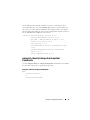
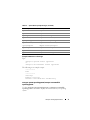
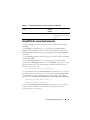
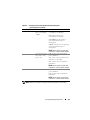
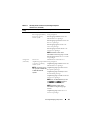
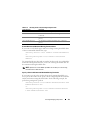
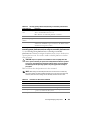
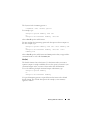
When you issue the command and the system sets the values you specify, the
following message appears:
Voltage probe warning threshold(s) set
successfully.
NOTE: Minimum and maximum warning threshold values for the voltage cannot be
set on PowerEdge x8xx systems.
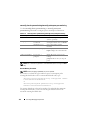
omconfig preferences
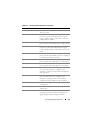
Use the omconfig preferences command to set system preferences. Use the
command line to set the SNMP root password and specify the user levels able
to access Server Administrator. You can also configure the Active Directory
service and SNMP set operations.
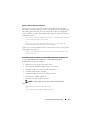
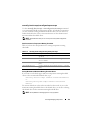
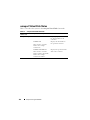
omconfig preferences cdvformat
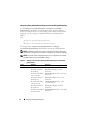
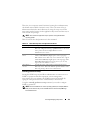
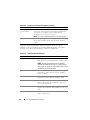
Use the omconfig preferences cdvformat to specify the delimiters for
separating data fields reported in the custom delimited format. The valid
values for delimiters are: exclamation, semicolon, at, hash, dollar, percent,
caret, asterisk, tilde, question, colon, comma, and pipe.
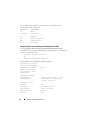
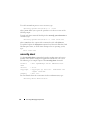
The following example shows how to set the delimiter for separating data
fields to asterisk:
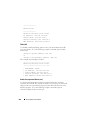
omconfig preferences cdvformat delimiter=asterisk
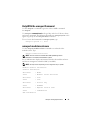
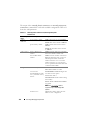
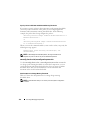
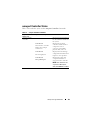
omconfig preferences dirservice
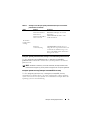
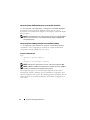
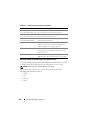
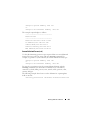
Use the omconfig preferences dirservice command to configure the Active
Directory service. The <productname>oem.ini file is modified to reflect
these changes. If the "adproductname" is not present in the
<productname>oem.ini file then a <computername>-<productname>
default value is used. <computername> refers to the name of the computer
running Server Administrator and <productname> refers to the name of the
product defined in omprv32.ini. For Server Administrator, the product name
is "omsa".
132
omconfig: Managing Components