1
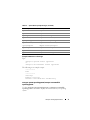
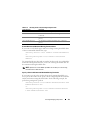
Example Syntax
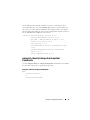
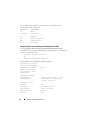
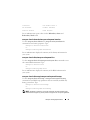
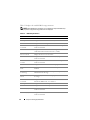
In this example, you want to prepare physical disk 3 on connector 0 of
controller 1 for removal. On a SAS controller, the physical disk resides in
enclosure 2.
Example for SCSI, SATA, and ATA Controllers
To prepare to remove the physical disk described in this example, type:
omconfig storage pdisk action=remove controller=1
pdisk=0:3
Example for SAS Controllers
To prepare to remove the physical disk described in this example, type:
omconfig storage pdisk action=remove controller=1
pdisk=0:2:3
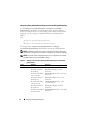
omconfig Instant Erase Secured Physical Disk
Use the following omconfig command syntax to erase the given encrypted
disk:
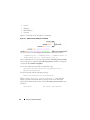
Complete Syntax
omconfig storage pdisk action=instantsecureerase
controller=id pdisk=<PDISKID>
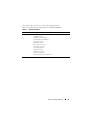
where id is the controller ID. The <PDISK> variable specifies the physical
disk.
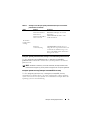
To obtain these values, type omreport storage controller to display the
controller IDs and then type omreport storage pdisk controller=ID to
display the IDs for the physical disks attached to the controller.
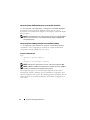
Example Syntax
In this example, you want to erase physical disk 3 on connector 0 of controller
1. On a SAS controller, the physical disk resides in enclosure 2.
omconfig storage Commands
195