1
6
Using MFC Remote Setup
(For Windows®)
MFC Remote Setup
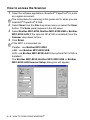
The MFC Remote Setup application enables you to configure your
MFC using an intuitive graphical user interface (GUI) on your PC.
When you access this application, the settings on your MFC will be
downloaded to your PC and displayed on your computer screen. If
you change the settings, you can upload them directly to the MFC.
You can't use the MFC Remote Setup application if your MFC is
only connected to a Network with the optional Network LAN
board (NC-9100h). (See Web Based Management in the
NC-9100h User's Guide.)
OK button
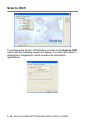
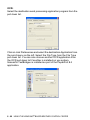
When you click OK, the process of uploading the data to the MFC
begins. The MFC Remote Setup program is closed if an error
message is displayed, enter the correct data again and then click
OK.
USING MFC REMOTE SETUP 6 - 1